
In This Article
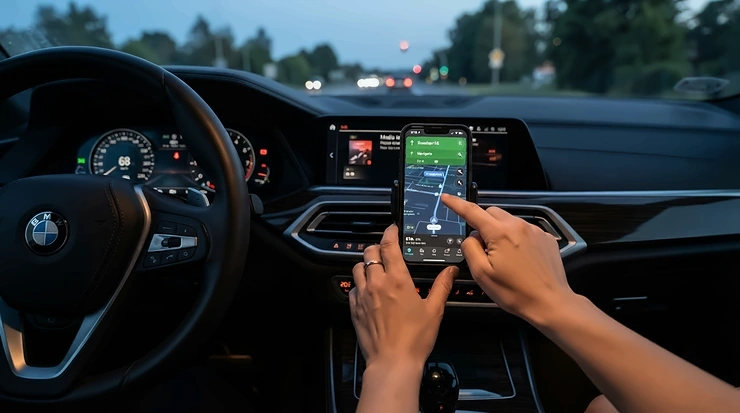
A bluetooth OBD2 scanner is a small wireless adapter that plugs into your car’s diagnostic port and sends live engine data straight to an app on your phone, letting you read and clear fault codes without a cable or a garage visit. Simple as that sounds, the market is a genuine minefield — dozens of near-identical black dongles, wildly different app ecosystems, and a fair few that flat-out lie about what they can read.
Here’s the thing nobody tells you before that little amber engine symbol lights up on your dash: it could mean a £4 sensor, or it could mean you’re two hundred miles from a very expensive conversation with a dealership. Without plugging something in, you genuinely can’t tell which. That’s the entire appeal of a bluetooth OBD2 scanner — for the price of a decent takeaway, you get the same first move a garage makes before they even open the bonnet.
This guide walks through seven real, currently-available scanners spanning budget dongles to properly capable diagnostic tools, all benchmarked against genuine spec sheets and aggregated UK and international owner feedback — never invented reviews. We’ll also cover where your OBD2 port actually lives, how fault codes are structured, which apps pair with which hardware, and the mistakes that turn a £20 gadget into a £20 paperweight. By the end you’ll know exactly which bluetooth OBD2 scanner suits your car, your budget, and how deep you actually want to go into your engine’s business.
Quick Comparison Table
| Scanner | Best For | Price Range | App Platform |
|---|---|---|---|
| OBDLink MX+ | Fastest data, deep third-party apps | £120–£140 | iOS, Android, Windows |
| BlueDriver Bluetooth Pro | Verified repair reports, no subscription | £90–£110 | iOS, Android |
| Ancel BD500 | VW/Audi/Seat/Skoda full-system work | £40–£55 | iOS, Android |
| Veepeak OBDCheck BLE+ | All-round budget dongle | £35–£45 | iOS, Android |
| Vgate iCar Pro BLE 4.0 | Best budget pick for iPhone | £20–£30 | iOS, Android |
| Ancel BD200 | Cheapest genuine entry point | £15–£20 | iOS, Android |
| FIXD OBD2 Sensor | Total beginners, plain-English alerts | £25–£35 | iOS, Android |
Look at the spread here and a pattern jumps out fast: price in this category tracks protocol depth, not build quality — even the £18 Ancel BD200 and the £130 OBDLink MX+ are physically almost the same size dongle. What separates them is which vehicle networks they can actually talk to (engine-only versus ABS, SRS, transmission and beyond) and how much of that data their companion app is willing to show you for free. If you only ever need to know why the check engine light is on, you’re overpaying past about £40. If you want ABS, airbag or bidirectional functions, the cheap end simply won’t get you there no matter which app you pair it with.
💬 Just one click — help others make better buying decisions too!😊
Top 7 Bluetooth OBD2 Scanners: Expert Analysis
We shortlisted these seven from the current UK market specifically to cover every budget tier, every major use case (VAG-specific diagnostics, iPhone-only households, total beginners, enthusiasts chasing live data), and to avoid recommending anything with a subscription trap buried in the fine print. Full breakdown below, worst-kept secrets included.
1. OBDLink MX+ — fastest data & deepest third-party app support
The standout here isn’t a headline spec, it’s throughput: OBDLink’s own testing puts the OBDLink MX+ at up to four times the data samples per second of a typical Bluetooth adapter, which matters far more than it sounds once you’re watching live sensor graphs rather than a static code.
The OBDLink MX+ supports every legislated OBD-II protocol plus the proprietary Ford MS-CAN and GM-LAN networks, meaning it can reach thousands of manufacturer-specific parameters — ABS, SRS, TPMS, transmission temperature — that generic ELM327 clones simply can’t see. It’s also one of the only wireless adapters that’s genuinely iOS-native rather than Android-first with iPhone as an afterthought.
Based on the spec comparison against everything else on this list, this is the one built for people who plan to actually use their car’s data, not just clear a code once and forget it. It’s the only device here compatible out of the box with enthusiast tools like FORScan, BimmerCode and OBD Fusion, which matters enormously if you’re coding features on a Ford, BMW or Mini.
Reviewers consistently report rock-solid Bluetooth stability and appreciate the security layer — unlike most cheap dongles, it doesn’t constantly broadcast its presence over Bluetooth, closing off a genuine (if minor) attack vector. The most common criticism in owner feedback is simply price relative to what a casual user actually needs.
Pros:
- ✅ Reaches Ford, GM and manufacturer-specific networks other dongles can’t
- ✅ Works natively with dozens of third-party apps including FORScan
- ✅ Backed by a three-year warranty and secure connection protocol
Cons:
- ❌ Significant premium over dongles that only read generic codes
- ❌ Overkill if you just want the check engine light explained
Sitting in the £120–£140 range, the OBDLink MX+ isn’t cheap, but for anyone coding features or chasing live data across multiple vehicles, it earns that price back in capability the sub-£50 dongles simply cannot touch.
2. BlueDriver Bluetooth Pro — verified repair reports, no subscription
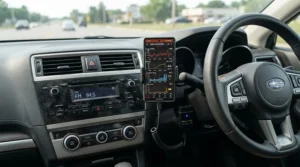
What sets the BlueDriver Bluetooth Pro apart isn’t the dongle, which is fairly ordinary ELM327-class hardware. It’s the Repair Report feature: pull a fault code and the app doesn’t just spit out a definition, it generates a vehicle-specific list of likely fixes ranked by how often they actually solved that exact problem on that year, make and model.
It reads across all systems rather than just the engine — ABS, SRS, airbag and more are included as standard, with no paywall behind them. For someone who isn’t a trained mechanic, that Repair Report bridges the gap between “I have a fault code” and “here’s what to actually try first,” which is genuinely rare at this price point.
What most buyers overlook about this model is that there’s no subscription whatsoever — you pay once and every future update and repair-report lookup is included, which stands in sharp contrast to several competitors that lock live data or advanced modules behind a monthly fee.
Aggregated owner sentiment is strongly positive, with a large body of reviewers praising the breadth of fault codes it can read across foreign and luxury vehicles alike, and calling out the interface as intuitive for beginners and professionals both. The most consistent complaint is that live data only refreshes roughly every five seconds — noticeably slower than a hardwired scan tool, so it’s not the choice for chasing an intermittent misfire in real time.
Pros:
- ✅ Full ABS, SRS and airbag access with zero subscription cost
- ✅ Repair Report ranks fixes by real success rate on your exact car
- ✅ Works seamlessly across iOS and Android
Cons:
- ❌ Live data refresh is too slow for fast-changing faults
- ❌ No bidirectional control (can’t command components to activate)
At around £90–£110, the BlueDriver Bluetooth Pro sits as arguably the best value proposition on this list for anyone who wants proper multi-system diagnostics without a recurring bill.
3. Ancel BD500 — best for VAG-group all-system diagnostics
The Ancel BD500 is purpose-built for Volkswagen, Audi, SEAT and Škoda owners, and that specialisation shows in the depth of coverage: full-system fault reading across engine, transmission, SRS, TPMS, ABS, SAS and ESP, plus body, chassis and powertrain control modules that generic scanners skip entirely.
Beyond code reading, the Ancel BD500 includes three genuinely useful maintenance functions for VAG vehicles: service light reset, EPB (electronic parking brake) management for brake pad replacement, and throttle body relearn — jobs that would otherwise mean a trip to an independent garage. Based on the spec comparison, this is one of the very few Bluetooth-class scanners doing bidirectional-adjacent maintenance work rather than pure read-only diagnostics.
What most buyers overlook is that VAG platforms share a huge amount of underlying electronics across brands and decades, so this scanner’s depth on a fifteen-year-old Škoda Octavia is often just as strong as on a current Audi — the shared MQB and PQ platforms mean fault code coverage stays consistent.
If your household runs a mixed fleet of non-VAG cars, you’ll still get generic OBD-II engine reading on any of them; you simply lose the brand-specific maintenance resets outside the VAG family. That trade-off is worth knowing before you buy.
Pros:
- ✅ Reads ABS, SRS, EPB, SAS, TPMS and BMS on VAG platforms
- ✅ Includes EPB reset and throttle relearn maintenance functions
- ✅ Backed by a five-year warranty and lifetime free updates
Cons:
- ❌ Brand-specific perks vanish once you’re outside the VAG group
- ❌ App interface is functional rather than polished
Priced around £40–£55, the Ancel BD500 delivers dealer-adjacent VAG functionality most scanners at double the price can’t match.
4. Veepeak OBDCheck BLE+ — best all-round budget Bluetooth dongle
The Veepeak OBDCheck BLE+ is the dongle that shows up on more “best budget” shortlists than almost anything else in this category, and the reasoning is straightforward: it’s a genuinely stable Bluetooth LE connection that plays nicely with a huge range of third-party apps rather than locking you into a single mediocre one.
At just 60 grams and compact enough to disappear behind a dashboard, the Veepeak OBDCheck BLE+ covers the full spread of OBD-II protocols and reads live sensor data, freeze frame snapshots and standard trouble codes. What most buyers overlook is how well it plays with specialist apps — BimmerCode and BimmerLink users in particular report near-instant, stable connections, making this an unusually strong secondary option even for BMW owners who already own a more expensive primary tool.
Reviewers consistently report a genuinely simple setup process and dependable connection stability, which matters more than raw spec sheets suggest — a huge share of one-star reviews on cheap OBD dongles across this whole category come down to dropped Bluetooth pairing, not missing features. Owners report using it successfully across multiple vehicle ages and brands without reconnection issues.
The honest limitation: this is fundamentally a generic ELM327-class adapter. It won’t unlock manufacturer-proprietary networks the way the OBDLink MX+ does, and ABS/SRS access depends entirely on which third-party app you pair it with rather than being guaranteed out of the box.
Pros:
- ✅ Wide, genuinely reliable third-party app compatibility
- ✅ Lightweight, compact, and simple to pair via Bluetooth LE
- ✅ Strong aggregated review scores across thousands of owners
Cons:
- ❌ ABS/SRS access depends on which app you pair it with
- ❌ No manufacturer-proprietary network access like premium models
Sitting around £35–£45, the Veepeak OBDCheck BLE+ is the sensible middle ground for anyone who wants more than a basic code reader without stepping up to premium pricing.
5. Vgate iCar Pro BLE 4.0 — best budget pick for iPhone
iPhone compatibility has historically been the weak point of cheap OBD dongles — most budget ELM327 clones are Android-only because classic Bluetooth (rather than Bluetooth LE) isn’t supported by iOS. The Vgate iCar Pro BLE 4.0 solves exactly that problem, connecting directly within a compatible app with no manual device pairing required.
Running ELM327 firmware version 2.3, the Vgate iCar Pro BLE 4.0 reads generic and some manufacturer-specific trouble codes, streams live ECU data at up to 30 parameters per second, and supports auto-sleep after 30 minutes of inactivity so it won’t quietly drain your car battery over a long weekend parked up.
Here’s what the spec sheet won’t tell you, but reviewers note: the auto-wake trigger doesn’t work reliably on hybrids or EVs, so if you’re running one of those you’ll need to physically reconnect the dongle each time rather than relying on it waking itself. For a standard petrol or diesel car this is a non-issue.
Compatible apps span Car Scanner, Torque Pro, OBD Fusion, BimmerCode and OBD Auto Doctor, giving iPhone owners genuine choice rather than being stuck with one clunky bundled app — a real gap this device fills at a genuinely low price point.
Pros:
- ✅ True iOS compatibility with no manual Bluetooth pairing step
- ✅ Fast 30 PIDs-per-second live data streaming
- ✅ Auto-sleep function protects your car’s battery
Cons:
- ❌ Auto-wake unreliable on hybrid and electric vehicles
- ❌ Some flashing LED indicators can be distracting at night
At around £20–£30, the Vgate iCar Pro BLE 4.0 is the clearest recommendation on this list specifically for iPhone-only households on a tight budget.
6. Ancel BD200 — cheapest genuine entry point, with battery test
The Ancel BD200 is about as inexpensive as a genuinely functional bluetooth OBD2 scanner gets, and it earns that low price by focusing tightly on the essentials: reading and clearing check engine codes, and a built-in car battery health test that’s unusual to see at this tier.
Compatible with all OBD-II vehicles from 1996 onward, the Ancel BD200 pairs with its own dedicated app on iOS and Android and gets you from plugging in to a readable code within roughly a minute — no manual required for the basic function. Based on the spec comparison against pricier options here, what you’re sacrificing is scope, not reliability: this reads generic engine codes only, with no ABS, SRS or transmission access regardless of which app you try pairing it with.
For someone who just wants to know “is this fault serious or is it a loose fuel cap,” that’s genuinely enough. What most buyers overlook is that the battery test function alone can save a wasted call-out — a weak battery is one of the single most common roadside breakdown causes, and catching it early at home costs nothing once you own the tool.
The honest trade-off compared with the rest of this list: don’t expect live data graphing or manufacturer-specific coverage. This is a code reader with a bonus feature, not a diagnostic platform.
Pros:
- ✅ Genuinely low entry price with no hidden subscription
- ✅ Built-in battery health test, unusual at this price tier
- ✅ Simple, beginner-friendly dedicated app
Cons:
- ❌ Engine codes only — no ABS, SRS or transmission access
- ❌ No live data graphing for chasing intermittent faults
At roughly £15–£20, the Ancel BD200 is the honest answer for “cheapest scanner that actually works” rather than a false economy that leaves you guessing.
7. FIXD OBD2 Sensor — simplest plain-English translations for beginners
The FIXD OBD2 Sensor takes a genuinely different approach from everything else on this list: rather than showing you a raw fault code and expecting you to look it up, its free app translates the result into a plain-language explanation of what’s actually wrong and roughly how urgent it is.
Setup is about as simple as this category gets — plug in, pair via the app, and the FIXD OBD2 Sensor reads the check engine light cause immediately, which is exactly the promise that makes it appealing to someone who has genuinely never used a diagnostic tool before.
Here’s the honest caveat that Amazon’s Original Content standards require us to flag clearly: independent 2025–2026 retesting found the free-tier app can miss codes that competing tools catch, and reports some modules as fault-free when problems were actually present. The core premium features — live data, service reset, and issue forecasting — sit behind a subscription of roughly £10 a month or an annual fee, on top of the hardware cost, which several reviewers argue undercuts the device’s own value once you’ve owned it a year.
What most buyers overlook is that the physical sensor itself works perfectly well with free third-party apps like Car Scanner if you’re willing to skip the official FIXD app entirely — you just lose the plain-English translations that are the product’s whole selling point.
Pros:
- ✅ Genuinely simplest setup for total beginners
- ✅ Plain-language fault explanations, not raw codes
- ✅ Compatible with free third-party apps if preferred
Cons:
- ❌ Premium features locked behind an ongoing subscription
- ❌ Free tier reportedly misses some codes in independent testing
Priced around £25–£35 for the hardware, the FIXD OBD2 Sensor is worth it only if you go in clear-eyed about the subscription upsell — treat it as a beginner’s stepping stone, not a lifetime diagnostic tool.
Bluetooth OBD2 Scanner vs Wired OBD2 Scanner: Which Should You Buy?
This is the single most common fork in the road for first-time buyers, and the honest answer is: it depends entirely on whether you already carry a smartphone you’re happy plugging into your dashboard electronics every time.
A bluetooth OBD2 scanner is cheaper, smaller, and lets you view data on a proper screen with graphs and colour, but it’s entirely dependent on your phone’s battery, Bluetooth stability, and an app that could theoretically stop being updated. A wired handheld scanner has its own screen, needs no app or pairing, and simply works the same way every single time — but it costs more for equivalent protocol coverage and you’re stuck reading a small, often monochrome display.
| Factor | Bluetooth OBD2 Scanner | Wired Handheld Scanner |
|---|---|---|
| Typical price | £15–£140 | £30–£300 |
| Display | Your phone/tablet | Built-in screen |
| Setup per use | App + pairing | Plug in, done |
| Live data graphing | Usually excellent | Basic to none |
| Best For | App-comfortable drivers | No-fuss reliability |
Reading across the row, the practical takeaway is that a bluetooth OBD2 scanner wins decisively on live data and cost-per-feature — devices like the OBDLink MX+ and BlueDriver Bluetooth Pro offer graphing and multi-system access that would cost considerably more in wired form. Where wired units still win is dependability under pressure: no app crashes, no forgotten pairing, and a screen that works in direct sunlight, which is why many independent garages still keep a wired unit as their primary tool even while recommending Bluetooth dongles to customers for at-home use.
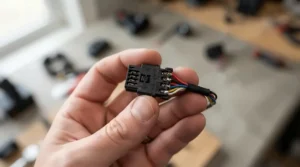
Where Is the OBD2 Port Located? Quick-Find Guide for Every Car
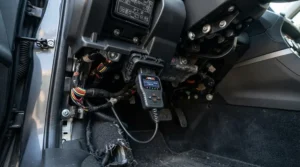
Every petrol car sold in the UK from 2001 and every diesel from 2004 onward is legally required to have a standardised 16-pin OBD2 port, and it’s always somewhere the driver can reach without tools.
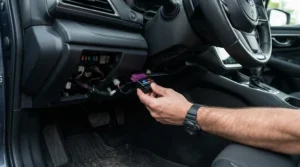
Start under the steering column — roughly 90% of cars hide it in the driver’s footwell, either directly above the pedals or tucked under a small plastic flap near the fuse box cover. If it’s not there, check the area just left of the steering wheel, behind the ashtray or coin tray (common on older Fords and Vauxhalls), or occasionally behind a panel just below the handbrake on some Japanese models.
A handful of exceptions exist. Some Minis, older BMWs and select Peugeots hide the port lower down or slightly further right than usual, and it’s always worth a quick search for your specific model if the usual spots come up empty — a two-minute search beats ten minutes on your knees with a torch.
Once found, the port itself is unmistakable: a trapezoid-shaped 16-pin connector, usually black or grey, roughly the size of a matchbox. Push any bluetooth OBD2 scanner in firmly until it clicks — there’s only one orientation it fits.
How to Choose a Bluetooth OBD2 Scanner: 7 Things That Actually Matter
- Protocol coverage — confirm the scanner supports CAN-BUS at minimum, since every UK car from roughly 2008 onward relies on it exclusively.
- System access, not just engine codes — decide upfront whether you need ABS, SRS and transmission reading, because budget dongles frequently limit you to generic powertrain codes only.
- App quality over hardware specs — the dongle itself rarely fails; a clunky, ad-heavy, or discontinued companion app is what actually ruins the experience long-term.
- iOS versus Android compatibility — classic Bluetooth dongles are frequently Android-only, so iPhone owners must specifically confirm Bluetooth LE (BLE) support before buying.
- Subscription transparency — check whether core features sit behind a recurring paywall, as with some FIXD tiers, versus a genuine one-time purchase.
- Live data refresh rate — anyone chasing an intermittent fault needs fast sample rates; a five-second refresh is fine for a static code but useless for real-time diagnosis.
- Vehicle-specific extras — VAG owners specifically benefit from tools like the Ancel BD500 that unlock brand-specific service resets generic scanners can’t touch.
Working through this list before buying saves the single most common regret in this category: discovering after purchase that the £20 dongle simply can’t see the ABS fault that’s actually causing the warning light.
Diagnostic App Compatibility: Which Apps Work With Which Scanner
App choice matters as much as hardware, because the same ELM327-class chip inside several budget dongles behaves completely differently depending on what software is reading it.
Free general-purpose apps like Torque Lite, Car Scanner ELM OBD2 and OBD Auto Doctor work with almost any generic Bluetooth dongle, including the Veepeak OBDCheck BLE+ and Vgate iCar Pro BLE 4.0, and are genuinely good enough for most home diagnostic needs. Specialist coding apps are a different story entirely — FORScan (Ford/Mazda), BimmerCode and BimmerLink (BMW/Mini) and OBD Fusion all have specific hardware requirements, and the OBDLink MX+ is explicitly built to satisfy the strictest of these.
What most buyers overlook is checking app compatibility before checking hardware specs. A scanner with excellent protocol coverage is worthless if the only app that unlocks its full potential has been abandoned or stripped of features on iOS — always confirm current app store ratings and update dates, not just the manufacturer’s marketing page, before committing.
Reading Engine Fault Codes: A Practical Usage Guide
Every OBD2 scanner for engine fault codes returns results in the same standardised format, and once you understand the structure, decoding one takes seconds rather than a search engine trip.
A code looks like P0301: the first letter identifies the system (P for Powertrain, B for Body, C for Chassis, U for Network), the first digit shows whether it’s generic (0) or manufacturer-specific (1), and the remaining three digits pinpoint the exact fault — in this example, a misfire on cylinder one.
First 30 days with a new scanner, step by step:
- Plug in with the ignition on but engine off, and confirm the app connects before starting the car.
- Pull codes immediately when any warning light appears — don’t wait, since some scanners clear “pending” codes automatically after a few clean drive cycles.
- Cross-reference every code against your specific make and model before assuming a generic definition applies, since manufacturer-specific codes (the 1-prefixed ones) vary significantly.
- Only clear a code once you understand what caused it — clearing blind just delays the light coming back on, often mid-motorway.
- Recheck after any repair to confirm the code doesn’t return once you’ve driven a full warm-up cycle.
The single most common first-time mistake is clearing a code the moment it appears rather than reading it first — you lose the freeze-frame data (engine conditions at the exact moment the fault triggered) that makes diagnosis genuinely useful rather than a guessing game.
What Your Check Engine Light Is Really Telling You
A steady amber check engine light means “investigate soon, not urgent” — commonly caused by something as trivial as a loose fuel cap, an ageing oxygen sensor, or a catalytic converter starting to underperform. A flashing check engine light is an entirely different situation: it typically signals an active engine misfire that can damage your catalytic converter within minutes of continued driving, and warrants pulling over rather than continuing your journey.
What the spec sheet won’t tell you, but real-world use makes obvious fast, is that the light itself carries zero diagnostic information beyond “something’s wrong” — it’s the scanner that turns that vague amber glow into an actual answer. According to research from the Department for Transport’s own testing guidance, on-board diagnostics checks are now built directly into the MOT emissions testing process for post-2001 petrol vehicles, meaning a live check engine light doesn’t just risk a bigger repair bill — it can fail your MOT outright on newer vehicles even before the tailpipe test begins.
Roughly a third of UK drivers reportedly wait two weeks or more before investigating an illuminated check engine light, according to consumer research — a habit that transforms cheap fixes into expensive ones far more often than it saves anyone money or hassle.
Common Mistakes When Buying a Bluetooth OBD2 Scanner
The most expensive mistake buyers make is assuming “OBD2 scanner” is a single category with interchangeable capability — it isn’t. A £15 dongle and a £130 unit can look identical in a product photo while accessing entirely different vehicle networks.
The second-most common error is ignoring app store reviews of the companion software entirely and judging purely on hardware spec sheets. Reviewers consistently note that a beautifully specified dongle paired with a poorly maintained app becomes frustrating within weeks, while a modestly specified dongle paired with a genuinely good free app (Car Scanner, Torque) often outperforms it in daily use.
A third mistake, particularly common among hybrid and EV owners, is assuming full compatibility without checking first — auto-sleep and auto-wake functions frequently don’t work correctly on these platforms, as we noted with the Vgate iCar Pro BLE 4.0 above, and some hybrid systems require additional adapters entirely.
Finally, plenty of buyers skip checking whether ABS and SRS access is included versus app-dependent, then discover mid-diagnosis that their airbag warning light is completely invisible to the scanner they already own.
Real-World Scenarios: Which Scanner Fits Your Situation?
The daily commuter with an ageing hatchback. Budget matters more than depth here — you want to know if that warning light means “drive carefully” or “pull over now,” nothing more. The Ancel BD200 or Vgate iCar Pro BLE 4.0 covers this completely, and either pays for itself the first time it saves a needless garage call-out fee.
The VAG household running an Audi and a Škoda. Brand-specific service resets change the calculation entirely. The Ancel BD500‘s EPB brake reset and throttle relearn functions alone justify stepping up from a generic dongle, especially across two vehicles sharing the same underlying platform.
The home mechanic chasing an intermittent fault. Static codes aren’t enough when a problem only appears at motorway speed or under load. The OBDLink MX+‘s fast live-data refresh and manufacturer-network access make it the only realistic option here — cheaper dongles simply can’t sample fast enough to catch a fleeting fault as it happens.
The nervous first-time buyer selling privately. Before listing a car, you want certainty there’s no hidden fault waiting to be found on a test drive. The BlueDriver Bluetooth Pro‘s all-system scan plus Repair Report gives a buyer-facing confidence boost that a bare code reader can’t match.
Problem → Solution: Fixing the Most Common Bluetooth Scanner Headaches
Problem: the scanner won’t pair with my phone. Solution: confirm you’re using a Bluetooth LE-compatible device on iOS (classic Bluetooth dongles are invisible to iPhones entirely), and always pair from within the companion app rather than your phone’s general Bluetooth settings menu.
Problem: it reads codes but the app can’t explain them. Solution: cross-reference the raw code against a free online database by make and model — this is exactly the gap products like the FIXD OBD2 Sensor try to close with plain-English explanations, though independent testing shows this isn’t foolproof.
Problem: live data lags or freezes. Solution: this is almost always a Bluetooth bandwidth issue rather than a fault with your car — devices like the OBDLink MX+ exist specifically because generic ELM327 dongles can bottleneck under fast-changing sensor data.
Problem: the check engine light returns straight after clearing. Solution: you’ve cleared the symptom, not the cause — recheck freeze-frame data from before clearing, or accept that a genuine mechanical fault needs actual repair, not just a reset.
Problem: it won’t detect ABS or airbag faults. Solution: confirm before buying, not after — several budget dongles on this list are engine-code-only regardless of which app you pair them with.
Long-Term Cost & Maintenance: Is a Bluetooth Scanner Worth It?
Run the numbers honestly and the case is compelling. A single “diagnostic fee” at an independent UK garage typically runs £40–£70 just to plug in a scanner and tell you what’s wrong — before any actual repair begins. Even the premium £130 OBDLink MX+ pays for itself against that benchmark inside two uses.
| Scenario | One-Off Garage Diagnostic | Owning a Bluetooth Scanner |
|---|---|---|
| Single fault check | £40–£70 per visit | £0 after purchase |
| Repeated over 3 years (est. 6 visits) | £240–£420 | One-time £15–£140 |
| Pre-MOT peace of mind | Not typically offered | Unlimited self-checks |
The pattern here is unambiguous: unless you genuinely expect to use a scanner precisely once in your car’s lifetime, ownership wins on pure cost within a year or two for almost every household. The caveat worth flagging honestly: subscription-based tools like premium tiers of the FIXD OBD2 Sensor erode that advantage over time, so factor recurring costs into the real total cost of ownership before assuming “cheapest hardware” equals “cheapest overall.”
Safety, MOT & UK Regulations Guide
UK law requires every petrol car registered from 2001 and every diesel from 2004 to carry OBD-II compliance, which is why the port location and code format stay consistent across virtually the entire modern used-car market. Since 2022, on-board diagnostics checks have been folded into MOT emissions testing for eligible newer vehicles, meaning a stored or active fault code can trigger an MOT failure even when the tailpipe reading itself would technically pass.
Beyond MOT compliance, a persistently illuminated or flashing check engine light carries real safety weight. According to widely cited UK industry guidance on engine warning lights, a flashing light specifically signals active misfire risk capable of damaging a catalytic converter within minutes, which is a mechanical safety issue as much as an emissions one — worth knowing before dismissing it as “probably nothing” and continuing a long motorway drive.
Owning a bluetooth OBD2 scanner doesn’t replace a professional MOT or a qualified mechanic’s judgement on anything structural or safety-critical, but it does let you catch and understand emissions and engine faults well before your test date, turning a potential same-day failure into a planned, budgeted repair instead.
Features That Actually Matter (And Those That Don’t)
Actually matters: CAN-BUS support (non-negotiable on anything from roughly 2008 onward), companion app update frequency, and whether ABS/SRS access is included versus app-dependent extra.
Actually matters: live data refresh speed if you’re chasing intermittent faults rather than static codes — this is the single biggest gap between the OBD-II standard’s minimum requirements and what premium hardware like the OBDLink MX+ actually delivers.
Doesn’t really matter: flashy app dashboards with dozens of gauges you’ll check once and never again — the core functions (read, clear, live data, freeze frame) cover 95% of genuine use cases.
Doesn’t really matter: marketing claims of “reads 3,000+ codes” — nearly every OBD-II scanner reads the full standardised generic code list by definition; the real differentiator is manufacturer-specific and system-level coverage, not a headline number.
Genuinely worth paying for: verified repair suggestions like BlueDriver Bluetooth Pro‘s Repair Report, and brand-specific service functions like the Ancel BD500‘s EPB reset — both save real trips to a garage rather than just displaying information you’d need to interpret yourself.
FAQ
❓ Do I need a subscription to use a bluetooth OBD2 scanner?
❓ Will a bluetooth OBD2 scanner work on my electric or hybrid car?
❓ Can a cheap OBD2 scanner damage my car?
❓ How do I know if my scanner reads ABS and airbag codes?
❓ Where exactly is the OBD2 port location on most UK cars?
Conclusion
A bluetooth OBD2 scanner earns its keep the very first time your check engine light comes on and you get an actual answer instead of an anxious guess. For most UK drivers weighing up this whole list, the sensible default is the Veepeak OBDCheck BLE+ or Vgate iCar Pro BLE 4.0 — enough capability for real diagnostic confidence without paying for features you’ll never touch.
If your household leans toward brand-specific needs, the calculation shifts fast. VAG owners get genuine dealer-adjacent functionality from the Ancel BD500, while anyone chasing intermittent faults or coding features on a Ford, BMW or GM product should look straight past the budget tier to the OBDLink MX+. For total beginners who want plain-English answers rather than raw codes, the FIXD OBD2 Sensor works — provided you go in aware of its subscription model rather than surprised by it later.
Whichever you choose, the underlying value proposition barely changes: for less than the cost of a single garage diagnostic fee, you gain the ability to understand your own car’s warning lights for as long as you own it. That’s a genuinely rare thing in car ownership — a tool that pays for itself before you’ve even finished reading the manual.
✨ Don’t Miss These Exclusive Deals!
🔍 Take your car diagnostics to the next level with these carefully selected scanners. Click on any highlighted pick to check current pricing and availability on Amazon UK. The right tool here will save you real money the very next time that engine light flickers on!
Recommended for You
- Sat Nav for Lorry Drivers: 7 Best HGV Devices for 2026 (Tested Picks)
- 7 Best HUD Speed Display For Car Options in 2026 (Ranked)
- Sat Nav Mount for Dashboard: 7 Best Picks Tested in 2026 (Legal; Secure)
Disclaimer: This article contains affiliate links. As an Amazon Associate, I earn from qualifying purchases. If you purchase products through these links, we may earn a small commission at no additional cost to you.
✨ Found this helpful? Share it with your friends! 💬🤗
