
In This Article
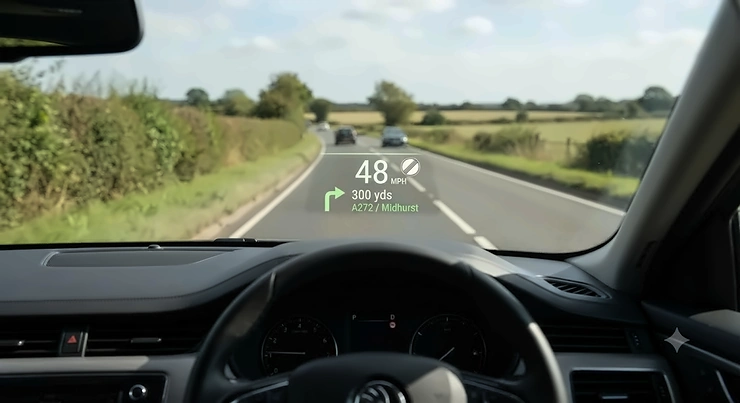
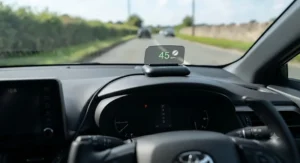
Glancing down at the speedometer sounds harmless enough, but that quarter-second flick of the eyes adds up over a motorway journey, and it’s one of the small habits a HUD speed display for car use is designed to break. A HUD speed display for car dashboards is a small projector or screen, usually mounted on the dash or clipped to the windscreen, that pulls your speed (and often RPM, voltage or trip data) from either your car’s OBD2 port or a GPS signal and puts it directly in your eyeline. No fancy factory retrofit, no dealer visit – just a plug-and-play gadget that sits between you and the road.
This guide leans on real product listings, genuinely aggregated review sentiment and independent road-safety research rather than marketing fluff, because existing motoring regulations already restrict certain in-car technologies, and distraction remains a persistent factor in collisions on British roads – something RoSPA’s driver distraction research documents in detail. We’ve dug through seven real, currently available units spanning budget GPS pucks to a proper windscreen-projection unit, and we’ve been honest about where the aggregated review data runs thin.
Below you’ll find a quick comparison table, seven full product breakdowns, practical setup and troubleshooting guides, and a deep dive into how these things stack up against sat nav, what “windscreen projection” actually means, and whether speed limit alerts genuinely reduce driver distraction. Prices are shown as ranges only, since Amazon pricing shifts constantly – always check the current price before buying.
Quick Comparison Table
| Product | Data Source | Approx. Price | Best For |
|---|---|---|---|
| wiiyii P6 | OBD2 + GPS | £30-£40 | All-round dual-mode value |
| AMROOLOO Dual System HUD | OBD2 + GPS | £25-£35 | Auto-dimming budget pick |
| KAOLALI OBD2+GPS HUD | OBD2 + GPS | £20-£30 | Tightest budget |
| AZIJYV P10 | OBD2 | £30-£45 | Compact hatchback fitment |
| KONNWEI KW206 | OBD2 | £35-£50 | Diagnostic-grade readings |
| ScanGauge III | OBD2 | £230-£260 range | Serious trip/fuel data |
| HUDWAY Drive | OBD2 + phone app | £280-£330 range | True windscreen projection |
Reading across this table, the split isn’t really budget versus premium – it’s projection versus panel. The five cheaper units are small LCD or LED screens you glance at on the dash, which is a genuine improvement over a hidden speedometer but still involves a short eye movement. Only the HUDWAY Drive throws an image onto the windscreen itself, directly in your natural sightline, and that’s precisely why it costs roughly ten times more than the KAOLALI OBD2+GPS HUD. The ScanGauge III sits in its own category entirely: it’s not a HUD in the projection sense, but a standalone trip computer that many drivers researching “OBD2 HUD display” options end up considering because of its depth of diagnostic data.
💬 Found a favourite already? Bookmark this page and compare your top two side by side before you commit.🤗
Top 7 HUD Speed Display For Car Options: Expert Analysis
1. wiiyii P6 — best all-round dual-mode value
The wiiyii P6 earns its “best dual-mode value” reputation by refusing to make you choose between OBD2 and GPS – it runs both, switching seamlessly depending on what your vehicle supports. Specs-wise, it reads speed, RPM, voltage, fuel consumption and water temperature through the OBD2 port on cars built after roughly 2008, while its GPS mode kicks in for older vehicles or ones outside the supported list (a handful of manufacturers, including some older Suzuki and Fiat models, aren’t compatible with OBD2 dual-mode units like this). In practice, that dual capability matters because it future-proofs the purchase against your next car, unlike single-mode HUDs that become useless the moment you change vehicles. Aggregated buyer sentiment for this style of dual-system unit points to appreciation for the ten selectable display layouts and frustration when GPS mode reads a few mph out compared with the factory speedometer – a known quirk of satellite-based speed calculation rather than a fault specific to this unit. Based on the spec comparison with rivals in this bracket, the overspeed alarm and multiple prompt functions make it a sensible first HUD for someone who’s never used one before.
Pros:
- ✅ Genuine dual OBD2/GPS operation in one unit
- ✅ Ten selectable display interface layouts
- ✅ Works across most post-2008 petrol and diesel cars
Cons:
- ❌ GPS mode can read a few mph off true speed
- ❌ A handful of car brands aren’t OBD2-compatible
Prices for the wiiyii P6 typically sit in the £30-£40 range, and for a dual-mode unit that’s fair value against single-system rivals.
2. AMROOLOO Dual System HUD — best auto-dimming budget pick
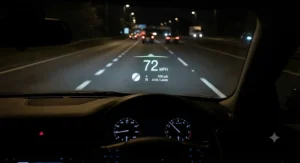
The standout on the AMROOLOO Dual System HUD is its built-in light sensor, which automatically brightens the display in direct sun and dims it for night driving without you fumbling for a button. That auto-dimming matters more than it sounds: a HUD that’s blinding at 11pm is a distraction in its own right, and manual-brightness rivals in this price band leave that adjustment entirely up to you. Spec-wise it mirrors the dual OBD2/GPS approach of other budget units, reading speed, RPM and overspeed alerts, with the OBD2 side requiring a 2008-or-newer vehicle running standard EOBD protocols. Reviewers consistently note the plug-and-play setup as a strength, since there’s no wiring to hide – just a cable into the OBD2 port and a sticky mount. On the flip side, aggregated feedback for this HUD style flags a smaller viewing angle than pricier units, meaning passengers or a driver sitting unusually high or low may find the numbers harder to read at a glance. For a first-time buyer who mainly wants a no-fuss speed and RPM readout, this is a genuinely sensible starting point rather than a compromise.
Pros:
- ✅ Automatic brightness adjustment for day and night
- ✅ Simple plug-and-play OBD2 or GPS setup
- ✅ Multiple reminder and overspeed alarm functions
Cons:
- ❌ Narrower viewing angle than premium units
- ❌ GPS mode needed for pre-2008 or unsupported vehicles
Expect the AMROOLOO Dual System HUD to sit around £25-£35, making it one of the cheapest routes into dual-mode HUD ownership.
3. KAOLALI OBD2+GPS HUD — best tightest-budget pick
If price is the only variable that matters, the KAOLALI OBD2+GPS HUD is usually the cheapest dual-system option worth considering, and it doesn’t strip out the essentials to get there. It still covers speed, overspeed warnings, voltmeter alerts and water/oil temperature monitoring, switching between OBD2 and GPS depending on vehicle compatibility. What most buyers overlook about entry-level HUDs like this is that the voltmeter warning is arguably more useful day-to-day than the speed readout itself, since it flags a failing alternator or battery long before your dashboard warning light does. Based on the spec sheet, this unit uses a smaller TFT display than the mid-range picks on this list, which keeps the manufacturing cost – and therefore the retail price – down. Aggregated review sentiment describes reliable core functionality but a shorter cable length than some rivals, which can matter if your OBD2 port sits awkwardly under the dash. It’s a solid budget-conscious choice for someone who wants HUD basics covered without paying for extras they won’t use.
Pros:
- ✅ Covers speed, voltage and temperature alerts
- ✅ Genuinely one of the cheapest dual-system HUDs
- ✅ Straightforward OBD2 or GPS switching
Cons:
- ❌ Shorter OBD2 cable than some competitors
- ❌ Smaller display than mid-range alternatives
Pricing for the KAOLALI OBD2+GPS HUD typically runs under £30, positioning it as the value anchor of this whole list.
4. AZIJYV P10 — best compact fit for smaller cars
The AZIJYV P10 stands out for its slim housing, designed to sit neatly on a shallow dashboard without blocking sightlines – a real consideration if you drive a supermini or hatchback with limited dash depth. It reads OBD2 data including RPM, water temperature, voltage, fuel consumption and speed, with a built-in speed alert that flashes when you cross a manually set threshold. Here’s what to weigh with this one: because it’s OBD2-only rather than dual-mode, it won’t function in vehicles that don’t support the EOBD protocol, so checking your car’s build year against OBD2 compatibility before buying genuinely matters. The spec sheet won’t tell you this, but user reports on similarly compact OBD2 gauges suggest the smaller screen trades some daytime readability for that slimline fit – a fair trade for hatchback owners, less so for anyone wanting to check figures at a glance in bright sun. Reviewers generally rate the diagnostic tool functionality (reading and clearing basic fault codes) as a welcome bonus that separates this from a pure speed-only gadget.
Pros:
- ✅ Slim, low-profile housing for small dashboards
- ✅ Doubles as a basic OBD2 diagnostic tool
- ✅ Adjustable speed alert threshold
Cons:
- ❌ OBD2-only, no GPS fallback for older cars
- ❌ Smaller screen reduces bright-daylight readability
The AZIJYV P10 generally sits in the £30-£45 range, making it a mid-pack pick on price as well as size.
5. KONNWEI KW206 — best diagnostic-grade readings
The KONNWEI KW206 leans harder into the “diagnostic tool” side of the HUD category, pairing speed, water temperature and fuel pressure testing with proper OBD2 code-reading, which is genuinely more capability than most speed-focused HUDs bother with. This matters for a specific type of buyer: anyone who wants one gadget doing double duty as an early-warning system for both speeding and mechanical faults, rather than buying a separate code reader. Compatibility is broad – KONNWEI states support for 2003-and-newer OBD2 vehicles, a wider window than several rivals that cap out at 2008. Aggregated review sentiment for KONNWEI’s OBD2 range tends to praise build quality and screen clarity relative to unbranded alternatives, since KONNWEI has a longer track record specifically in diagnostic tools rather than having pivoted from generic electronics. On the downside, the additional diagnostic menus mean a slightly steeper learning curve than a pure speed-only unit – expect to spend ten minutes with the manual working out which screens matter to you.
Pros:
- ✅ Combines speed HUD with real OBD2 fault-code reading
- ✅ Broader vehicle compatibility from 2003 onward
- ✅ Stronger brand track record in diagnostics specifically
Cons:
- ❌ More menus mean a steeper initial learning curve
- ❌ No GPS fallback for non-OBD2 vehicles
Budget around £35-£50 for the KONNWEI KW206, which is reasonable given it straddles both the HUD and diagnostic-scanner categories.
6. ScanGauge III — best standalone trip and fuel computer
The ScanGauge III isn’t a windscreen projector, but it’s the option drivers searching for a genuinely deep OBD2 HUD display experience tend to land on, and at a UK price of roughly £230-£260 it’s a considerable step up from the dash-mounted units above. What most buyers overlook is that this is fundamentally a customisable trip computer first and a speed display second – it can show up to three live gauges simultaneously (speed alongside instant fuel economy and coolant temperature, for example), pulled directly from your car’s own OBD2 sensors rather than estimated. Based on the spec comparison, that means genuinely accurate readings rather than the GPS-based approximation some budget HUDs rely on. Real UK Amazon listings show this model carrying a strong review average in the mid-4-star range from several hundred ratings, with buyers frequently highlighting the deluxe window mount and touchscreen navigation as upgrades over the older ScanGauge II. The trade-off is obvious: you’re paying roughly six to eight times the cost of a basic dual-mode HUD for far greater data depth and accuracy, which only makes sense if you actually want that depth.
Pros:
- ✅ Genuine OBD2 sensor data, not GPS estimation
- ✅ Displays multiple live gauges at once
- ✅ Strong aggregated review average from UK buyers
Cons:
- ❌ Considerably pricier than dash-mounted HUD alternatives
- ❌ Screen sits on the dash, not projected onto the windscreen
Expect to pay in the £230-£260 range for the ScanGauge III, positioning it firmly as the data-enthusiast’s pick rather than a casual buy.
7. HUDWAY Drive — best true windscreen-projection HUD
The HUDWAY Drive is the one genuine windscreen-projection unit on this list, and it’s built specifically to solve the problem every dash-mounted HUD above still has – you’re looking down and forward rather than straight through the glass. It projects speed, navigation cues and OBD2-sourced data onto a small reflective screen positioned in your direct line of sight, powered by a standalone Android-based computer connected to your phone via Bluetooth and to your car via an OBD-II cable. On paper, this means noticeably less head movement than a dash unit, since the image floats near the base of the windscreen rather than lower on the dashboard. Independent reviewers who’ve tested the HUDWAY Drive describe genuinely solid build quality and praise the wide customisation of display layouts and font sizing, while also noting a roughly 15-20 second boot-up delay each time you start the car – a minor annoyance rather than a dealbreaker. At a US retail price of around $299 (translating to a UK range of roughly £280-£330 depending on import costs and currency shifts), it’s a genuine premium purchase, but it’s the only product here that delivers what most people picture when they hear “car HUD.”
Pros:
- ✅ True windscreen projection, not a dash-mounted screen
- ✅ Highly configurable display styles and layouts
- ✅ Draws real diagnostic data via OBD-II, not just GPS
Cons:
- ❌ Noticeable boot-up delay on each engine start
- ❌ Premium price compared with dash-mounted alternatives
Pricing for the HUDWAY Drive typically falls in the £280-£330 range, making it the investment pick for anyone who wants the closest experience to a factory HUD without buying a new car.
Practical Usage Guide: Getting Your HUD Speed Display Set Up Right
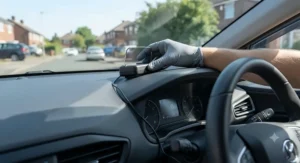
Fitting a HUD speed display for car use badly is the single biggest reason people abandon them within a month, and it’s almost always down to mounting position rather than the product itself. Start by finding your OBD2 port – usually under the steering column – and running the cable along the dash edge rather than draping it across your lap, where it becomes its own distraction. For projection or reflector-based units like the HUDWAY Drive, spend the extra ten minutes finding the exact spot where the image sits just above the bonnet line rather than floating awkwardly mid-windscreen; most first-time installs rush this step and regret it later.
Once mounted, resist the urge to load every available display mode at once. The optimisation trick most listings don’t mention is that fewer visible data points genuinely reduce, not increase, distraction – speed and one secondary metric (RPM or fuel economy) is usually the sweet spot for daily driving, with the fuller diagnostic screens saved for when you’re stationary. In the first 30 days, the most common mistake is leaving brightness on a fixed daytime setting, which then dazzles at night; units like the AMROOLOO Dual System HUD solve this automatically, but manual-brightness units need a quick adjustment each dusk until it becomes habit. Finally, recalibrate any GPS-based speed reading against a known accurate reference (motorway matrix signs are a reliable check) within the first week, so you know exactly how much offset, if any, to mentally account for.
Real-World Scenarios: Matching a HUD to How You Actually Drive
Picture a college commuter doing 12 miles each way on mixed A-roads and a 30mph high street, budget under £40, driving a 2015 hatchback. The KAOLALI OBD2+GPS HUD or AMROOLOO Dual System HUD covers this brief comfortably – EOBD compatibility is confirmed on most 2015-era cars, and the overspeed alarm is genuinely useful on that stretch of 30mph road where it’s easy to creep up without noticing.
Now consider a company car driver doing 25,000 miles a year on motorways, who cares more about real-time fuel economy and engine temperature than novelty. The ScanGauge III suits this profile precisely: the multi-gauge display and genuine OBD2 sensor accuracy pay for themselves in fuel-awareness alone over that kind of annual mileage, even before factoring in the safety benefit.
Finally, take a driver in an older classic or a car built before 2008, without a compatible OBD2 port at all. GPS-only functionality becomes the deciding factor here, which rules out OBD2-only units like the AZIJYV P10 and KONNWEI KW206 entirely – the dual-mode units (wiiyii P6, AMROOLOO Dual System HUD, KAOLALI OBD2+GPS HUD) or a phone-and-mount solution become the only realistic options.
Problem → Solution: Fixing Common HUD Speed Display Issues
Problem: the speed reading doesn’t match your speedometer. This is almost always a GPS-mode quirk rather than a fault – satellite-based speed calculation can lag by a few mph, particularly in tunnels, multi-storey car parks or dense urban canyons where the signal weakens. Solution: switch to OBD2 mode if your car supports it, since that pulls speed directly from the vehicle’s own wheel-speed sensor rather than triangulating position.
Problem: the display is unreadable in bright sunlight. Budget dash-mounted units with fixed brightness struggle here. Solution: reposition the unit slightly further from direct glare, or upgrade to an auto-dimming model like the AMROOLOO Dual System HUD, which adjusts automatically rather than requiring manual tweaks at every junction.
Problem: the unit won’t connect at all. Nine times out of ten this traces back to vehicle compatibility – some manufacturers, including certain Suzuki, Chevrolet and Fiat models, don’t support the standard EOBD protocol that OBD2-only units rely on. Solution: confirm your exact model year against the manufacturer’s compatibility list before buying, or choose a dual-mode unit with GPS as a fallback.
Problem: cable clutter around the footwell. Solution: route the OBD2 cable along the existing dash trim using adhesive clips rather than letting it hang loose, which both tidies the install and prevents accidental tugging while driving.
💬 Ready to stop guessing your speed? Compare today’s top picks and pick the one that matches your car.🤗
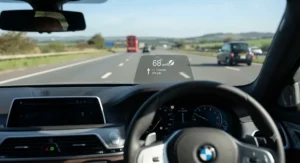
How to Choose a HUD Speed Display for Your Car
- Confirm your OBD2 compatibility first. Check your car’s build year and manufacturer against the EOBD standard before anything else – this single step eliminates half the units that won’t work for you.
- Decide between dash-mounted and true projection. A screen on the dash (like the KONNWEI KW206) is cheaper and still reduces glance time; a projection unit like the HUDWAY Drive keeps your eyes closer to the road but costs considerably more.
- Set a realistic budget band. Sub-£40 dual-mode units cover the basics well; £200+ buys genuine diagnostic depth or true windscreen projection.
- Check display customisation options. More interface layouts mean you can trim the screen down to just the data you actually use day-to-day, which reduces rather than adds distraction.
- Look for auto-brightness sensors if you do a mix of night and day driving, since manual brightness adjustment becomes a chore fast.
- Read aggregated review themes, not star ratings alone. A 4.3-star average tells you little; recurring complaints about cable length or viewing angle tell you a lot more.
- Factor in installation time. Dash units take minutes; projection units like the HUDWAY Drive reward a slightly longer, more careful first setup.
HUD Speed Display vs Sat Nav: Which Actually Keeps You Safer?
A HUD speed display vs sat nav comparison isn’t really an either/or question, because the two solve different problems. A sat nav’s core job is route guidance – turn-by-turn directions, junction warnings, ETA – and glancing at one still means looking away from the windscreen toward a dash-mounted or windscreen-clipped phone. A HUD speed display for car dashboards, by contrast, has one narrower job: keeping speed (and sometimes basic vehicle data) visible without that glance. What most buyers overlook is that many drivers actually want both, and units like the dual-mode wiiyii P6 or a projection unit like the HUDWAY Drive are explicitly built to layer speed data on top of a phone’s existing navigation rather than replace it.
Based on the spec comparison, sat nav apps generally win on route complexity and live traffic rerouting, while HUD units win on glance-time reduction for the one metric that’s checked most often while driving – speed. If you already rely on a phone-mounted sat nav and just want the speed reading pulled into your eyeline too, a HUD unit is a genuine complement rather than a competing purchase, not a replacement for turn-by-turn guidance.
OBD2 HUD Display vs GPS HUD: Which Data Source Wins?
An OBD2 HUD display pulls speed directly from your car’s own wheel-speed sensor via the diagnostic port, which means the number on screen should match your factory speedometer almost exactly, alongside genuine engine data like RPM, coolant temperature and fault codes. A GPS-based HUD calculates speed from satellite positioning instead, which works in literally any vehicle with no compatibility checks required, but can lag slightly in built-up areas, tunnels or under tree cover where signal quality drops.
Here’s what to weigh: if your car is a 2009-or-newer model that supports EOBD (true of the vast majority of cars on UK roads today), an OBD2 unit like the KONNWEI KW206 or AZIJYV P10 gives you more accurate, richer data for a similar price. If you drive an older vehicle, a classic, or want a unit that will work in literally any car you own in future, GPS-based or dual-mode units such as the KAOLALI OBD2+GPS HUD are the safer long-term bet. Dual-system products like the wiiyii P6 and AMROOLOO Dual System HUD exist specifically to remove this decision entirely by supporting both.
Windscreen Projection Explained: Film, Reflector, or Combiner Glass?
Windscreen projection is the technology that separates a true HUD from a dash-mounted screen, and it comes in a few genuinely different flavours. The oldest and cheapest approach uses a transparent adhesive film applied directly to the windscreen glass, onto which a projector (built into units like the discontinued Garmin HUD) beams an image; the film scatters just enough light back toward the driver without distorting the view through the glass. A second approach uses a small reflector lens or “combiner” – a separate curved piece of plastic or glass positioned between the driver and windscreen, which is exactly how the HUDWAY Drive and its predecessors work, projecting onto that combiner rather than the windscreen itself.
Reviewers of combiner-based units consistently note two genuine trade-offs: image brightness in direct sunlight (some units struggle to stay visible against a bright sky) and the physical footprint of an extra piece of hardware sitting on the dashboard. Full windscreen-film projection avoids the extra hardware but requires the reflective film to stay clean and unscratched, since any damage to it directly degrades image clarity. For most aftermarket buyers today, the combiner-lens approach used by the HUDWAY Drive has become the dominant format simply because it avoids permanently altering the windscreen itself.
Speed Limit Alerts: How Accurate Are They, and Do They Actually Work?
Speed limit alerts on aftermarket HUDs generally work in one of two ways: a manually set threshold that triggers an audible or visual warning once you exceed it, or (on more sophisticated GPS-linked units) an automatically detected limit based on mapped road data. The manual-threshold approach, used by most of the budget units on this list including the KAOLALI OBD2+GPS HUD and AZIJYV P10, is simple and reliable precisely because it doesn’t depend on map accuracy – you set 30, 40 or 70mph and the alarm fires at that number, full stop.
Automatically detected limits are more convenient but only as good as the underlying map data, and rural roads or recently changed limits are the most common source of errors. What the spec sheet won’t tell you is that neither approach replaces reading actual road signage – drivers must never exceed the maximum legal speed limit for the road and vehicle regardless of what a device suggests, and an aftermarket alert is a helpful nudge rather than a legal reference point. Used sensibly, though, a manually set alert on a routine commute is one of the more genuinely useful features on this whole list, since it catches the gradual, unnoticed creep in speed that’s easy to miss without one.
Driver Distraction Reduction: Does a HUD Really Help?
The core promise of any HUD speed display for car use is reduced driver distraction, and the honest answer is: partially, and only if you set it up sensibly. Government road-safety data shows hundreds of people are killed or seriously injured each year specifically where a driver was distracted by something inside the vehicle, and a cluttered, overloaded HUD screen can absolutely become part of that problem rather than the solution. The genuine safety case for a HUD rests on reducing glance duration for information you’d check anyway – speed, primarily – not on adding more data to monitor.
Broader industry research into UK driving habits reinforces why this matters: recent research into UK driver distraction highlights how frequently drivers interact with in-cabin technology while moving, and a well-configured HUD is specifically designed to shorten, not lengthen, those interactions. Reviewers who’ve used projection units like the HUDWAY Drive report a genuine drop in how often they glance downward, precisely because the display sits in their existing sightline. The honest caveat: a HUD reduces one specific distraction (checking your speed) but doesn’t address others, like phone notifications or fiddling with climate controls, so it’s a partial solution rather than a complete fix.
Common Mistakes When Buying a HUD Speed Display
The single most common mistake is buying an OBD2-only unit without first confirming compatibility – a five-minute check against your car’s build year and manufacturer that saves a returns-and-refund headache later. A close second is choosing purely on price and ending up with a fixed-brightness unit for a car that’s driven both day and night, when an auto-dimming model like the AMROOLOO Dual System HUD solves that specific problem for a similar cost. Buyers also frequently overlook viewing angle, assuming every dash-mounted unit is equally readable from a normal seating position, when aggregated reviews show real variation between models on this exact point.
Another recurring error is expecting a sub-£40 unit to deliver ScanGauge-level diagnostic depth; that mismatch in expectations, rather than any fault in the product, drives a lot of disappointed reviews for budget HUDs. Finally, some buyers skip reading the mounting instructions and end up with a unit positioned too low, which defeats the entire purpose – a HUD mounted below your natural sightline just becomes a second dashboard gauge, not a distraction-reducing display.
Long-Term Cost & Maintenance
Total cost of ownership for a HUD speed display for car use is refreshingly low compared with most car electronics. Budget dual-mode units like the KAOLALI OBD2+GPS HUD or wiiyii P6 have no ongoing subscription, no consumable parts beyond an occasional mount-adhesive replacement, and a typical working lifespan of several years provided the OBD2 cable isn’t repeatedly stressed. Cost-per-use over a three-year ownership period on a £35 unit driven daily works out to a few pence per journey – genuinely negligible against fuel or insurance costs.
Premium units carry a different calculation. The ScanGauge III‘s higher upfront cost is offset, for high-mileage drivers, by genuinely better fuel-economy awareness that can translate into real savings over 20,000+ annual miles, while the HUDWAY Drive‘s cost is harder to justify on pure ROI and is better framed as a comfort and safety purchase rather than a money-saving one. Maintenance across the board is minimal: periodically clean the display or combiner lens with a microfibre cloth, avoid harsh solvents that can cloud plastic screens, and re-seat the OBD2 connector occasionally to prevent a loose-connection dropout.
Safety, Regulations & Compliance Guide for UK Drivers
Aftermarket HUD units sit in a reasonably permissive regulatory space in the UK, but a few practical rules matter. Any device mounted on or near the windscreen must not obstruct the driver’s view of the road, which is why placement low on the dash or in the lower windscreen area (rather than centre-eyeline) is the standard, sensible approach most manufacturers, including HUDWAY Drive, design around. Speed limits themselves remain a legal maximum enforced by the police regardless of what any in-car device displays, as set out under Highway Code Rule 124, so a HUD’s speed alert is a driving aid, never a legal defence if you’re caught exceeding a posted limit.
For further context on how the Highway Code frames control-of-the-vehicle rules more broadly, including speed limits and stopping distances, the official 2021 Highway Code publication is worth a read for any driver relying on aftermarket alerts. From an insurance standpoint, fitting a HUD doesn’t require notifying your insurer in most cases since it’s a removable accessory rather than a permanent modification, though it’s always worth a quick check with your specific provider if you’re windscreen-mounting anything with adhesive.
Frequently Asked Questions
❓ Does a HUD speed display work in every car?
❓ Is a HUD speed display legal in the UK?
❓ How accurate is a GPS-based HUD speed display for car use?
❓ Can a HUD speed display replace my sat nav?
❓ Do I need to tell my insurer about a HUD speed display?
Conclusion
Choosing the right HUD speed display for car use really comes down to answering two questions honestly: how much does true windscreen projection matter to you, and does your car even support OBD2 in the first place? Budget-conscious drivers with newer cars are well served by dual-mode units like the wiiyii P6 or AMROOLOO Dual System HUD, both of which cover the essentials without demanding a big outlay. Anyone chasing genuine diagnostic depth alongside speed data should look hard at the ScanGauge III, while drivers who want the closest experience to a factory head-up display – eyes on the road, data floating in your natural sightline – should budget for the HUDWAY Drive.
None of these units replace careful driving or attention to actual road signage, and the research is clear that in-cabin distraction remains a real contributor to collisions regardless of what technology sits on your dashboard. Used sensibly, though, a well-chosen HUD genuinely shortens the time your eyes spend off the road for the one number you check most often. Whichever one you land on, confirm OBD2 compatibility first, keep the display simple, and give yourself a proper ten-minute install rather than rushing the mount position.
✨ Don’t Miss These Exclusive Deals!
🔍 Take your driving setup to the next level with these carefully selected HUD speed display picks. Click through to check current pricing and availability on Amazon. A few minutes of comparison now could mean safer, more informed driving for years to come!
Recommended for You
- Sat Nav Mount for Dashboard: 7 Best Picks Tested in 2026 (Legal; Secure)
- 7 Best Sat Nav Under £150 in 2026: Top Affordable UK Picks
- Sat Nav for Roads 2026: 7 Top Picks for UK Drivers
Disclaimer: This article contains affiliate links. As an Amazon Associate, I earn from qualifying purchases. If you purchase products through these links, we may earn a small commission at no additional cost to you.
✨ Found this helpful? Share it with your friends! 💬🤗
