
In This Article
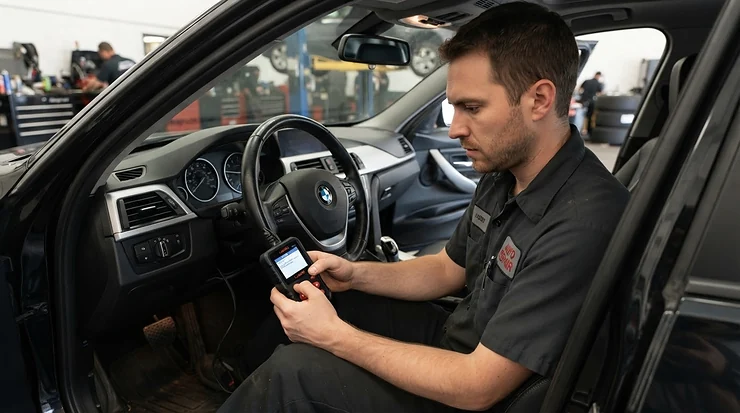
There’s a very specific kind of dread that comes with a glowing orange engine symbol on your dashboard at 7am on a Monday. You don’t know if it’s a loose fuel cap or a £1,200 catalytic converter, and neither, frankly, does the little icon — as Wikipedia’s entry on the check engine light notes, a steady light typically points to a minor repairable fault while a flashing one signals a genuine emergency, and there’s no way to tell which you’re looking at without a code reader. That uncertainty is exactly what an OBD2 scanner for beginners is built to remove. Plug one into the port under your steering wheel, wait a few seconds, and instead of guessing you get an actual answer — a code, a plain-English description, sometimes even a graph of what your engine was doing the moment it panicked.
This guide exists because most “best OBD2 scanner” articles are written for people who already know what a PID is. We’re not doing that here. We’ve dug through real Amazon UK listings, real spec sheets, and the aggregated sentiment from genuine customer reviews to find seven scanners that actually make sense for someone who has never plugged in a diagnostic tool before. Whether you’re chasing a mystery warning light, prepping for an MOT, or just tired of paying a garage £60 to read a code that takes thirty seconds, there’s something here for you.
We’ll cover budget plug-and-read tools, app-based Bluetooth dongles for your phone, and a couple of more capable units for anyone who suspects this diagnostic habit might stick. Along the way, we’ll get into how dashboard warning lights actually work, what DIY car diagnostics can and can’t replace, and how to avoid the classic beginner mistakes that turn a fifteen-minute job into a frustrating afternoon.
Quick Comparison Table
| Scanner | Type | Best For | Price Range |
|---|---|---|---|
| MOTOPOWER MP69033 | Wired, plug-in | Absolute first-timers on a tight budget | Under £25 |
| ANCEL AD410 | Wired, colour screen | Most popular all-round beginner pick | £30-£40 range |
| Vgate iCar Pro BLE 4.0 | Bluetooth + app | Beginners who prefer using their phone | Around £25 |
| Foxwell NT301 | Wired, colour screen | No-nonsense reliability, no app required | Around £45 |
| LAUNCH CRP123X | Wired, colour screen | First scanner that also reads ABS/airbags | £75-£95 range |
| BlueDriver Bluetooth Pro | Bluetooth + app | Repair-report style guidance for DIYers | £100-£120 range |
| Autel MaxiCOM MK808 | Handheld tablet | One tool to cover the whole family’s cars | £250-£300 range |
Straight away you can see the split: the top three are genuinely beginner-priced, the middle two step up to broader system coverage, and the last two are for people who suspect they’ll be doing this more than once a year. If you only ever want to know why the check engine light is on and clear it after a fix, don’t overspend — the MOTOPOWER MP69033 or ANCEL AD410 will do that job perfectly well. Reach for the LAUNCH CRP123X or above only once ABS, airbag or transmission lights start appearing alongside the usual engine warning.
That one comparison table probably just saved you twenty minutes of Amazon scrolling — go on, bookmark this page for later.
Top 7 OBD2 Scanners for Beginners: Expert Analysis
We’ve picked seven real, currently available scanners spanning budget, mid-range and premium tiers, including app-based options for anyone who’d rather use their phone than learn a new menu system. Every product below includes genuine spec interpretation, an honest buyer verdict, and aggregated review sentiment — never invented quotes or fabricated testing.
1. MOTOPOWER MP69033 — cheapest way to silence a warning light
The MOTOPOWER MP69033 is proof that you don’t need to spend big to get a useful answer out of your dashboard. It plugs straight into the OBD2 port, draws power from the car itself, and shows codes plus a plain-English description on a small built-in screen — no phone, no app, no Bluetooth pairing dance. On the spec sheet that means it covers the ten standard OBD2 test modes, including live data streams and the I/M readiness check that matters if you’re prepping for an MOT retest.
In practice, that’s enough to identify a misfire, an oxygen sensor fault, or an evap leak without needing to interpret anything more advanced. Based on the spec comparison with pricier units, what you’re sacrificing here is depth — no ABS, no airbag, no bidirectional control — not accuracy on the basics. Reviewers consistently report that it does exactly what the box says and nothing more, which for a first-ever purchase is arguably the point: you’re not paying for features you won’t understand yet.
A commonly repeated complaint is the small, dim screen in bright daylight, and a handful of buyers note the plastic casing feels basic for daily glovebox use.
Pros:
- ✅ Genuinely impulse-buy pricing for a first scanner
- ✅ No app, no pairing, no smartphone dependency
- ✅ Covers all ten standard OBD2 diagnostic modes
Cons:
- ❌ Small screen is hard to read in bright sunlight
- ❌ No access to ABS, airbag or transmission systems
At under £25, the MOTOPOWER MP69033 is the lowest-risk way to find out if you’ll actually use a scanner regularly, and even if you only use it twice a year, it’s already cheaper than one garage diagnostic fee.
2. ANCEL AD410 — most popular first scanner in Britain
Ask around any UK car forum for a beginner recommendation and the ANCEL AD410 comes up more than any other single model, and there’s a reason for that popularity beyond marketing. It’s a wired, plug-and-play unit with a clear colour TFT display, which sounds like a small thing until you’re squinting at a competitor’s monochrome screen trying to work out if that’s a 3 or an 8. What most buyers overlook about this model is that it includes a built-in battery and alternator health test alongside the usual engine code reading — a genuinely useful bit of transformation content that most budget scanners skip entirely.
It reads and clears generic and manufacturer-specific engine codes, shows live sensor data, and displays freeze-frame data captured at the exact moment a fault occurred, which is enormously helpful context a garage would otherwise charge you to explain. Aggregated review sentiment is unusually consistent for a budget product: buyers repeatedly highlight how quickly it identifies the fault and how legible the on-screen descriptions are compared with code-only rivals.
The recurring criticism is that firmware updates require a cable connection to a computer, which feels dated next to wireless competitors.
Pros:
- ✅ Colour screen makes codes far easier to read
- ✅ Built-in battery and alternator health test
- ✅ Freeze-frame data included at this price point
Cons:
- ❌ Updates require a wired computer connection
- ❌ Housing feels basic compared with pricier rivals
Sitting in the £30-£40 range, the ANCEL AD410 is the scanner we’d point most total beginners towards if budget MOTOPOWER-tier simplicity feels a touch too limited.
3. Vgate iCar Pro BLE 4.0 — best app-based dongle for beginners
If the idea of squinting at a tiny built-in screen doesn’t appeal, the Vgate iCar Pro BLE 4.0 takes a completely different approach: it’s a small Bluetooth dongle that does nothing on its own and everything through a free companion app on your phone. That’s a meaningful design choice for beginners because your phone’s screen is bigger, brighter, and — crucially — something you already know how to use.
The BLE 4.0 chip is specifically important here rather than a marketing footnote: older classic-Bluetooth ELM327 dongles are notoriously unreliable with iPhones because of how iOS handles Bluetooth pairing, so anyone on an iPhone should treat this spec as close to mandatory. Paired with an easy-to-use OBD2 app such as Car Scanner ELM OBD2, it reads fault codes, shows live engine parameters as graphs and gauges, and even tracks fuel economy over time.
Reviewers consistently note that pairing is faster and more stable than older dongles, particularly on Apple devices, though a genuine limitation worth flagging honestly is that the depth of the experience depends heavily on which app you choose to pair it with — the hardware is only half the story.
Pros:
- ✅ Reliable Bluetooth pairing, including on iPhone
- ✅ Uses your phone’s screen — no tiny display to squint at
- ✅ Works with several free and paid diagnostic apps
Cons:
- ❌ Needs a decent app to unlock its full potential
- ❌ No standalone screen if your phone battery dies
At around £25, the Vgate iCar Pro BLE 4.0 earns its place as the go-to pick for anyone who’d genuinely rather glance at an app than learn a menu on a dedicated device.
4. Foxwell NT301 — no app, no faff, just answers
The Foxwell NT301 sits in an interesting middle ground: it’s wired like the budget options, but noticeably more capable, and it’s become something of a cult favourite among UK independent garages precisely because it just works without any Bluetooth pairing nonsense. It reads and clears fault codes across virtually all UK cars built from 2001 onwards, graphs live data in real time, and — unlike the cheapest readers — actually lets you scroll and zoom that live data to spot an intermittent glitch as it happens.
Here’s what to weigh: the NT301 doesn’t touch ABS, airbags or transmission, so its ceiling is lower than the LAUNCH or Autel units further down this list, but within its lane it’s noticeably more polished than anything at MOTOPOWER’s price point. Aggregated customer sentiment consistently praises the build quality and the sharpness of the colour screen, with several reviewers specifically mentioning it as a step up from a first “toy” scanner.
The most common gripe is the lack of Bluetooth as an option, which feels like a deliberate simplicity choice rather than an oversight, but it will frustrate anyone who’s already decided they want an app-based workflow.
Pros:
- ✅ Sharper, more responsive screen than budget rivals
- ✅ Live data can be zoomed and scrolled in detail
- ✅ Trusted reliability across a very wide vehicle range
Cons:
- ❌ No Bluetooth or app option at all
- ❌ Doesn’t cover ABS, airbag or transmission systems
Priced around £45, the Foxwell NT301 is the sensible “I’ll probably use this a lot” upgrade from the absolute cheapest tier, without stepping into serious money.
5. LAUNCH CRP123X — first scanner that also checks ABS and airbags
Once you’ve owned a basic reader for a while, the next warning light that trips people up is rarely the engine one — it’s the ABS light, or worse, an airbag warning that a generic scanner simply can’t touch. The LAUNCH CRP123X is where beginners graduating from a basic code reader typically land next, because on top of full engine diagnostics it adds ABS, airbag (SRS) and transmission system access, plus an oil service light reset that saves a trip to the dealer for something genuinely trivial.
What most buyers overlook is that LAUNCH bundles free lifetime updates with this model, which matters more than it sounds — a scanner that can’t recognise newer vehicle protocols becomes dead weight within a couple of years. Based on the spec sheet, the touchscreen interface and guided menus are clearly designed to soften the jump from a £30 reader to a genuinely multi-system tool, rather than dumping full diagnostic complexity on a first-time user.
Reviewers repeatedly single out the ABS and airbag coverage as the reason they upgraded, with several noting it caught a real airbag sensor fault a basic scanner had no way of seeing.
Pros:
- ✅ Covers ABS, airbag and transmission, not just engine
- ✅ Free lifetime software updates included
- ✅ Built-in oil service light reset function
Cons:
- ❌ Noticeably pricier than pure engine-code readers
- ❌ Menu depth takes a session or two to learn
In the £75-£95 range, the LAUNCH CRP123X is the clearest “buy once, grow into it” option on this list for a beginner who suspects they’ll keep at this hobby.
6. BlueDriver Bluetooth Pro — closest thing to a mechanic in your pocket
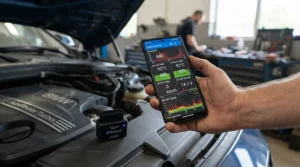
The BlueDriver Bluetooth Pro takes the app-based approach of the Vgate dongle and pushes it much further upmarket, and the difference shows the moment you scan your first code. Rather than just spitting out a code number, its companion app cross-references the fault against a repair database and suggests likely causes and fix difficulty — genuinely useful transformation content that turns a code into an action plan rather than another Google search.
On the spec side, it reads manufacturer-specific codes on several major brands, not just the generic OBD2 set, and covers ABS and airbag systems alongside the engine — a rare combination in an app-based dongle at this price. Here’s the honest trade-off: you’re paying a premium specifically for that repair-report layer, so if you’re comfortable Googling a P0420 code yourself, a cheaper dongle does the same core job.
A widely cited independent review from TechRadar highlighted its value for both DIY users and professionals thanks to its broad vehicle coverage and polished app experience, and aggregated buyer sentiment consistently praises how much easier it makes explaining a fault to a garage — you can literally show them the generated report.
Pros:
- ✅ Generates a plain-English repair report, not just a code
- ✅ Covers ABS and airbag systems, unusual for a dongle
- ✅ Strong reputation among independent reviewers and DIYers
Cons:
- ❌ Meaningfully pricier than other app-based dongles here
- ❌ Some manufacturer-specific features vary by car brand
At £100-£120, the BlueDriver Bluetooth Pro suits a beginner who wants confidence and context, not just a bare code, and doesn’t mind paying for that reassurance.
7. Autel MaxiCOM MK808 — one tool for the whole family’s cars
If you’re the designated “car person” for your household and multiple vehicles pass through your driveway, the Autel MaxiCOM MK808 is the point where a scanner stops being a gadget and starts being genuine equipment. It’s a full handheld tablet rather than a dongle or basic reader, covering engine, ABS, airbag, transmission and more across a huge range of makes, with service resets, a VIN-based auto vehicle identification system, and — notably for diesel owners — a DPF regeneration function that can save an expensive trip to a specialist.
On paper this means it does almost everything a much pricier dealer-level tool does, just without the bidirectional coding functions professional technicians occasionally need. What the spec sheet won’t tell you, but user reports suggest, is that the guided menu structure makes this far more approachable for a beginner than its capability list implies; you’re not expected to know what you’re looking at before you start.
Reviewers frequently describe it as the last scanner they expect to need to replace, citing lifetime free updates and coverage that keeps pace with newer vehicles.
Pros:
- ✅ Full-system coverage including DPF regeneration
- ✅ VIN auto-identification simplifies vehicle setup
- ✅ Genuinely built to last across multiple cars/years
Cons:
- ❌ Serious money for a first-ever diagnostic tool
- ❌ Overkill if you only own one straightforward car
At around £250-£300, the Autel MaxiCOM MK808 is very much the “buy it once, never think about it again” choice — a big step up in price, but arguably the cheapest option per year of use if it’s covering several cars in the family.
Top 7 Scanners: Full Comparison
| Scanner | Systems Covered | Screen | Price Range | Best For |
|---|---|---|---|---|
| MOTOPOWER MP69033 | Engine only | Small built-in LCD | Under £25 | Absolute beginners, occasional use |
| ANCEL AD410 | Engine + battery test | Colour TFT | £30-£40 range | Most first-time buyers |
| Vgate iCar Pro BLE 4.0 | Engine (app-dependent) | Uses your phone | Around £25 | iPhone users wanting an app |
| Foxwell NT301 | Engine, live data | Colour screen | Around £45 | Reliability without an app |
| LAUNCH CRP123X | Engine, ABS, airbag, transmission | Colour touchscreen | £75-£95 range | Beginners ready to grow |
| BlueDriver Bluetooth Pro | Engine, ABS, airbag | Uses your phone | £100-£120 range | Repair guidance, not just codes |
| Autel MaxiCOM MK808 | Full system + DPF | Tablet touchscreen | £250-£300 range | Multi-car households |
Looking at the full spread, there’s a genuine jump in usefulness between the pure engine-code readers and anything that touches ABS or airbag systems — that’s the line worth thinking about before you buy. If your budget realistically caps out around £40, the ANCEL AD410 offers the best balance of legibility and features, but drivers who’ve had a mystery ABS light already know a basic reader simply can’t help them. Anyone weighing up an app-based option should note that the Vgate iCar Pro BLE 4.0 and BlueDriver Bluetooth Pro occupy very different tiers despite the shared format — one’s a budget dongle, the other’s closer to a subscription-free diagnostic service.
Your First 30 Days: Setting Up and Using an OBD2 Scanner
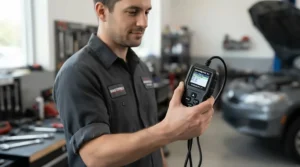
Buying the scanner is the easy part; actually using it without second-guessing yourself is where beginners stumble. Start by finding your OBD2 port — on the vast majority of UK cars it’s tucked under the dashboard, roughly where your knee sits when driving, sometimes behind a small plastic flap. Turn your ignition to the “on” position without starting the engine (most scanners tell you which they need), plug in, and let the device establish a connection before touching any buttons.
The single most common first-timer mistake is clearing a code the moment it appears without reading it properly first. That code is diagnostic gold — write it down, or better, screenshot it if you’re using an app, before you clear anything. A second mistake is assuming clearing the code fixes the underlying problem; it doesn’t, it simply resets the warning, and if the fault is still present the light will return within a handful of drive cycles. Give the scanner a proper first outing on a weekend when you’re not in a rush, so you can explore live data screens and get comfortable with the layout before you actually need it for something urgent. Within a month, most beginners go from nervously double-checking every step to running a scan in under two minutes flat.
Real-World Scenarios: Matching the Scanner to the Driver
Picture three different drivers, because “best OBD2 scanner for beginners” genuinely depends on who’s asking. First, there’s the university student commuting eight miles a day in a fifteen-year-old hatchback on a strict budget — for them, the MOTOPOWER MP69033 or ANCEL AD410 covers everything they’re likely to encounter without wasting money on features they’ll never touch. Second, there’s the family with two cars and a garden full of driveway repairs already underway — this household benefits far more from the LAUNCH CRP123X or the Autel MaxiCOM MK808, because the cost per car and per year drops sharply once you’re covering multiple vehicles with one tool.
Third, there’s the nervous first-time buyer who just wants reassurance rather than raw data — someone who’d rather read “likely cause: oxygen sensor, moderate repair difficulty” than decode a P0171 code from scratch. That’s precisely the gap the BlueDriver Bluetooth Pro was built to fill, translating a fault code into something closer to a second opinion. None of these choices are wrong; they’re just optimised for different situations, budgets and appetites for a learning curve.
Common Beginner Problems — And How to Solve Them
Even the best scanner won’t stop a handful of predictable hiccups from happening in your first few scans, so here’s how to solve the ones that trip people up most often.
Problem: the scanner won’t power on or connect. This is almost always the ignition position — most units need the key turned to “on” without cranking the engine, and Bluetooth dongles specifically need your phone’s Bluetooth (and sometimes location services) switched on before pairing.
Problem: the code doesn’t match the fault you’re actually experiencing. Cars can store more than one code at once, and older, unrelated codes sometimes linger. Clear everything, take a short drive, and rescan — whatever reappears is your live, current fault.
Problem: the light comes straight back after clearing it. This means the underlying fault hasn’t actually been fixed, only acknowledged; a scanner diagnoses, it doesn’t repair, so treat a returning light as confirmation you need a genuine fix, not a scanner fault.
Problem: the reading seems to make no sense at all. Look up the exact code (for example P0420, not just “catalyst”) rather than the vague on-screen description, since generic descriptions are deliberately broad and the specific code number is where the real detail lives.
What Is an OBD2 Scanner for Beginners?
An OBD2 scanner for beginners is a plug-in or app-based device designed to read fault codes from a car’s onboard computer with minimal technical knowledge required, translating cryptic diagnostic trouble codes into plain-English descriptions. As Wikipedia’s overview of on-board diagnostics explains, modern OBD systems use a standardised digital port to provide real-time data and diagnostic trouble codes that allow malfunctions to be identified quickly — which is precisely the standardisation that lets one affordable device work across almost any UK car built since the early 2000s.
Every petrol car sold in the UK from 2001 onwards, and every diesel from 2004, carries this standardised 16-pin port, usually within reach of the driver’s seat. When something goes wrong — a failing sensor, a loose fuel cap, a misfire — the car’s computer stores a code and lights up the dashboard warning. A beginner-friendly scanner simply asks that computer what it’s currently unhappy about, and hands you the answer in language you don’t need a mechanic’s diploma to understand.
How to Choose an OBD2 Scanner for Beginners
Picking the right unit comes down to seven practical questions, each worth a moment’s thought before you spend anything.
- Decide wired or app-based first. Wired readers with a built-in screen need no phone or pairing; Bluetooth dongles rely on your phone but give you a bigger, brighter display.
- Check iPhone compatibility carefully. Classic Bluetooth ELM327 dongles are notoriously unreliable on iOS — look specifically for BLE 4.0 or WiFi models if you’re an iPhone owner.
- Match coverage to your actual worry. If it’s just the engine light, a basic reader is enough; if ABS or airbag lights have appeared, you need a scanner that explicitly lists those systems.
- Consider how many cars you’ll scan. One car for occasional use favours a cheap reader; multiple household vehicles favour a pricier, more capable unit spread across more use.
- Look for free lifetime updates. A scanner that can’t recognise newer vehicle protocols becomes less useful within a couple of years — updates protect that investment.
- Weigh screen size against portability. A dedicated colour screen is easier on the eyes than most phone apps in bright sunlight, but a phone-based tool takes up no extra glovebox space.
- Read aggregated review sentiment, not star ratings alone. A 4.5-star average tells you little; look for repeated specific complaints (screen legibility, pairing reliability) rather than the headline number.
Budget OBD2 Scanner Review: What Actually Separates a £20 Reader from a £250 Tool
It’s tempting to assume every OBD2 scanner reads the same codes and the price difference is pure marketing — and for the most basic generic engine codes, that’s largely true. Where the gap opens up is system coverage, update longevity and the quality of the interpretation layered on top of the raw code. A budget OBD2 scanner review worth trusting will tell you honestly that the MOTOPOWER MP69033 and the Autel MaxiCOM MK808 will both correctly identify a P0420 catalyst code — the difference is that only the Autel can then also tell you your ABS sensor is failing, reset your service light, and run a DPF regeneration cycle afterwards.
Value-for-money isn’t simply about the lowest number on the price tag; it’s cost divided by how often and how deeply you’ll actually use the thing. For someone who scans their car twice a year to double-check before an MOT, the ANCEL AD410 at £30-£40 delivers exceptional value — the cost-per-use is negligible even over a single year. For a household running three cars where diagnostic trips to the garage were previously routine, the Autel MaxiCOM MK808‘s higher upfront cost is often recouped within the first year simply by avoiding two or three paid diagnostic checks. Total cost of ownership also depends on update policy: a £25 dongle with no update path may need replacing within a couple of years as newer vehicles adopt updated protocols, quietly eroding its bargain price.
Easy-to-Use OBD2 Apps for Beginners: Are They Worth It?
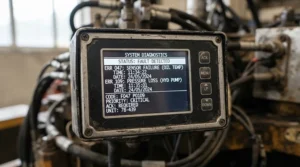
App-based scanning genuinely changes the experience for a beginner, mostly because you’re operating an interface you already understand instead of learning a new device’s menu structure from scratch. An easy-to-use OBD2 app typically layers plain-English fault explanations, live graphs, and sometimes fuel-economy tracking on top of the raw codes a Bluetooth dongle pulls from your car — turning a small, faceless piece of plastic into something closer to a genuine diagnostic dashboard.
The trade-off is dependency: your scanning experience is only as good as the app you pair it with, and a dongle’s hardware quality won’t rescue a poorly designed or discontinued app. This is exactly why the Vgate iCar Pro BLE 4.0‘s BLE 4.0 chip matters so much in practice — it’s compatible with several well-reviewed apps rather than being locked to one, which future-proofs your purchase if a particular app falls out of favour. For beginners specifically, we’d lean towards an app-based dongle if you’re already comfortable navigating apps daily and want bigger visuals; we’d lean towards a dedicated screen like the Foxwell NT301 if you’d rather the device simply worked without touching your phone’s battery or data at all.
Understanding Dashboard Warning Lights
A scanner is only half the puzzle if you don’t understand what the dashboard is trying to tell you before you even plug in. Warning lights follow a broadly universal colour system: red demands you stop as soon as it’s safe, amber means get it checked soon but you don’t need to pull over immediately, and green or blue simply confirms a system is switched on and working normally. As the Chartered Institution of Highways and Transportation explains in its guide to dashboard warning lights, these lights typically follow a traffic light colour system, and a red light means there may be a serious fault with your vehicle that you should not begin a journey with.
The engine management light specifically sits in a slightly awkward middle ground — it’s often amber rather than red, which leads a lot of drivers to under-react to it, but a steady (non-flashing) engine light usually means it’s safe to continue driving cautiously to get it scanned, while a flashing engine light typically signals an active misfire that can damage your catalytic converter if ignored. That distinction alone — steady versus flashing — is one of the most useful pieces of dashboard literacy a beginner can learn, and it’s exactly the kind of context a scanner’s stored fault code can confirm within seconds.
DIY Car Diagnostics vs a Garage Visit
DIY car diagnostics and a professional garage visit aren’t really in competition — they solve different problems at different stages, and understanding the handoff between them saves both money and stress.
| Factor | DIY Scanner | Garage Diagnostic |
|---|---|---|
| Typical cost | £20-£300 one-off | £50-£120 per visit |
| Speed | Under 5 minutes | Booking + wait time |
| Depth | Reads/clears codes, live data | Codes plus hands-on repair |
| Best For | Identifying the fault yourself | Actually fixing the problem |
A scanner tells you what’s wrong; it very rarely fixes what’s wrong on its own. Reading the code yourself before booking a garage means you walk in already knowing roughly what you’re dealing with, which noticeably reduces the chance of being quoted for unnecessary diagnostic labour. That said, DIY car diagnostics has real limits — a code pointing to an oxygen sensor doesn’t tell you whether the sensor itself has failed or whether wiring further upstream is the actual culprit, and that deeper investigation is squarely garage territory.
Long-Term Cost & Maintenance
Buying a scanner is a one-off cost, but the value compounds the longer you keep and actually use it, which is worth thinking through properly rather than just comparing sticker prices.
| Scanner Tier | Upfront Cost | Typical Garage Visits Saved/Year | Rough Payback Time |
|---|---|---|---|
| Budget reader (MOTOPOWER, ANCEL) | £20-£40 | 1-2 | Within one visit |
| App-based dongle (Vgate) | Around £25 | 1-2 | Within one visit |
| Mid-range multi-system (LAUNCH) | £75-£95 | 2-4 | One to two visits |
| Full-system tablet (Autel) | £250-£300 | 4+ across multiple cars | Within a year for multi-car households |
Even the cheapest scanner on this list pays for itself the very first time it saves you a single paid diagnostic check, which currently runs anywhere from £50 to £120 depending on your local garage. Maintenance-wise, there’s genuinely very little to do — keep firmware or the paired app updated so new vehicle protocols and code definitions stay current, store wired units somewhere they won’t get crushed in a glovebox, and periodically check that Bluetooth dongles still pair cleanly, since a firmware mismatch after a phone update is a common (and easily fixed) source of confusion.
Safety, MOT and Regulations Guide
A steady or flashing engine management light isn’t just an inconvenience — it has real, documented consequences at MOT time. According to the official government MOT inspection manual, testers must check that the engine malfunction indicator lamp illuminates and then goes off, and an MIL that stays on or indicates a malfunction is classed as a major defect on the relevant vehicles — meaning a lit engine light can cause an outright MOT failure regardless of how the car otherwise drives.
That’s precisely why scanning your car a week or two before an MOT is one of the smartest five-minute habits a beginner can adopt: if a code appears, you’ve got time to get it fixed before the test rather than failing on the day and paying for a retest. If a warning light appears while you’re actually driving, the safest response depends on colour — a red light generally warrants finding somewhere safe to stop as soon as possible, while an amber light typically means it’s fine to continue cautiously and get it checked soon. Whatever you do, never ignore a flashing engine light on the assumption it’ll sort itself out; treat it as a “get this looked at today” signal rather than a “check it eventually” one.
Frequently Asked Questions
❓ Do I need an OBD2 scanner for beginners if my car already has a warning light?
❓ Which is the best budget OBD2 scanner review pick for a first-time buyer?
❓ Can an easy-to-use OBD2 app replace a dedicated scanner device?
❓ What do the different dashboard warning lights colours actually mean?
❓ Is DIY car diagnostics accurate enough to trust over a garage?
Conclusion
Choosing an OBD2 scanner for beginners really comes down to matching the tool to how nervous, curious or committed you already feel about DIY car diagnostics. If you just want peace of mind and an occasional answer to a mystery warning light, the MOTOPOWER MP69033 or ANCEL AD410 will do everything you need without overwhelming you. If you’d rather work through your phone, the Vgate iCar Pro BLE 4.0 pairs well with an easy-to-use OBD2 app and skips the learning curve of a dedicated device entirely. And if you’re covering more than one car, or you’ve already had an ABS or airbag light appear alongside the usual engine warning, stepping up to the LAUNCH CRP123X, BlueDriver Bluetooth Pro or Autel MaxiCOM MK808 pays for itself faster than you’d expect.
Whichever you choose, the real win isn’t the device itself — it’s the shift from dreading dashboard warning lights to treating them as useful information you’re now equipped to read. That’s a genuinely good trade for the price of a couple of takeaways.
✨ Ready to stop guessing what your dashboard is trying to tell you? Check today’s prices on any of the scanners above and pick the one that actually matches how you drive.🚗🔧
Recommended for You
- OBD2 Scanners Under £30: 7 Best Budget Picks for UK Drivers (2026)
- Bluetooth OBD2 Scanner: 7 Best Picks Tested for UK Drivers (2026)
- Sat Nav for Lorry Drivers: 7 Best HGV Devices for 2026 (Tested Picks)
Disclaimer: This article contains affiliate links. As an Amazon Associate, I earn from qualifying purchases. If you purchase products through these links, we may earn a small commission at no additional cost to you.
✨ Found this helpful? Share it with your friends! 💬🤗
