
In This Article
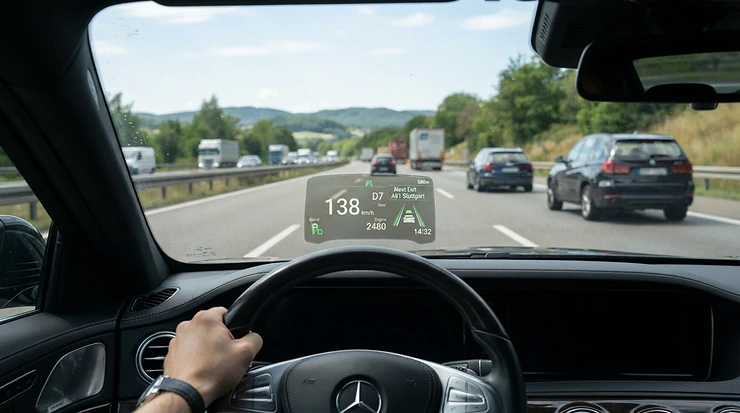
There’s a particular kind of madness that grips a driver the moment they start wondering exactly how fast their car really goes from 0-60, or whether that new remap actually put more boost through the turbo, or why the exhaust note changed after the garage “definitely didn’t touch anything else.” A performance monitor for car use is the cure. It’s the difference between guessing and knowing, between bragging rights based on vibes and bragging rights based on a logged, timestamped run. Instead of trusting your gut (which, let’s be honest, has never once correctly guessed a quarter-mile time), you plug in a device the size of a phone charger and suddenly your dashboard starts talking back.
This guide rounds up seven genuinely useful options for UK drivers in 2026, from pocket-money Bluetooth dongles to serious GPS-based data loggers that would look at home in a race team’s kit bag. We’ll dig into real specifications, honest analysis of who each device actually suits, and the sort of practical detail that Amazon listings tend to skip entirely — setup quirks, common mistakes, and what the numbers on screen actually mean once you’re sat at the lights revving your engine like a nervous teenager on a driving test. Whether you’re chasing a cheap speed and performance monitor under £50 or planning a full track day with proper data logging, there’s something here that fits.
What Is a Performance Monitor for a Car?
A performance monitor for car applications is a device — usually plugging into the OBD2 diagnostic port or using GPS — that displays and records real-time driving data such as speed, acceleration, boost pressure, engine temperature, and lap or 0-60 times. Some are simple gauges; others double as full data loggers for track analysis.
That single sentence covers a surprisingly wide family of gadgets, though. On one end you’ve got a £20 Bluetooth adapter that turns your old Android phone into a rev counter. On the other, you’ve got GPS-based touchscreen units that professional driving instructors use to shave tenths off lap times. The common thread is that they all pull raw numbers out of your car’s electronics — or out of the sky, via satellite positioning — and present them in a way a human can actually use, rather than leaving that information locked away in the engine control unit where only a mechanic’s laptop can see it. As Wikipedia’s overview of on-board diagnostics explains, this self-reporting capability has been mandatory on UK and EU petrol cars since 2001, which is precisely why so many affordable performance monitors exist at all — they’re piggybacking on infrastructure your car was already required to have.
Quick Comparison Table
If you’re in a hurry — and let’s face it, if you’re shopping for a performance monitor you probably are — here’s the abridged version before we get into the full seven-way breakdown further down.
| Product | Type | Best For | Price Range |
|---|---|---|---|
| Veepeak OBDCheck BLE+ | Bluetooth OBD2 adapter | Absolute beginners, tight budgets | Under £50 |
| UltraGauge EM Plus v1.4 | Standalone plug-in gauge | Drivers who don’t want to touch a phone | £90-£110 range |
| OBDLink MX+ | Bluetooth OBD2 adapter | ECU data logging and multi-app use | £100-£130 range |
| RaceBox Mini S | GPS performance meter | 0-60 times, quarter-mile, casual lap timing | £150-£200 range |
| Racelogic Performance Box Touch | GPS touchscreen data logger | Serious track day analysis | £600-£900 range |
Looking at the spread above, it’s obvious there’s no single “best” performance monitor — a learner-friendly Bluetooth dongle and a professional-grade GPS logger solve completely different problems, even though they get marketed under the same umbrella term. The jump in price between the mid-range OBD adapters and the GPS-based track tools reflects a genuine difference in what’s being measured: OBD devices read what the engine’s computer already knows, while GPS units independently verify real-world speed and position, which matters enormously once accuracy becomes competitive rather than casual.
Don’t just take our word for it — see how these stack up in real driving conditions before you decide.
Top 7 Performance Monitors for Your Car: Expert Analysis
Before diving into each pick individually, here’s how all seven compare side by side on the metrics that actually matter once you’re choosing between them.
| # | Product | Connection | Standout Feature | Price Range |
|---|---|---|---|---|
| 1 | Veepeak OBDCheck BLE+ | Bluetooth (OBD2 port) | Cheapest genuine entry point | Under £50 |
| 2 | UltraGauge EM Plus v1.4 | Wired (OBD2 port) | No phone or app dependency | £90-£110 range |
| 3 | OBDLink MX+ | Bluetooth (OBD2 port) | Fastest data refresh, multi-app support | £100-£130 range |
| 4 | RaceBox Mini S | Standalone GPS | Built-in memory, no phone needed mid-run | £150-£200 range |
| 5 | PLX Devices Kiwi 3 | Bluetooth (OBD2 port) | Purpose-built for track telemetry apps | £110-£150 range |
| 6 | Racelogic Performance Box Touch | Standalone GPS | Motorsport-grade accuracy and lap database | £600-£900 range |
| 7 | Garmin Catalyst | Standalone GPS + AI coaching | Real-time voice coaching on track | £500-£700 range |
The analysis paragraph beneath most comparison tables tends to state the obvious, so let’s actually say something useful: OBDLink MX+ earns its middle-of-the-pack price by being genuinely multi-purpose, useful for diagnostics one day and live performance data the next, while the three GPS units at the bottom of the table justify their premium by measuring reality directly rather than relying on wheel-speed sensors that can be fooled by worn tyres or a dodgy speedo calibration. If your budget tops out around £50, skip straight to the Veepeak OBDCheck BLE+ section below — everything else here assumes a bit more spending room.
1. Veepeak OBDCheck BLE+ — cheapest genuine entry point under £50
The Veepeak OBDCheck BLE+ is proof that you don’t need to spend a fortune to get real-time data out of your dashboard. It’s a small Bluetooth adapter that plugs into your OBD2 port and pairs with free or cheap apps on your phone, and it’s one of the few devices on this list that comfortably fits a speed and performance monitor under £50 budget with room to spare. The adapter itself supports the Torque app on Android and Car Scanner on iOS, streaming live parameters like speed, RPM, coolant temperature, and throttle position straight to your screen. What most buyers overlook is that the adapter is only half the equation — the real performance-monitoring magic happens in the app you pair it with, so the £50 spend is really just your entry ticket to a much larger ecosystem of free and paid software.
Reviewers on Amazon consistently flag the plug-and-play setup as a strength, with most people connecting successfully within a few minutes on Android; iOS users report a slightly fussier pairing process, which lines up with Apple’s stricter Bluetooth certification rules for third-party hardware. It’s compatible with 2001-plus petrol and 2004-plus diesel vehicles registered in the UK, covering the vast majority of cars on the road today.
Pros:
- ✅ Genuinely fits a sub-£50 budget with no hidden costs
- ✅ Fast Bluetooth pairing on most Android devices
- ✅ Wide compatibility with popular free diagnostic apps
Cons:
- ❌ iOS pairing can be fiddlier than advertised
- ❌ Advanced manufacturer-specific data often needs a paid app add-on
At under £50, the Veepeak OBDCheck BLE+ is hard to argue with as a first step — it won’t replace a dedicated track logger, but for checking 0-60 times on a quiet road or keeping an eye on engine temperature, it does the job without denting your fuel budget.
2. UltraGauge EM Plus v1.4 — no phone, no app, no faff
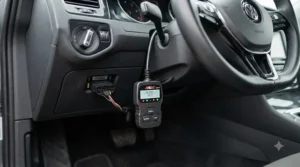
Some drivers just don’t want another screen competing for their attention, and that’s exactly the gap the UltraGauge EM Plus v1.4 fills. It’s a small standalone display that plugs directly into the OBD2 port and mounts on the dash, cycling through up to 78 possible gauges without ever needing a smartphone in the loop. On paper this means one less thing to charge, pair, or accidentally leave at home, and reviewers who’ve made the switch from app-based monitors tend to mention exactly that — the simplicity of glancing down at a permanently mounted screen rather than fumbling with a phone mount.
The unit organises data across seven customisable pages, each showing four, six, or eight gauges at once, so you could dedicate one page to engine vitals and another to boost and fuel trims. Based on the spec comparison with app-based rivals, its trade-off is flexibility — you’re limited to the gauges the device supports natively, whereas a phone app can be updated with new PIDs and features long after purchase. For boost gauge duties specifically, UltraGauge reads pressure through the OBD2 port using the car’s existing MAP sensor, which is convenient but, as the manufacturer itself notes, not quite as precise as a dedicated analogue boost sensor tapped directly into the intake.
Pros:
- ✅ Fully standalone — no phone or subscription required
- ✅ Seven configurable pages covering dozens of live parameters
- ✅ Doubles as a fault code reader and trip computer
Cons:
- ❌ Boost readings via OBD2 are approximate, not lab-accurate
- ❌ Screen and buttons feel dated next to app-based rivals
Sitting in the £90-£110 range, the UltraGauge EM Plus v1.4 earns its keep for anyone who values a permanent, no-nonsense dash display over the flexibility of an app.
3. OBDLink MX+ — the all-rounder for ECU data logging
If there’s a single device on this list built to be your daily-driver diagnostic and performance companion, it’s the OBDLink MX+. It’s a Bluetooth OBD2 adapter, but calling it “just an adapter” undersells it — it’s optimised for a notably higher data throughput than typical ELM327-based dongles, which matters enormously once you start using it for genuine ECU data logging rather than the occasional fault-code check. Where cheaper adapters can lag or drop samples during rapid acceleration, the extra bandwidth here means smoother, more complete logs.
What most buyers overlook is the breadth of manufacturer-specific access baked in: on Ford and GM vehicles particularly, it reaches beyond the generic OBD2 parameters into proprietary networks, unlocking data like individual wheel speeds and transmission temperature that budget adapters simply can’t see. Reviewers frequently highlight the security design too — unlike many Bluetooth adapters that broadcast constantly, this one uses a more guarded pairing process, and Amazon buyers commonly note it survives being left permanently plugged in without draining the battery, thanks to its low-power sleep mode. It’s compatible with a genuinely wide spread of third-party software, from Torque and Harry’s LapTimer through to FORScan for Ford owners, which is exactly the kind of flexibility that makes it worth the step up from a basic adapter.
Pros:
- ✅ Noticeably faster live data streaming than budget adapters
- ✅ Broad third-party app compatibility, including logging and lap-timing tools
- ✅ Low-power sleep mode is safe to leave plugged in long-term
Cons:
- ❌ Meaningfully pricier than basic Bluetooth dongles
- ❌ Manufacturer-specific features vary significantly by make and model
At around the £100-£130 mark, the OBDLink MX+ is the sensible middle-ground pick for anyone who wants proper ECU data logging without committing to a dedicated track-day box.
4. RaceBox Mini S — the 0-60 performance tracker app’s best hardware partner
For drivers whose main question is simply “how fast is my car, actually?”, the RaceBox Mini S answers with satellite-grade confidence. It’s a compact standalone unit using 25Hz GPS — meaning it samples your position and speed twenty-five times per second — which produces far more consistent 0-60, quarter-mile, and braking-distance results than relying on a phone’s built-in GPS chip alone. Crucially, it works alongside a dedicated 0-60 performance tracker app on your phone, but unlike phone-only solutions it also has its own onboard storage, so a dropped Bluetooth connection mid-run doesn’t wipe your data.
Here’s what the spec sheet won’t tell you outright: GPS-based acceleration timing sidesteps a problem that plagues OBD-based apps, which is that wheel-speed sensor data can be thrown off by wheel spin, tyre wear, or a non-standard tyre size. Because the RaceBox measures your actual position in space rather than trusting a sensor reading, the numbers it produces are widely regarded by enthusiasts as more trustworthy for bragging-rights comparisons and genuine before-and-after tuning tests. The companion app also includes a predictive lap-timing mode that learns your driving pattern over repeated runs, which is a neat touch for drag-strip regulars.
Pros:
- ✅ 25Hz GPS delivers consistent, repeatable acceleration timing
- ✅ Onboard memory means no dependency on a live phone connection
- ✅ Predictive lap timer improves accuracy with repeated use
Cons:
- ❌ App ecosystem is less mature than long-established OBD software
- ❌ Suction-mount placement needs a clear view of the sky to stay accurate
Typically priced in the £150-£200 range, the RaceBox Mini S sits at the point where casual timing tools become genuinely serious tools, without yet reaching professional pricing.
5. PLX Devices Kiwi 3 — purpose-built for track day telemetry
The PLX Devices Kiwi 3 has quietly built a reputation among track day regulars for one specific reason: it’s one of the few Bluetooth OBD2 adapters that reliably pairs with Harry’s LapTimer on iOS, a popular telemetry and video-overlay app among UK track day drivers. Bluetooth Low Energy support on iPhones has historically been a headache for third-party OBD hardware, thanks to Apple’s certification hoops, and the Kiwi 3 was specifically engineered around that limitation, using InstaConnect technology that skips the usual manual pairing dance entirely.
Based on the spec comparison with rival adapters, its slim profile — sitting barely half an inch proud of the OBD2 port — and ultra-low power draw make it well suited to being left permanently installed, similar in philosophy to the OBDLink MX+ but with a narrower focus on telemetry apps rather than broad diagnostics. Owner reports gathered from forums dedicated to Harry’s LapTimer describe reliable synchronisation between OBD data and GPS-based lap analysis, letting drivers overlay throttle position and RPM onto video footage from track sessions — genuinely useful for spotting where you lifted off the throttle a beat too early into a corner. The trade-off, and it’s a notable one, is price: it costs meaningfully more than generic ELM327 clones offering similar raw functionality.
Pros:
- ✅ Reliable Bluetooth Low Energy pairing on iOS, historically a weak point for rivals
- ✅ Purpose-built for compatibility with Harry’s LapTimer and similar telemetry apps
- ✅ Extremely low-profile, discreet permanent installation
Cons:
- ❌ Premium pricing relative to generic Bluetooth adapters
- ❌ Feature set is narrower than general-purpose diagnostic tools
Sitting around the £110-£150 range, the PLX Devices Kiwi 3 is a specialist’s choice — brilliant if track day driving with video overlay is your goal, overkill if you just want to check your coolant temperature.
6. Racelogic Performance Box Touch — the professional’s track day companion
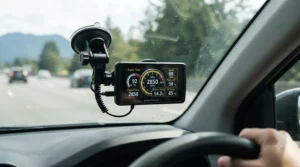
When accuracy stops being a nice-to-have and starts being the entire point, drivers tend to end up looking at the Racelogic Performance Box Touch. This is a touchscreen GPS performance meter and lap timer built by a company whose data-logging hardware is used throughout professional motorsport, and it shows in the detail: 25Hz GNSS positioning, live slope correction that automatically adjusts acceleration results for road gradient, and a built-in database of over 800 circuits with real-time delta timing shown via onboard LEDs.
What most buyers overlook when comparing this against cheaper GPS boxes is the slope correction feature specifically — running a 0-60 test on a road with even a slight incline can skew results by a noticeable margin, and this is one of very few consumer-accessible devices that corrects for that in real time rather than leaving you to guess. Reviewers who’ve taken it onto proper circuits consistently praise the daylight-readable 4.3-inch touchscreen and the depth of the accompanying Circuit Tools software, which lets you overlay multiple laps to pinpoint exactly where time was gained or lost. It logs everything to an SD card at ten times per second, so nothing is lost even without a live connection to anything else.
Pros:
- ✅ Motorsport-grade 25Hz accuracy with automatic slope correction
- ✅ Built-in database of 800-plus circuits with live delta timing
- ✅ Bright touchscreen stays legible in direct daylight
Cons:
- ❌ Premium price puts it well beyond casual or budget buyers
- ❌ Learning curve for the full analysis software is steeper than app-based rivals
At a price typically in the £600-£900 range, the Racelogic Performance Box Touch is squarely aimed at serious track day driving rather than the school run — but for anyone chasing genuinely repeatable, defensible performance numbers, it’s hard to beat.
7. Garmin Catalyst — real-time coaching for serious lap-time chasers
The Garmin Catalyst takes a slightly different approach from everything else on this list: rather than simply logging data for you to review afterwards, it talks to you mid-session, offering real-time verbal coaching cues about braking points and cornering lines based on your own previous laps. It’s built around GPS and inertial sensors rather than plugging into the OBD2 port, which means it works identically across virtually any car or motorcycle you throw it into.
Here’s what the spec sheet won’t tell you, but reviewers who’ve used it on track days consistently note: the immediate audio feedback genuinely changes how a session feels, turning what used to be a post-drive video review into live, actionable guidance you can apply on your very next lap. Garmin markets it explicitly for motorsports and high-performance driving, and its touchscreen interface displays instant session analysis the moment you pull into the pits, complete with sector comparisons against your personal best. The catch, unsurprisingly, is cost — this sits toward the top of the price spectrum among everything covered here, reflecting the sophistication of real-time coaching versus simple post-run data logging.
Pros:
- ✅ Real-time audio coaching is genuinely unique among performance monitors
- ✅ Works across different vehicles without any OBD2 wiring
- ✅ Immediate on-screen session analysis as soon as you finish a lap
Cons:
- ❌ One of the pricier options covered in this guide
- ❌ Overkill for anyone who only wants basic road-driving data
Typically priced in the £500-£700 range, the Garmin Catalyst is for drivers who’ve already mastered the basics and want a coach in the passenger seat, minus the actual human.
Practical Usage Guide: Setting Up Your Performance Monitor for Car Use
Getting a new device out of the box and actually seeing useful numbers on screen are two very different milestones, and this is the bit most Amazon listings skip entirely. Start by locating your OBD2 port — on the vast majority of UK cars it sits under the dashboard, roughly where your knee would bump it while driving, though a handful of models tuck it near the fuse box or under a centre console panel. Plug in, and for Bluetooth adapters like the Veepeak OBDCheck BLE+ or OBDLink MX+, pair through your phone’s Bluetooth settings before opening the companion app, rather than trying to pair from within the app itself, which is a common first-time stumbling block.
If you’re using a phone-based app while driving, mount the phone securely and set everything up before you set off — under current UK law it’s illegal to hold and use a handheld device at all while driving, even briefly at traffic lights, as confirmed on GOV.UK’s guidance on hand-held phone use. A cheap windscreen or vent mount solves this instantly. In your first thirty days, the most common mistake is leaving default units mismatched — checking boost in bar when you meant PSI, or speed in km/h when you wanted mph — so spend ten minutes in the settings menu before your first proper run. For GPS units like the RaceBox Mini S, always calibrate with a clear view of open sky before your first test; a car park with tall buildings nearby will give noticeably less accurate early readings than an open road.
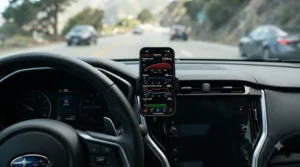
Track Day Driving: Getting the Most From Your Monitor
Track day driving rewards preparation more than raw car performance, and your performance monitor is arguably the single biggest lever you have for genuine improvement between sessions. Picture three drivers arriving at the same circuit: a novice in a hot hatch who’s never seen a delta timer before, an enthusiast in a modified hatchback chasing a personal best, and a seasoned driver in a track-prepped coupe hunting tenths of a second against last season’s lap record. Each of them needs a different tool from this list.
The novice benefits most from something like the RaceBox Mini S — simple, standalone, and forgiving if a session goes sideways, giving clear 0-60 and braking numbers without demanding they interpret complex telemetry overlays mid-adrenaline. The enthusiast chasing a personal best is the classic candidate for the PLX Devices Kiwi 3 paired with Harry’s LapTimer, since reviewing video with overlaid throttle and RPM data after each session reveals exactly where confidence — or the lack of it — is costing time. The seasoned coupe driver, meanwhile, is precisely who Racelogic and Garmin build their premium hardware for: the Performance Box Touch‘s slope-corrected acceleration data and 800-circuit database, or the Garmin Catalyst‘s live coaching, both exist to shave away the final, stubborn fractions of a second that separate a good lap from a genuinely fast one. Budget, ambition, and how much post-session analysis you’re willing to sit through should all steer this decision more than badge or reputation.
ECU Data Logging: What It Is and Why It Matters
ECU data logging simply means capturing a continuous stream of readings from your engine control unit over time, rather than just glancing at a single live number. Instead of seeing “boost is currently 0.8 bar,” you get a full graph showing exactly how boost built, held, and tapered off across an entire run — which is a completely different, and far more useful, kind of information.
What most buyers overlook is that logging matters most precisely when something goes wrong intermittently. A live gauge only shows you a problem if you happen to be looking at the right moment it occurs; a log captures it regardless, then lets you scroll back afterwards and see exactly what every parameter was doing in the seconds before and after. This is where devices like the OBDLink MX+ genuinely separate themselves from basic code readers — its higher data throughput means logs capture more granular detail per second, which matters enormously if you’re diagnosing something like an intermittent misfire or a boost leak that only shows up under sustained load. On paper this means the difference between guessing at a fix and actually proving one. Reviewers who use these adapters for genuine diagnostic work, rather than casual dashboard-watching, consistently rate logging speed and reliability as the feature that justifies paying more than the absolute cheapest adapters on the market.
Speed and Performance Monitor Under £50: Best Budget Picks
If your budget is firmly capped, the good news is that a genuinely useful speed and performance monitor under £50 is entirely achievable in 2026 — you just need to manage expectations about what “under £50” buys versus what a £600 GPS logger delivers. The Veepeak OBDCheck BLE+ is the standout here, and realistically the only device on this whole list that comfortably clears that price bar while still offering live speed, RPM, and temperature readouts through a proper companion app.
The honest trade-off at this price point is accuracy and depth rather than basic functionality — a sub-£50 OBD adapter reads speed via your car’s wheel-speed sensor, which is perfectly adequate for casual checks but noticeably less precise than GPS-based timing once you’re chasing genuinely comparable acceleration figures. What most buyers overlook is that pairing a budget adapter with a well-reviewed free app, rather than assuming the hardware alone determines quality, often closes much of that gap for everyday use. For someone who simply wants to glance at real numbers instead of trusting the factory speedometer’s optimistic rounding, £50 well spent here beats £50 saved and left in your pocket.
0-60 Performance Tracker App: Turning Your Phone Into a Timing Gadget
A 0-60 performance tracker app uses your phone’s GPS and accelerometer, sometimes paired with an external OBD adapter, to measure and log acceleration runs with far more consistency than eyeballing a stopwatch against the speedometer. The appeal is obvious: no extra hardware to buy if you’re happy trusting your phone’s built-in sensors, and instant sharing of results with mates who, statistically, will not believe your numbers regardless of evidence.
Here’s what the spec sheet won’t tell you: phone-only GPS timing apps are genuinely useful for casual comparisons, but their accuracy is fundamentally capped by however fast your specific phone model samples GPS position — often nowhere near the 25Hz rate of a dedicated unit like the RaceBox Mini S. Based on the spec comparison, pairing a 0-60 performance tracker app with an external GPS puck, rather than relying purely on your phone’s internal chip, closes that accuracy gap considerably and is the approach serious enthusiasts tend to land on once casual timing stops being fun enough. If you’re only ever comparing your own car against itself, before and after a modification, phone-only accuracy is often perfectly sufficient — it’s cross-driver bragging rights where the gap really starts to matter.
Boost Gauge Basics: Reading Boost Pressure the Right Way
A boost gauge measures the pressure your turbocharger or supercharger is pushing into the intake, typically shown in bar or PSI, and it’s one of the most commonly requested readouts among owners of turbocharged UK hot hatches and performance saloons. The core distinction worth understanding before buying is where that number actually comes from: some devices, including the UltraGauge EM Plus v1.4, read boost through the OBD2 port using the car’s existing MAP sensor, while others rely on a dedicated analogue sensor tapped directly into the intake system.
The spec sheet won’t spell this out plainly, but it matters a lot in practice — OBD2-sourced boost figures are transmitted primarily for the ECU’s own use, not for human dashboard reading, so they can run slightly higher or lower than a properly calibrated dedicated sensor would show. UltraGauge’s own documentation is refreshingly candid about this limitation, recommending an add-on analogue boost sensor for anyone who needs genuinely precise figures, such as tuners validating a new map. For most road drivers simply keeping an eye out for unusually low boost — a classic early warning sign of a developing leak somewhere in the intercooler piping — OBD2-based boost gauge readings are perfectly serviceable, even if a specialist wouldn’t rely on them for fine-tuning work.
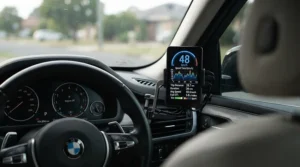
How to Choose a Performance Monitor for Your Car
With seven very different devices covered above, narrowing things down comes easier with a structured approach rather than picking whatever has the flashiest photos. Work through these in order:
- Decide your primary use case first. Casual curiosity, genuine diagnostics, or competitive track day driving each point toward completely different hardware categories.
- Set a realistic budget band. A speed and performance monitor under £50 covers casual road use well; track-focused GPS units realistically start around £150 and climb steeply from there.
- Check phone compatibility before buying. iOS Bluetooth pairing has historically been fussier than Android across several adapter brands, so confirm your specific phone works well with the app you intend to pair.
- Weigh OBD2 versus GPS-based measurement. OBD2 devices read what the ECU already knows; GPS units independently verify real-world speed and position, which matters once accuracy becomes competitive.
- Consider whether you need logging or just live viewing. Genuine ECU data logging for diagnostics needs more bandwidth and storage than simply glancing at a live speed readout.
- Factor in installation permanence. Ultra-low-profile adapters designed to stay plugged in permanently, like the OBDLink MX+ and PLX Devices Kiwi 3, suit daily drivers better than bulkier units you’d remove after each use.
- Read the aggregated review sentiment, not just the star rating. A 4.5-star average can still hide a recurring compatibility issue with your exact phone model, so skim recent written reviews before committing.
Common Mistakes When Buying a Performance Monitor for Your Car
Even careful buyers trip over the same handful of pitfalls repeatedly, and most of them are entirely avoidable with a bit of forewarning. The single most frequent mistake is buying an OBD2 adapter without checking whether your specific car model supports the live parameters you actually care about — not every vehicle exposes boost pressure, oil temperature, or transmission data over the standard OBD2 protocol, regardless of how capable the adapter itself is. Manufacturer restrictions, not the hardware you’ve bought, are often the real limiting factor.
A close second is underestimating how much the companion app matters relative to the physical adapter. Two people can buy the identical Veepeak OBDCheck BLE+ and have wildly different experiences depending purely on which app they pair it with, since the hardware is essentially a translator and the app decides what gets displayed and how. Third, plenty of buyers assume GPS-based accuracy scales linearly with price, when in reality the jump from 10Hz to 25Hz sampling — the difference between, say, a basic GPS puck and the RaceBox Mini S — delivers a far bigger real-world accuracy improvement than the jump from 25Hz hardware to an even pricier unit with the same sampling rate but a nicer screen. Finally, don’t overlook installation permanence: buying a bulky unit you’ll dread re-fitting every single drive all but guarantees it ends up forgotten in a glovebox within a month.
Performance Monitor vs Traditional Analogue Gauges
Before digital performance monitors became affordable, enthusiasts relied on physical analogue gauges — mechanical or electronic dials mounted in the dash or A-pillar, each wired to measure one specific thing like boost or oil pressure. It’s worth understanding what you actually gain, and lose, by moving to a digital alternative.
| Factor | Analogue Gauges | Digital Performance Monitor |
|---|---|---|
| Install complexity | Often requires drilling, wiring, sensor taps | Plug-and-play via OBD2 port on most units |
| Data logged over time | Rarely, unless paired with separate logger | Standard feature on most digital devices |
| Number of parameters shown | One gauge = one reading | Dozens of parameters on a single display |
| Resale/reversibility | Leaves holes or visible mounting marks | Removable with zero permanent marks |
| Best For | Purists wanting a classic analogue look | Anyone wanting data, logging, or app integration |
Reading between the rows, the analysis is fairly clear-cut: analogue gauges still win on pure aesthetic charm and the satisfying, tactile feel of a physical needle sweeping across a dial, which is precisely why some enthusiasts keep them despite the extra installation hassle. Digital performance monitors win on almost every practical measure, though, particularly logging and reversibility — a point worth remembering if you’re financing or leasing your car, since drilled gauge pods can complicate a smooth handback at the end of the agreement.
Long-Term Cost & Maintenance
The upfront price tag on a performance monitor is only part of the real cost, and it’s worth thinking about total cost of ownership before committing, particularly at the pricier end of this list. Budget OBD2 adapters like the Veepeak OBDCheck BLE+ have essentially zero ongoing cost beyond the occasional paid app upgrade, and since there’s no permanent installation, there’s nothing to maintain beyond keeping the firmware updated via Bluetooth.
Standalone GPS units sit at the other end of the spectrum. The Racelogic Performance Box Touch and Garmin Catalyst both rely on regularly updated circuit databases and firmware to stay accurate at new tracks, and while updates themselves are typically free, the SD cards used for data logging on devices like the Performance Box Touch will eventually need replacing as they wear from repeated write cycles — a genuinely overlooked cost that only becomes obvious after a season of regular track use. On paper this means a £600-plus GPS logger isn’t quite a one-off purchase in the way a £30 Bluetooth dongle is; budget a small annual allowance for accessories, mounts, and the occasional replacement cable, and the long-term value proposition holds up far better than judging purely on sticker price.
Buyer’s Decision Framework
If you’re still torn between options, this simple framework should point you toward the right category faster than scrolling back through all seven products again.
- If you want to spend under £50 and just satisfy curiosity, choose a basic Bluetooth OBD2 adapter like the Veepeak OBDCheck BLE+, because it delivers real live data without any real financial commitment.
- If you hate relying on your phone while driving, choose a standalone plug-in gauge like the UltraGauge EM Plus v1.4, because it removes the phone entirely from the daily-driving equation.
- If diagnostics and genuine ECU data logging matter as much as performance numbers, choose the OBDLink MX+, because its higher throughput and multi-app support cover both worlds convincingly.
- If casual 0-60 bragging rights and occasional drag strip visits are your goal, choose the RaceBox Mini S, because GPS-based timing beats OBD-derived speed for genuine accuracy.
- If you already attend track days regularly with video overlay software, choose the PLX Devices Kiwi 3, because its whole design brief centres on that exact use case.
- If you’re chasing competitive lap times and want motorsport-grade data, choose the Racelogic Performance Box Touch, because slope correction and a huge circuit database are hard to find elsewhere.
- If real-time coaching appeals more than post-session number crunching, choose the Garmin Catalyst, because it’s built specifically to talk you through improvements as they happen.
Frequently Asked Questions
❓ Can a performance monitor for car use void my warranty?
❓ Does a speed and performance monitor under £50 actually work well?
❓ Is a 0-60 performance tracker app accurate enough to trust?
❓ What's the best type of monitor for track day driving?
❓ Can ECU data logging help diagnose intermittent engine faults?
Conclusion
Choosing a performance monitor for car use ultimately comes down to being honest with yourself about what you’ll actually use it for, rather than what sounds most impressive on a spec sheet. If you’re genuinely just curious about your car’s real-world numbers, a modest speed and performance monitor under £50 like the Veepeak OBDCheck BLE+ will satisfy that curiosity without any buyer’s remorse. If track day driving is a regular fixture in your calendar, the jump to something like the Racelogic Performance Box Touch or PLX Devices Kiwi 3 starts paying for itself in genuine lap-time improvement rather than mere bragging rights.
What all seven devices share, regardless of price, is that they replace guesswork with real numbers — and once you’ve seen your actual 0-60 time, watched a live boost gauge sweep through its range, or reviewed a proper ECU data logging session after a fault, it’s genuinely difficult to go back to simply trusting the factory dials. Whichever you choose, check current availability and pricing before ordering, since stock and pricing on performance electronics can shift quickly. For further reading on the regulatory side of vehicle diagnostics and MOT testing, GOV.UK’s guidance on getting an MOT is a useful starting point, and anyone modifying boost or ECU mapping should also be aware of the legal on-board diagnostics requirements set out in UK on-board diagnostics legislation.
✨ Ready to find your perfect match?
🚗 Browse today’s top-rated performance monitors and start tracking real numbers on your very next drive!
Recommended for You
- Fuel Economy Monitor for Car: 7 Best Picks to Beat 2026 Prices
- OBD2 Scanner For Beginners: 7 Best UK Picks (2026)
- OBD2 Scanners Under £30: 7 Best Budget Picks for UK Drivers (2026)
Disclaimer: This article contains affiliate links. As an Amazon Associate, I earn from qualifying purchases. If you purchase products through these links, we may earn a small commission at no additional cost to you.
✨ Found this helpful? Share it with your friends! 💬🤗
