
In This Article
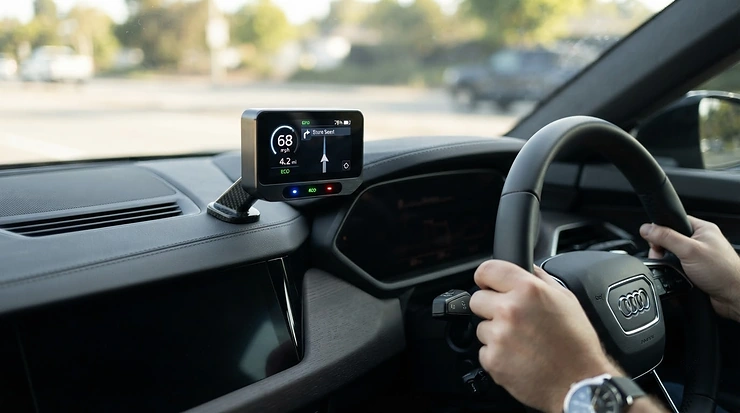
Fill the tank, watch the needle drop faster than it used to, sigh, repeat. If that’s become a monthly ritual, you’re not imagining it — pump prices have been genuinely brutal, and most of us have no real idea where the fuel is actually going. Is it the motorway commute? The school run in second gear? The mate who “borrowed” the car for a weekend? A fuel economy monitor for car use answers that question with numbers instead of guesswork, plugging into your vehicle’s onboard computer and translating raw engine data into miles per gallon you can actually watch change in real time.
This guide cuts through the marketing fluff. We’ve researched seven real, currently available devices — from pocket-sized Bluetooth dongles that pair with your phone to dedicated dashboard units with their own screen — and broken down what each one is genuinely good at, who it suits, and where it falls short. Every claim here is grounded in verifiable specifications and aggregated review sentiment, not invented testimonials, because a buying guide that lies to you to sell an affiliate link isn’t worth your time.
Whether you’re chasing better MPG on a long commute, trying to settle an argument about whose driving style is worse, or just tired of fuel bills that seem to grow every quarter, there’s a sensible option below. Let’s get into it.
Quick Comparison Table
| Product | Type | Standout Feature | Price Range | Best For |
|---|---|---|---|---|
| ScanGauge II | Standalone dash unit | Built-in colour screen, no phone needed | £120-£150 | Drivers who don’t want an app |
| Vgate iCar Pro BLE 4.0 | Bluetooth dongle | Rock-bottom entry price | £15-£25 | Budget-conscious first-timers |
| Veepeak OBDCheck BLE+ | Bluetooth dongle | Works on iOS and Android | £20-£30 | Mixed-household phone users |
| FIXD OBD-II Active Car Health Monitor | Bluetooth sensor | Plain-English fault alerts | £30-£50 | Nervous or first-time car owners |
| PLX Devices Kiwi 3 | Bluetooth dongle | Dedicated “Drive Green” eco-score | £90-£120 | Efficiency-focused commuters |
| OBDLink MX+ | Bluetooth dongle | Fastest data refresh rate | £90-£110 | Data-hungry enthusiasts |
| BlueDriver Bluetooth Pro | Bluetooth dongle | No subscription, professional-grade | £90-£130 | Buyers who hate recurring fees |
Looking at the spread above, the real fork in the road isn’t budget versus premium — it’s screen versus smartphone. The ScanGauge II is the only standalone option here, which matters if you’d rather not have your phone mounted and glowing every journey. Everything else routes its data through a companion or third-party app, so your phone effectively becomes the fuel economy monitor for car dashboard. Budget buyers should note that the cheapest dongles, like the Vgate iCar Pro BLE 4.0, get you live MPG data but skip the polish (and support) that the pricier options bundle in.
✨ Ready to stop guessing at the pump? Compare current prices on these picks below and pick the one that fits your driving. 😊
Top 7 Fuel Economy Monitors: Expert Analysis
1. ScanGauge II — dedicated screen, zero phone dependency
The ScanGauge II solves a problem the dongle crowd can’t: it doesn’t need your phone mounted, charged, or in Bluetooth range to give you a reading. It plugs directly into the OBD-II port via a 1.75-metre cable and sticks to the dash or steering column with the supplied pads, showing up to four live parameters at once from a pool of twelve, including fuel economy, fuel rate, coolant temperature and engine load. Based on the spec comparison, that “always on, always visible” design is exactly why it’s stayed popular with hypermilers and van drivers for well over a decade, long after flashier app-based rivals arrived.
Real-world use benefits from the X-Gauge system, which lets technically minded owners add vehicle-specific parameters beyond the factory twelve — genuinely useful if you’re chasing every last decimal of MPG. It’s compatible with any OBD-II/EOBD vehicle, which in Europe means petrol cars from 2001 and diesels from 2004 onwards. Aggregated owner feedback on Amazon consistently praises its reliability over years of daily use, with several long-term reviewers reporting it survived flood damage and still functioned as a diagnostic aid.
Pros:
- ✅ No smartphone or app required to see live data
- ✅ Seven display colours to match your dash lighting
- ✅ Customisable X-Gauge parameters for advanced users
Cons:
- ❌ Screen and buttons feel dated next to a phone app
- ❌ Sits at the pricier end for what is essentially a single-purpose gadget
At around £120-£150, the ScanGauge II isn’t cheap for a device with no smartphone integration, but if you specifically want a standalone fuel economy monitor for car use that never asks you to unlock your phone, nothing else on this list matches it.
2. Vgate iCar Pro BLE 4.0 — best budget entry point
If you just want to try live MPG tracking without committing serious money, the Vgate iCar Pro BLE 4.0 is the obvious starting point. It’s a compact Bluetooth Low Energy adapter that plugs into the OBD-II port and hands the actual interface duties to a third-party app — Car Scanner ELM OBD2, OBD Fusion, or Torque on Android, among others — streaming engine RPM, coolant temperature, fuel system status and live sensor data to your phone.
What most buyers overlook about budget dongles like this is that the hardware itself is rarely the limiting factor; it’s the app you pair it with. Choose a well-reviewed free app and the Vgate iCar Pro BLE 4.0 performs respectably for casual fuel monitoring. Reviewers commonly note it auto-sleeps to protect the car battery and works across most 12V petrol and light diesel vehicles from 1996 onwards, though it explicitly isn’t built for 24V commercial trucks, hybrids, or non-standard protocols on some luxury marques.
Pros:
- ✅ Among the cheapest genuine Bluetooth OBD adapters available
- ✅ Auto-sleep function protects your car battery
- ✅ Compatible with several popular free and paid apps
Cons:
- ❌ No dedicated app of its own — quality depends on your app choice
- ❌ Not suitable for hybrids, EVs, or heavy commercial vehicles
At around £15-£25, this is squarely the “try before you commit further” option, and honestly a sensible way to find out whether real-time fuel tracking even changes your driving before spending more.
3. Veepeak OBDCheck BLE+ — best cross-platform dongle
The Veepeak OBDCheck BLE+ earns its spot by solving the one thing the Vgate can’t: proper iOS support. Where many budget dongles use Classic Bluetooth (Android-only), this one uses Bluetooth Low Energy, so it pairs happily with iPhones as well as Android devices — a genuinely practical distinction for households where partners use different phones.
It’s compatible with a notably wide spread of apps, including Car Scanner ELM OBD2, Torque on Android, OBD Fusion, and vehicle-specific tools like Dr. Prius and BimmerCode. Here’s what to weigh: because it’s app-dependent, your actual fuel economy display is only as good as the app’s fuel-rate calculation, which typically derives MPG from mass air flow and speed sensor data rather than a direct fuel-flow reading. Reviewers frequently mention that connection reliability is strong across a wide range of vehicle makes, though a handful note occasional pairing hiccups on older, less common ECUs.
Pros:
- ✅ Genuine iOS and Android compatibility via Bluetooth LE
- ✅ Wide third-party app support, including vehicle-specific tools
- ✅ Compact, unobtrusive design that tucks under the dash
Cons:
- ❌ No proprietary app, so setup requires picking a third-party one
- ❌ Live data refresh can lag slightly on higher-traffic protocols
Priced around £20-£30, the Veepeak OBDCheck BLE+ is the pragmatic middle-ground pick for anyone who wants a fuel economy monitor for car use that won’t leave an iPhone-owning partner locked out.
4. FIXD OBD-II Active Car Health Monitor — best for nervous first-time owners
The FIXD OBD-II Active Car Health Monitor takes a different angle: rather than leading with raw MPG gauges, it leads with plain-English explanations. Plug it in, pair the free app, and it scans for issues across thousands of potential fault codes, translating “P0171” into something closer to “your engine is running lean, likely a vacuum leak or dirty MAF sensor” — while also tracking live data including fuel trims that feed into fuel economy.
What the spec sheet won’t tell you, but reviewers note, is that this simplicity comes with a trade-off. Aggregated customer feedback is mixed: many praise how approachable it makes car ownership for people who’d otherwise feel intimidated by a mechanic’s diagnosis, while a recurring complaint centres on FIXD’s optional Premium subscription, which unlocks maintenance scheduling and more detailed reports beyond the free tier. If you’re only after a straightforward fuel economy monitor for car use and don’t want subscription prompts, factor that in before buying.
Pros:
- ✅ Translates fault codes into plain-English explanations
- ✅ Works on petrol, hybrid, and diesel vehicles from the mid-2000s onward
- ✅ Compact sensor stays permanently hidden under the dash
Cons:
- ❌ Full feature set is gated behind an optional subscription
- ❌ Less granular live-data display than dedicated performance tools
Around £30-£50 for the sensor, the FIXD OBD-II Active Car Health Monitor suits buyers who want fault-code peace of mind first and fuel tracking as a bonus, rather than the other way round.
5. PLX Devices Kiwi 3 — best for a dedicated eco-driving score
Where most devices treat fuel economy as one gauge among many, the PLX Devices Kiwi 3 treats it as the entire point. Its Kiwi Drive Green feature learns your driving style over time and converts it into a single “Kiwi Score,” giving you one number to try and beat rather than a wall of raw data to interpret — genuinely useful for people who find gauges overwhelming but respond well to a game-like target.
Based on the spec comparison, the Kiwi 3 also displays fuel efficiency as a moving bar graph across multiple time windows (0-5 minutes, 0-30 minutes, up to two hours), alongside fuel used, distance, and estimated fuel cost. It cites government research suggesting inefficient driving habits alone can waste around a third of fuel use — which is precisely the behaviour its scoring system is built to correct. It also supports third-party apps including Torque, DashCommand and Carista for owners who want more than the bundled Kiwi OBD app offers.
Pros:
- ✅ Dedicated eco-driving score turns fuel saving into a habit-forming game
- ✅ Multiple fuel-efficiency time windows for short and long trips
- ✅ Cross-platform app support beyond its own bundled software
Cons:
- ❌ Sits well above budget-dongle pricing
- ❌ Fewer standalone diagnostic features than pure scan-tool rivals
At roughly £90-£120, the PLX Devices Kiwi 3 is the pick for drivers who’ve tried a basic dongle, found the numbers meaningless without context, and want a device that actively coaches better habits.
6. OBDLink MX+ — best for fast, detailed live data
Enthusiasts who care about refresh rates gravitate toward the OBDLink MX+ for good reason: it’s built around a faster processor than most rival dongles, and independent reviewers have measured it delivering noticeably more data samples per second than typical competitors. For a fuel economy monitor for car use, that translates into smoother, less laggy live MPG readouts rather than a gauge that visibly jumps between stale values.
The real differentiator, though, is protocol depth. It supports GM-LAN and Ford-MSC proprietary networks that many rival scanners simply can’t reach, unlocking additional live parameters on those makes. It also sleeps automatically when the engine’s off, so battery drain isn’t a concern for cars left parked for extended periods. Reviewers who’ve compared it directly against BlueDriver and FIXD consistently note it exposes more raw parameters, though the trade-off is a steeper learning curve for anyone who just wants a simple MPG number without digging through menus.
Pros:
- ✅ Noticeably faster live-data refresh than typical Bluetooth dongles
- ✅ No subscription fee for manufacturer-specific add-ons
- ✅ Broad third-party app compatibility, including FORScan and BimmerCode
Cons:
- ❌ Menu depth can overwhelm buyers who want simplicity
- ❌ Premium pricing versus basic ELM327-style dongles
Typically priced around £90-£110, the OBDLink MX+ rewards drivers willing to spend a little time learning the app in exchange for genuinely richer, faster live fuel data.
7. BlueDriver Bluetooth Pro — best subscription-free premium option
The BlueDriver Bluetooth Pro positions itself as the professional-grade choice, and the spec sheet backs that up: enhanced diagnostics across ABS, SRS and TPMS systems alongside standard engine data, plus a repair-report database built from a large pool of real mechanic repairs. Critically for anyone comparing running costs, there’s no ongoing subscription — you buy the hardware once and the app’s core functionality stays unlocked.
For fuel tracking specifically, live data includes fuel system status and calculated economy alongside the broader diagnostic suite. Aggregated review sentiment is strongly positive, with tens of thousands of Amazon ratings collectively praising ease of pairing and the clarity of its repair explanations; a recurring critique is that its live-data refresh rate lags slightly behind faster rivals like the OBDLink MX+, a limitation some attribute to its use of an older Bluetooth protocol generation. It’s also worth noting it doesn’t support diesel diagnostics on every model, so diesel drivers should check compatibility first.
Pros:
- ✅ No subscription — full functionality after a single purchase
- ✅ Enhanced diagnostics beyond basic engine codes
- ✅ Extensive repair-report database drawn from real mechanic data
Cons:
- ❌ Slower live-data refresh than the fastest rivals
- ❌ Limited diesel diagnostic support on some models
At around £90-£130, the BlueDriver Bluetooth Pro justifies its price for buyers who want one payment, one device, and diagnostics that go well beyond fuel economy alone.
Setting Up and Getting the Most From Your Monitor
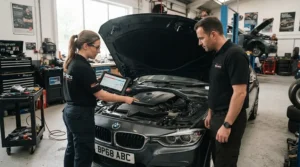
Getting genuinely useful numbers out of any fuel economy monitor for car use starts before you’ve even left the driveway. First, locate your OBD-II port — on the vast majority of cars it’s tucked under the dashboard near the steering column, sometimes behind a small removable panel. Plug the device in with the ignition off, then start the engine; most dongles and the ScanGauge II alike will initialise automatically within a few seconds.
For app-based devices, download the recommended app before you fit anything, and resist the temptation to grab the first “free OBD2 scanner” result — several counterfeit or unofficial apps circulate that either don’t work properly or misreport data. Once paired, spend your first few journeys simply observing rather than trying to change your driving; you need a baseline before you can measure improvement.
A common mistake in the first thirty days is treating the readout as gospel from minute one. Fuel economy figures typically take a short distance to stabilise after a cold start, so don’t judge your car — or the device — on the first mile alone. It’s also worth checking for firmware or app updates monthly; several manufacturers, including OBDLink and Veepeak, push periodic improvements to data accuracy and app stability. Finally, if your readings look implausible (say, triple-digit MPG on a motorway cruise), it’s usually a sensor calibration quirk rather than device failure — cross-check against a manual tank-to-tank calculation over a full fill-up before assuming something’s broken.
Real-World Scenarios: Who Actually Benefits Most
Picture three drivers, three very different reasons for wanting a fuel economy monitor for car use. The first is a college commuter doing 40 miles a day on a mix of B-roads and dual carriageway in an older petrol hatchback; for them, a budget dongle like the Vgate iCar Pro BLE 4.0 paired with a free app is plenty — the goal is simply visibility into where fuel disappears, not deep diagnostics, and the low upfront cost matters when every pound counts.
The second is a family running a diesel estate for the school run and occasional long motorway hauls to visit relatives, where fuel bills swing noticeably between short urban trips and steady-speed cruising. Here, the PLX Devices Kiwi 3‘s multiple time-window tracking earns its higher price, because it separates “wasteful school-run idling” from “efficient motorway cruising” instead of blending both into one misleading average.
The third is a small tradesperson running a van daily, clocking serious mileage, and needing both fault-code reliability and fuel data in one device without recurring costs eating into margins. The BlueDriver Bluetooth Pro‘s no-subscription model and enhanced diagnostics fit that use case better than a fuel-only gadget, because a check-engine light that goes undiagnosed for a week can cost far more than any amount of fuel monitoring saves. In each case, the “best” fuel economy monitor for car use isn’t universal — it’s the one matched to how, and how far, you actually drive.
🔍 Take your next drive further on the same tank.Click through to check current pricing on the pick that matches your driving above.
What Is a Fuel Economy Monitor for Car?
A fuel economy monitor for car use is a small device that plugs into your vehicle’s OBD-II diagnostic port and translates live engine sensor data — fuel trims, mass air flow, vehicle speed, engine load — into a real-time miles-per-gallon figure, either on its own screen or through a paired smartphone app. Unlike your dashboard’s built-in trip computer, which often estimates economy from a factory algorithm, these devices pull directly from the ECU and, in the case of more advanced models, log trends over time so you can see exactly how a change in driving style or route affects consumption.
The underlying technology, on-board diagnostics, has been mandatory on new petrol cars sold in Europe since 2001 and on diesels since 2004, which is why compatibility with vehicles from those model years onward is the baseline requirement across almost every device on this list. You can read more about how the standard evolved on Wikipedia’s on-board diagnostics overview, which traces it back to early emissions-monitoring mandates in the 1990s.
Fuel Economy Monitor for Car vs OBD2 App: What’s the Real Difference?
This is the question that trips up most first-time buyers, and honestly, it’s a slightly misleading comparison — because in five of the seven products above, the “monitor” and the “app” are two halves of the same system, not competing alternatives. A fuel economy monitor for car use is the hardware: the physical adapter plugged into your OBD-II port. An OBD2 app is the software interface that reads the data that hardware exposes. You typically need both, unless you choose a standalone unit like the ScanGauge II, which bundles its own screen and skips the phone entirely.
| Approach | Setup Effort | Ongoing Cost | Data Depth | Best For |
|---|---|---|---|---|
| Standalone monitor (e.g., ScanGauge II) | Plug in, no pairing | One-off purchase | Fixed set of built-in gauges | Drivers who dislike phone mounts |
| Dongle + free app (e.g., Vgate, Veepeak) | Plug in, pair app | Usually free, some paid tiers | Depends entirely on chosen app | Budget-conscious, tech-comfortable drivers |
| Dongle + proprietary app (e.g., FIXD, BlueDriver, OBDLink) | Plug in, use bundled app | Mostly one-off, some subscriptions | Curated, polished, brand-specific | Buyers who want a guided experience |
What most buyers overlook is that the “app” side of the equation is where quality varies wildly, even with identical hardware underneath. Two people using the same generic Bluetooth adapter but different apps can get meaningfully different fuel-economy accuracy, because each app calculates MPG using its own formula from raw sensor values. If you’d rather not gamble on app quality, a device with a dedicated, purpose-built app — like the BlueDriver Bluetooth Pro or OBDLink MX+ — removes that variable entirely.
How to Choose a Fuel Economy Monitor for Car
Picking the right device comes down to seven practical questions, roughly in order of importance:
- Check your vehicle’s compatibility first. Confirm your car is OBD-II/EOBD compliant (petrol from 2001, diesel from 2004 in the UK and EU) and check whether the device explicitly supports hybrids if that applies to you.
- Decide standalone versus app-based. A screen-equipped unit like the ScanGauge II suits drivers who don’t want a phone mount; a dongle suits anyone comfortable using their phone as the display.
- Match your phone’s operating system. Older Bluetooth Classic dongles like the Vgate iCar Pro BLE 4.0 can be Android-only, so iPhone owners need Bluetooth LE models such as the Veepeak OBDCheck BLE+.
- Weigh subscription costs honestly. If you dislike recurring fees, prioritise devices like BlueDriver or OBDLink MX+ that unlock full functionality with a single purchase.
- Consider what else you need. If check-engine diagnostics matter as much as fuel data, lean toward FIXD or BlueDriver; if fuel economy coaching is the whole point, the Kiwi 3‘s scoring system is purpose-built for it.
- Check data refresh speed if you’re performance-curious. Faster sampling, as offered by the OBDLink MX+, means smoother live gauges rather than jumpy, stale readings.
- Factor in your budget honestly. A £20 dongle and a £130 professional tool can both report fuel economy — the difference is in polish, diagnostics depth, and long-term reliability, not the core MPG number.
Real-Time MPG Tracker: What to Expect From Live Fuel Data
Here’s what the spec sheet won’t tell you: a real-time MPG tracker doesn’t behave like a simple speedometer. Because it’s calculating fuel consumption from multiple live sensor inputs — fuel injector pulse width, mass air flow, engine RPM — the number you see genuinely does jump around, especially during acceleration, gear changes, or hill climbs, and that’s normal rather than a fault.
What most buyers overlook is that the useful signal isn’t the instant number, it’s the trend. Watching MPG climb as you ease off the accelerator approaching a red light, or watching it collapse during a hard overtake, is what actually teaches better habits over weeks of use — not staring at a single frozen figure. Reviewers across devices in this guide consistently mention that the biggest behavioural shift happens in the first month, as drivers subconsciously start smoothing out inputs to keep the live number higher, echoing the RAC Foundation’s research on post-trip review reinforcing eco-driving lessons. After that adjustment period, most people check the average-per-tank figure far more than the instant reading, because it filters out the noise and shows whether habits are actually sticking.
Driving Style and Fuel Efficiency: Common Mistakes That Waste Fuel
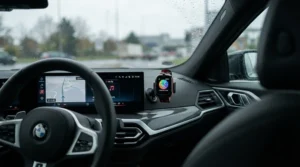
Driving style efficiency is, frankly, where most of the easy wins live — often before you’ve spent a penny on hardware. A handful of habits consistently show up as fuel-wasters across eco-driving research, and a monitor simply makes them visible instead of invisible.
Harsh acceleration is the single biggest offender; flooring the throttle from a standstill can burn noticeably more fuel than a smooth, progressive build-up to speed. Late, heavy braking is the flip side of the same problem — if you’re regularly stamping on the brake pedal, you’re throwing away momentum (and fuel) you’d already paid for. Short journeys with a cold engine are another frequent trap, since engines run richer and less efficiently before reaching operating temperature, so combining errands into one trip genuinely helps. Carrying unnecessary weight and unused roof boxes both add drag and load that the engine has to work harder against, and under-inflated tyres increase rolling resistance in a way many drivers simply never check. Guidance from Hartlepool Borough Council’s eco-driving advice echoes an AA trial finding drivers cut fuel use by an average of 10% in a single week of eco-driving, with some saving as much as a third — numbers that align closely with what a fuel economy monitor for car use tends to reveal once you start paying attention.
Rising Fuel Prices and Long-Term Fuel Consumption Tracking
Rising fuel prices are exactly why fuel consumption tracking has shifted from a niche hobbyist interest to something ordinary commuters actively search for. UK pump prices are published weekly by the government’s official road fuel price statistics, and the underlying volatility of recent years means the difference between an efficient and inefficient driving style now shows up far more sharply in a monthly bank statement than it did a decade ago.
On paper, this means a fuel economy monitor for car use pays for itself faster than it would have when fuel was cheaper — the same percentage improvement in MPG now represents more actual pounds saved. Long-term cost analysis also favours devices with trip-logging over time, rather than instant-only readouts, because sustained habit change is where the real savings compound. A driver who shaves even 8-10% off fuel consumption through smoother driving, informed by consistent monitoring, could realistically save several hundred pounds a year on a typical UK commuting mileage — though the exact figure depends heavily on vehicle, journey mix, and current pump prices, so treat any specific projection as a rough guide rather than a guarantee. The RAC Foundation’s “Easy on the Gas” eco-driving report similarly frames post-trip data review as a core mechanism for reinforcing fuel-saving habits over the long term, not just a one-off novelty.
Features That Actually Matter (And Those That Don’t)
Strip away the marketing copy and a handful of features genuinely move the needle on a fuel economy monitor for car purchase, while others are pure box-ticking. Live MPG accuracy matters enormously — it’s the entire point — so app quality and sensor sampling rate deserve real scrutiny, not just headline compatibility claims. Trip-based averaging matters too, since instant readings are noisy and averages over a tank or journey are what actually inform decisions.
On the other hand, an enormous list of supported vehicle-specific protocols matters far less if you only ever own one car; that depth is genuinely valuable for enthusiasts or multi-car households but largely wasted on a single-vehicle owner. Similarly, flashy 0-60mph timers and quarter-mile performance modes, present on devices like the Kiwi 3, are fun but irrelevant to fuel economy tracking specifically — nice-to-haves, not deciding factors. Subscription-gated advanced diagnostics are worth scrutinising carefully before buying, since the headline hardware price can be misleading if the features you actually want sit behind a recurring paywall.
Safety, Regulations and MOT Compliance for OBD2 Devices in the UK
A frequent worry among first-time buyers is whether plugging an aftermarket device into the OBD-II port causes any legal or MOT-related issues. In normal use, read-only devices like every product in this guide simply listen to data the ECU already broadcasts; they don’t modify engine parameters, so they shouldn’t affect emissions compliance or trigger MOT concerns on their own. That said, always unplug the device before an MOT test, since some testing stations prefer a clear port, and never use one to attempt to clear a genuine fault code without first understanding what caused it — masking a real problem can let it worsen unnoticed and, in some cases, delay detection of an issue that would otherwise fail an emissions check for good reason.
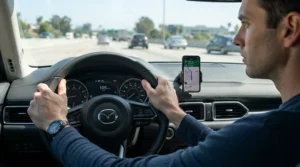
It’s also worth being realistic about driving safety: mounting a phone to view live fuel data is no different, legally or practically, to using it for navigation, so treat glance-based interaction the same way you would a satnav, and never adjust settings while the vehicle is moving.
Frequently Asked Questions
❓ What is a fuel economy monitor for car use?
❓ Do fuel economy monitors actually save fuel?
❓ Is a fuel economy monitor the same as an OBD2 scanner?
❓ Do I need a subscription for a fuel economy monitor for car use?
❓ Will a fuel economy monitor work on my car?
Conclusion
There’s no single best fuel economy monitor for car use — only the best one for how you actually drive. If you want zero phone dependency, the ScanGauge II remains the standalone standout. If you’re testing the waters on a tight budget, the Vgate iCar Pro BLE 4.0 gets you live data for very little outlay, while the Veepeak OBDCheck BLE+ adds welcome iPhone compatibility at a similar price point. Buyers who want their fuel tracking wrapped in genuine diagnostic peace of mind should look at FIXD or the BlueDriver Bluetooth Pro, and anyone who wants active coaching toward better habits, rather than just raw numbers, will get the most out of the PLX Devices Kiwi 3‘s scoring system. Enthusiasts chasing the fastest, most detailed live data should head straight for the OBDLink MX+.
Whichever you choose, the real value isn’t the gadget — it’s the feedback loop it creates. Watching your own numbers change in response to smoother acceleration, gentler braking, and properly inflated tyres turns vague advice into something concrete you can measure, tank after tank, for as long as fuel prices keep climbing.
Recommended for You
- OBD2 Scanner For Beginners: 7 Best UK Picks (2026)
- OBD2 Scanners Under £30: 7 Best Budget Picks for UK Drivers (2026)
- Bluetooth OBD2 Scanner: 7 Best Picks Tested for UK Drivers (2026)
Disclaimer: This article contains affiliate links. As an Amazon Associate, I earn from qualifying purchases. If you purchase products through these links, we may earn a small commission at no additional cost to you.
✨ Found this helpful? Share it with your friends! 💬🤗
