
In This Article
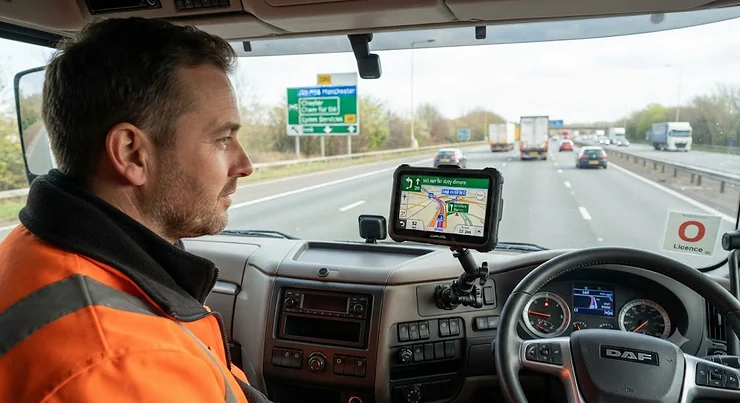
Somewhere in Norfolk right now, a driver is trusting a phone propped against the dashboard to get a 44-tonne artic through a market town built for horses and carts. It usually ends fine. Sometimes it ends with a bridge missing a chunk of brickwork and a very awkward phone call to the transport office. A proper sat nav for lorry drivers isn’t a luxury add-on — it’s the difference between a route that respects your vehicle’s height, weight and length, and one that treats your rig like a Fiat Panda with a grudge.
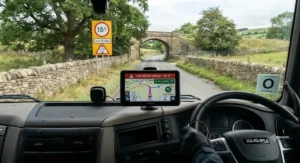
This guide exists because Google Maps and Apple Maps genuinely don’t know your trailer is 4.2 metres tall. They can’t. They’re built for cars, and no amount of confident blue-line routing changes that fact. An HGV-specific device asks for your dimensions once, then quietly protects you from every low bridge, weight-restricted lane and width-limited village high street between depot and delivery. Network Rail’s own figures put a bridge strike happening roughly once every five hours across Britain — a statistic worth sitting with before you dismiss dedicated hardware as overkill.
Across this article we’ll walk through seven real devices spanning budget, mid-range and premium territory, unpack what HGV-specific sat nav routing actually calculates behind the scenes, and get properly into low bridge alerts, HGV routing restrictions, and what professional driver equipment is genuinely worth carrying in the cab. Prices shift constantly, so treat every figure here as a guide — always check current pricing before you buy.
Quick Comparison Table
| Sat Nav | Screen Size | Best For | Price Range |
|---|---|---|---|
| Garmin dēzl LGV610 | 6″ | All-round HGV routing on a budget | around £280-£320 |
| TomTom GO Expert Plus (7″) | 7″ | Large screen sat nav for trucks | around £330-£380 |
| Snooper Truckmate S6900 | 7″ | Comprehensive UK-built HGV routing | around £370-£400 |
| Garmin dēzl LGV820 | 8″ | Premium features, voice control | around £370-£410 |
| Snooper SC5900 DVR Truckmate | 7″ | Sat nav with built-in dash cam | around £320-£350 |
| Snooper Predator S8100 | 9″ | Fleet-friendly, largest screen | around £400-£440 |
| Navmoir 9 Inch HGV Sat Nav | 9″ | Budget-friendly large screen option | around £110-£150 |
Looking at the spread above, there’s no single “best” device — there’s a best device for your cab, your budget and your route pattern. The Garmin dēzl LGV610 earns its place as the default recommendation because it nails HGV-specific routing without asking you to remortgage the truck, while the Snooper Predator S8100 and Navmoir 9 Inch HGV Sat Nav sit at opposite ends of the large-screen market — one built for fleet-grade reliability, the other for drivers who want real estate on the windscreen without the premium price tag.
💬 Found a device here that fits your cab? A quick click through to check the current price helps keep guides like this one going!🤗
Top 7 Sat Navs for Lorry Drivers: Expert Analysis
1. Garmin dēzl LGV610 — best all-rounder for everyday HGV routing
The Garmin dēzl LGV610 is the sat nav most professional drivers end up recommending to a mate starting out, and there’s a reason for that beyond brand loyalty. Custom routing accounts for bridge heights, weight limits and vehicle dimensions from the moment you set up your profile, and the HGV-specific points of interest — truck stops, weighbridges, lorry parks across the UK and Europe — save you from guessing where you can actually pull in for the night. Based on the spec comparison with rivals in this bracket, the 6-inch screen is the clear trade-off: it’s noticeably smaller than the 7 to 9-inch devices further down this list, but it also sits less intrusively in your eyeline through a curtainsider’s windscreen. Birdseye satellite imagery is a genuinely useful touch for drivers navigating unfamiliar yard entrances, letting you spot a tight turn before you’ve committed the trailer to it. This is the device for drivers who want dependable HGV routing without paying for screen size they don’t strictly need — company car drivers moving into LGV work, owner-drivers on a tight budget, or anyone whose cab space is already crowded with a tacho, radio and hands-free kit. Reviewers consistently report strong satisfaction with routing accuracy on UK and European roads, with the device holding a large volume of positive feedback and an average rating above 4 stars on major retail platforms. What most buyers overlook is that the smaller screen actually improves glanceability at speed — less to scan means less time with your eyes off the road.
Pros:
- ✅ Reliable HGV-specific routing on UK and EU roads
- ✅ Truck stop and weighbridge points of interest built in
- ✅ Compact 6″ screen doesn’t block cab visibility
Cons:
- ❌ Screen feels small next to 7-9″ rivals
- ❌ Fewer premium extras than the LGV820
Priced around £280-£320 depending on retailer and any bundled promotions, this is arguably the strongest value pick on this list — the routing intelligence of the pricier dēzl models without the premium screen tax.
2. TomTom GO Expert Plus (7″) — best for live restriction alerts
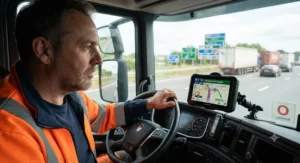
The TomTom GO Expert Plus takes a slightly different approach to the same problem, leaning hard into live data rather than static routing alone. The 7-inch HD touchscreen is the headline feature, but what actually matters here is what’s underneath it: professional navigation for large vehicles with routes and points of interest tailored to trucks, buses and coaches, plus live alerts for bridge height, ADR tunnel restrictions and UN class limits that a standard car sat nav simply doesn’t track. Here’s what to weigh up — ADR tunnel restrictions only matter if you’re moving hazardous loads, so a driver hauling general freight is paying, in part, for capability they’ll never use. For anyone carrying dangerous goods, though, that same feature is close to essential, because getting a tunnel restriction wrong isn’t a wasted half hour, it’s a compliance breach. TomTom Traffic comes bundled at no extra subscription cost, delivering live alerts on roadblocks, accidents and congestion alongside more accurate ETAs — useful when a transport office is chasing a delivery window. New additions on this model include multiple saved vehicle profiles and low emission zone avoidance, which matters increasingly as more UK city centres tighten access rules. Reviewers on major retail sites note the touchscreen response and map clarity as consistent strengths, with occasional comments about the learning curve for drivers switching from a car sat nav for the first time.
Pros:
- ✅ Live ADR tunnel and UN class restriction alerts
- ✅ Multiple saved vehicle profiles for mixed-fleet drivers
- ✅ TomTom Traffic included with no extra subscription
Cons:
- ❌ Hazmat-specific features are wasted on general haulage
- ❌ Setup takes longer than simpler dēzl models
Expect to pay somewhere in the £330-£380 range for the 7-inch Plus model, though the plain 6-inch GO Expert can be found for noticeably less if screen size matters less than budget.
3. Snooper Truckmate S6900 — best for UK-specific HGV routing depth
Snooper has been building truck-specific sat navs for years, and the Snooper Truckmate S6900 reflects that focus rather than feeling like a car sat nav with a truck mode bolted on. Its routing database is compiled specifically for HGV use across the UK and Europe and gets regularly updated, which shows in how confidently it handles the UK’s patchwork of local width restrictions and weight-limited bridges — the kind of hyper-local knowledge that generic mapping data sometimes misses. Free lifetime UK and Europe map updates and real-time traffic information come as standard, alongside Bluetooth hands-free calling that keeps you compliant on longer runs. What most buyers overlook about Snooper’s range is the sunshade included on several models — a genuinely practical addition for anyone who’s fought screen glare on an early-morning summer run down the M1. On paper, this means fewer squinting moments at a critical junction. The 7-inch screen sits in the sweet spot between the compact dēzl 610 and the larger 9-inch options, offering a meaningfully bigger view without dominating the windscreen. This is a strong fit for drivers doing predominantly UK domestic work who want routing tuned to Britain’s back roads rather than a device optimised primarily for continental European haulage.
Pros:
- ✅ UK-specific HGV routing database, regularly updated
- ✅ Free lifetime map updates with no subscription
- ✅ Sunshade included for glare reduction
Cons:
- ❌ Less brand recognition than Garmin or TomTom
- ❌ Fewer third-party accessories available
Priced around £370-£400 at the time of research, the S6900 sits close to the premium end but justifies it with routing depth specifically tuned to UK roads.
4. Garmin dēzl LGV820 — best for premium features and voice control
Sitting at the top of Garmin’s dēzl range, the Garmin dēzl LGV820 is what you buy once the LGV610’s smaller screen and lighter feature set start to feel limiting. You get an 8-inch screen, voice control, and — perhaps the most distinctive addition — wind radar, which sounds like a gimmick until you’re driving a curtainsider through Cumbria in February and a genuine crosswind warning becomes the difference between a controlled correction and a white-knuckle moment. Voice control matters more than it might first appear: reaching for a touchscreen at 56mph on a motorway is precisely the kind of distraction professional driver equipment should be designed to eliminate, not add. The larger 8-inch display makes junction views and lane guidance easier to read at a glance, which reduces the micro-hesitations that build up over a long shift. Based on the spec comparison with the LGV610, the core HGV routing engine is broadly the same — the LGV820’s upgrade is about usability and safety-adjacent features rather than reinventing how it calculates a route. Reviewers frequently cite the wind radar and voice command reliability as standout features that justify stepping up from the entry-level model, particularly among drivers regularly running high-sided or box vehicles exposed to crosswind.
Pros:
- ✅ Wind radar warns of crosswind risk on exposed routes
- ✅ Reliable voice control reduces touchscreen distraction
- ✅ Larger 8″ screen improves junction and lane visibility
Cons:
- ❌ Meaningful price jump over the LGV610
- ❌ Wind radar adds limited value for low-profile vehicles
At around £370-£410, this is a considered upgrade for drivers who spend serious hours behind the wheel each week rather than an essential first purchase.
5. Snooper SC5900 DVR Truckmate — best sat nav with an integrated dash cam
The Snooper SC5900 DVR Truckmate solves two professional driver equipment problems with one purchase: HGV-specific navigation and a built-in HD dash cam, without the usual dual-device dashboard clutter. Truck-specific routing based on vehicle dimensions sits underneath everything, exactly as you’d expect from Snooper’s commercial range, while the integrated dash cam quietly records your journey in the background — genuinely valuable for both insurance claims after an incident and defending yourself against unfounded liability disputes, which remain a real and costly risk in commercial haulage. Free lifetime UK and Europe map updates and live traffic information are included as standard, matching the rest of the Truckmate line. What the spec sheet won’t tell you, but fleet managers increasingly note, is that combined devices like this one reduce the total cable and mounting clutter in a cab — one power lead and one mount instead of two competing for the same windscreen real estate. The trade-off is that if the dash cam element fails, you potentially lose navigation capability at the same time, so it’s worth checking warranty terms carefully before committing. For owner-drivers who’ve been meaning to add a dash cam “at some point,” this is the sat nav that makes that decision for you.
Pros:
- ✅ Built-in HD dash cam alongside HGV routing
- ✅ Reduces cab clutter versus separate devices
- ✅ Free lifetime UK and Europe map updates
Cons:
- ❌ Single point of failure for both functions
- ❌ Dash cam footage quality trails dedicated cam units
Expect a price around £320-£350, which represents solid value once you factor in what a standalone dash cam would otherwise cost on top of a separate sat nav.
6. Snooper Predator S8100 — large screen sat nav for trucks and fleets
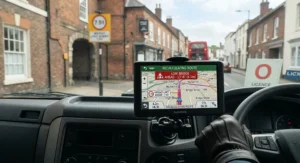
For drivers who’ve decided screen size is non-negotiable, the Snooper Predator S8100 delivers a 9-inch touchscreen alongside routing built around your vehicle’s exact dimensions, weight and restrictions. Free lifetime regular map updates and live traffic information help you dodge developing congestion, and the active magnetic mount is a small but genuinely appreciated detail — swapping the device between vehicles or removing it for overnight security takes seconds rather than a fiddly unclip-and-recable routine. What most buyers overlook is that this device runs the same navigation platform across Snooper’s entire commercial range, which makes it a sensible standardisation choice for fleet operators managing a mix of vehicles rather than a one-off purchase for a single truck. Based on the spec comparison with smaller Snooper models, the trade-off is fairly straightforward: you’re paying primarily for screen real estate and mounting convenience rather than a fundamentally different routing engine underneath. That’s not a criticism — junction detail and lane guidance genuinely benefit from the extra inches, particularly for drivers with ageing eyesight or those running mixed motorway and urban delivery routes where quick glances matter. The size does mean it’s better suited to larger cabs; a compact van conversion might find a 9-inch screen genuinely too dominant.
Pros:
- ✅ Large 9″ touchscreen with clear junction and lane view
- ✅ Active magnetic mount for fast fitting and removal
- ✅ Shared platform simplifies fleet-wide standardisation
Cons:
- ❌ Screen size can overwhelm smaller cabs
- ❌ Premium price for what’s largely a size upgrade
At around £400-£440, this sits at the top of the sensible spending range — justified for fleet buyers and drivers who genuinely value screen size above all else.
7. Navmoir 9 Inch HGV Sat Nav — best budget-friendly large screen option
The Navmoir 9 Inch HGV Sat Nav is the honest budget answer to “I want a big screen but I don’t want to spend £400 on it.” Custom truck routing lets you enter vehicle height, weight and length to steer around low bridges, narrow roads and restricted routes, and it comes preloaded with UK and European maps updated for 2026, with free lifetime updates delivered over WiFi rather than a subscription model. The 9-inch capacitive HD display is a genuine surprise at this price point, and additional driver safety alerts covering speed cameras, red light cameras and accident black spots add real-world value beyond pure routing. Here’s what to weigh up honestly: this sits outside the established Garmin, TomTom and Snooper ecosystem, so brand-level long-term software support and the depth of UK-specific local road knowledge are less proven than the more established names on this list. Reviewers on retail platforms report generally positive experiences with routing accuracy for the price, though the review pool is smaller and less mature than for the market-leading brands, so treat any glowing claims with a degree of healthy scepticism until independent long-term testing catches up. For an owner-driver or newly self-employed HGV driver kitting out a cab on a tight starting budget, this is a genuinely reasonable way to get large-screen HGV routing without the premium-brand price tag — just go in with realistic expectations about long-term support.
Pros:
- ✅ Large 9″ screen at a fraction of premium pricing
- ✅ Free lifetime map updates with no subscription
- ✅ Speed camera and accident black spot alerts included
Cons:
- ❌ Smaller, less mature customer review base
- ❌ Less established UK road database than Garmin or Snooper
Priced around £110-£150, this is the clear pick for budget-conscious buyers who still want the large-screen sat nav for trucks experience.
Top 7 Products: Full Specification Comparison
| Sat Nav | HGV Routing | Live Traffic | Map Updates | Best For |
|---|---|---|---|---|
| Garmin dēzl LGV610 | Yes | Optional | Free lifetime | Everyday HGV routing on a budget |
| TomTom GO Expert Plus | Yes + ADR/UN class | Included | Wi-Fi updates | Hazmat and restriction-heavy routes |
| Snooper Truckmate S6900 | Yes, UK-tuned | Included | Free lifetime | UK-specific domestic routing |
| Garmin dēzl LGV820 | Yes + wind radar | Optional | Free lifetime | Long-haul drivers wanting extras |
| Snooper SC5900 DVR | Yes | Included | Free lifetime | Combined nav and dash cam |
| Snooper Predator S8100 | Yes | Included | Free lifetime | Fleet operators, large cabs |
| Navmoir 9 Inch HGV | Yes | Included | Free lifetime | Budget large-screen buyers |
This side-by-side view makes one thing obvious: nearly every device here now bakes in genuine HGV-specific sat nav routing as standard, so the real differentiator is what surrounds that core engine. The TomTom GO Expert Plus stands apart on live restriction alerts for hazardous loads, while the Snooper Truckmate S6900 leans into UK domestic route knowledge that European-focused devices sometimes underweight. If you’re weighing screen size against budget, the Navmoir 9 Inch HGV Sat Nav and Snooper Predator S8100 bookend the large-screen category at wildly different price points for a broadly similar viewing experience.
✨ Ready to fit out your cab properly? Check current prices on the device that matches your route pattern before your next long haul.🤗
What Is HGV-Specific Sat Nav Routing?
HGV-specific sat nav routing is navigation software that calculates a driving route using your actual vehicle’s height, weight, width, length and axle configuration — rather than assuming you’re driving a standard car. It filters out roads with low bridges, weight-restricted crossings and width-limited lanes that would otherwise be shown as perfectly normal routes on a consumer app…
This distinction genuinely matters because standard mapping apps have no concept of your vehicle at all. Google Maps doesn’t know your trailer height. Waze doesn’t care that your combination is 18.75 metres long. And neither will warn you about a low bridge until you’re already committed to the approach. HGV routing works by cross-referencing a database of road restrictions — sourced from local authorities, government data and mapping partners — against the vehicle profile you enter during setup. Once that profile exists, every route calculation automatically excludes roads your vehicle physically cannot or legally should not use.
Practical Usage Guide: Setting Up Your HGV Sat Nav Properly
Getting a new device out of the box and driving off is the single most common mistake professional drivers make, and it’s an easy one to avoid with fifteen minutes of setup discipline.
Start with your vehicle profile, and be genuinely precise rather than rounding numbers for convenience. Measure your actual height including any roof-mounted equipment, aerials or air deflectors — not the figure on a spec sheet from when the vehicle left the factory. Enter width, length and weight (laden, not empty) accurately, because every restriction the device avoids depends entirely on these numbers being correct. Network Rail’s own research found that 43% of lorry drivers admit to not measuring their vehicle before setting off, which goes some way to explaining why bridge strikes remain such a persistent problem despite widespread HGV sat nav adoption.
Once the profile is set, update your maps immediately, even if the device shipped with recent data — road layouts and restrictions change constantly, and a device sitting in a warehouse for even a few months can be meaningfully out of date on day one. Mount the device where it doesn’t obstruct your forward view or mirrors, ideally within easy reach for voice commands rather than requiring a stretch across the cab.
In the first thirty days, the most common mistake is trusting the device blindly rather than treating it as one input alongside road signage and your own judgement. If a route looks wrong — a b-road that seems too narrow for your trailer, a turning that doesn’t look wide enough — trust your eyes and stop to check, rather than assuming the software has it covered. Build a habit of a quick daily glance at your vehicle profile too, particularly if you’re switching between vehicles or trailers with different dimensions, since a profile carried over incorrectly from a smaller vehicle undermines the entire point of HGV-specific routing.
Real-World Scenarios: Matching the Device to the Driver
The new owner-driver on a tight budget. Twenty-eight years old, just passed the Class 1 test, bought a used tractor unit and is building a client base one job at a time. Every pound matters, and cab space is already crowded with a fridge and a sleeping bag. For this driver, the Garmin dēzl LGV610 or Navmoir 9 Inch HGV Sat Nav make the most sense — reliable HGV routing without the premium price tag of features aimed at established fleets.
The long-haul European driver. Regularly crosses the Channel, spends four or five nights a week away from home, and needs routing that handles both UK back roads and continental motorway networks with equal confidence. This is where the TomTom GO Expert Plus earns its keep, particularly the ADR tunnel and UN class restriction alerts if any part of the workload touches hazardous goods, alongside included live traffic for the long stretches of European motorway where an unexpected roadworks diversion can cost hours.
The fleet transport manager standardising equipment. Responsible for a mixed fleet of twelve vehicles ranging from 7.5-tonne rigids to full artics, and wants one navigation platform every driver can learn once and use across the fleet. The Snooper Predator S8100 and its shared commercial platform across Snooper’s range is the sensible choice here — consistent interface, consistent training, and large-screen visibility that reduces driver fatigue on long shifts.
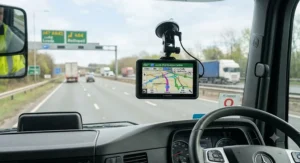
How to Choose a Sat Nav for Lorry Drivers
- Confirm true HGV routing, not just a “truck mode.” Some budget devices simply add a toggle to car navigation software rather than running a genuinely separate HGV routing engine — check for explicit mention of a dedicated commercial vehicle database.
- Match screen size to your cab, not your ego. A 9-inch screen looks impressive in a shop, but if it dominates your windscreen and blocks your mirror line, it’s actively working against you.
- Check whether map updates are genuinely free for life, or free for a limited window. Some manufacturers bundle a year of updates then move to a subscription — read the fine print before assuming “lifetime” means what it sounds like.
- Weigh live traffic and restriction alerts against your actual routes. ADR tunnel warnings matter enormously if you carry hazardous goods and not at all if you don’t — don’t pay for capability you’ll never use.
- Consider integrated extras only if they solve a real problem. A built-in dash cam is genuinely valuable if you don’t already have one; it’s dead weight if you’ve already got a dedicated cam you trust.
- Factor in mounting and removal convenience. A magnetic quick-release mount sounds minor until you’re removing the device every single overnight stop to deter theft.
- Read aggregated review sentiment, not just star ratings. A 4.5-star average tells you less than a pattern of specific complaints about, say, GPS lock time in urban canyons or Bluetooth pairing reliability.
HGV Routing Restrictions Explained
HGV routing restrictions cover the legal and physical limits that apply specifically to heavy goods vehicles — low bridges, weight-restricted roads, width limits through town centres, and environmental restrictions like clean air zones that increasingly affect where larger diesel vehicles can travel without a charge. A government guide for LGV drivers sets out the wider conduct and compliance expectations that sit alongside route planning, and it’s worth a periodic re-read even for experienced drivers, since guidance is updated as regulations shift.
Local authorities frequently add their own restrictions on top of national rules — a weight-restricted bridge here, a width-limited high street there — and these are exactly the details a generic car sat nav has no mechanism for tracking. Warwickshire and Leicestershire county councils, among many others, explicitly recommend the use of regularly updated HGV-specific sat navs precisely because local restrictions change more often than most drivers realise, and a device with stale mapping data can route you straight into a restriction that’s only been in place for a matter of weeks.
The consequences of ignoring these restrictions go well beyond an awkward reversing manoeuvre. Following a spate of HGVs causing chaos on unsuitable routes, the Local Government Association has pushed for legislation making commercial-grade sat navs compulsory for lorry drivers, arguing that car-designed devices simply aren’t fit for professional use on Britain’s road network.
Low Bridge Alerts: Why They Matter More Than You’d Think
Low bridge alerts are arguably the single most safety-critical feature any HGV sat nav offers, and the statistics behind why are genuinely sobering. Britain records a bridge strike roughly every five hours — 1,666 reported bridge strikes between April 2024 and March 2025 alone, costing the rail industry around £12 million in delays and cancellations. That’s not an abstract inconvenience; it accounted for over 120 days of cumulative delays to rail passengers across that same year.
What makes this more striking is how preventable most incidents are. Network Rail’s own research found that 43% of lorry drivers admit to not measuring their vehicle before heading out on the road, and 52% admit to not taking low bridges into account at all when planning a route. A properly configured HGV sat nav removes both of those failure points at once — it forces you to enter your height during setup, and it then automatically routes around any bridge below that threshold without requiring you to consciously remember to check.
It’s worth being honest about the limits here too. A device is only as good as the data behind it and the accuracy of what you’ve entered. If you’ve added a roof-mounted extractor fan or a new refrigeration unit since your last profile update and haven’t adjusted your stored height, the alert simply won’t fire when it should. Low bridge alerts are a powerful safety net, not a replacement for basic vigilance — Network Rail’s Wise Up, Size Up campaign still recommends physically checking your vehicle height and watching for road signage as a matter of routine, alongside using the technology.
Common Mistakes When Buying HGV Sat Nav Equipment
Buying on screen size alone is the most common mistake, and it’s an understandable one — a bigger screen photographs well and feels premium in a shop display. But screen size says nothing about routing database quality, which is genuinely the feature that matters most. A driver who buys the largest available screen and later discovers its HGV routing is essentially an afterthought has bought the wrong device for the right reasons.
Assuming “truck mode” on a car sat nav app is equivalent to dedicated hardware is another frequent misstep. Some smartphone navigation apps offer a toggle that claims to account for vehicle size, but the underlying restriction database and route-calculation logic often trail dedicated commercial devices by a significant margin, particularly on the UK’s more obscure local restrictions.
Underestimating the value of live restriction data is a subtler mistake but a costly one. Static map data goes out of date the moment it’s published — new weight restrictions, temporary road closures and changing clean air zone boundaries all shift faster than most people realise. A device without live update capability, or one where the owner never actually connects it to WiFi, slowly drifts out of sync with reality.
Finally, plenty of buyers skip reading aggregated review sentiment carefully, jumping straight to a star average without checking what specific complaints recur. A device with a strong overall rating but a consistent pattern of complaints about, say, slow satellite lock in built-up areas, might still be the wrong fit for a driver doing frequent inner-city deliveries.
Professional Driver Equipment: What Actually Belongs in the Cab
A dedicated HGV sat nav is the centrepiece, but it rarely operates in isolation from the rest of a well-equipped cab. Most professional drivers pair it with a dash cam — either integrated, as with the Snooper SC5900 DVR, or standalone — given how frequently footage settles liability disputes after an incident that would otherwise come down to conflicting accounts. A reliable phone mount separate from the sat nav is worth keeping too, since hands-free calling and messaging remain a legal requirement regardless of how good your navigation device is.
Tyre pressure monitoring, a decent tool kit for roadside checks, and a properly stocked first aid kit round out the practical basics that experienced drivers rarely leave the depot without. None of this replaces good HGV routing — but it does reflect a broader truth about professional driving: the sat nav solves the navigation problem specifically, and it’s one part of a wider equipment setup built around genuine road safety and operational reliability, not just getting from A to B.
Long-Term Cost and Maintenance
The upfront price of an HGV sat nav is only part of the real cost picture. Map updates are the biggest ongoing consideration — most devices on this list offer free lifetime updates, which genuinely does mean no recurring subscription for core mapping data, but it’s worth confirming this explicitly for any device before purchase since terminology varies between manufacturers.
Live traffic and certain premium services, like TomTom’s speed camera alerts beyond an initial trial period, sometimes shift to a paid subscription model after the first year or two. Factor this into your total cost of ownership rather than judging purely on the sticker price, particularly if live traffic data genuinely matters to your route planning.
Physical durability matters more in a working cab than in a car used for the school run. Devices used daily in a commercial vehicle face more vibration, more temperature swings and more general wear than consumer devices typically endure, so a slightly higher upfront spend on a commercial-grade unit like the Garmin dēzl or Snooper Truckmate range can work out cheaper over a two or three-year ownership period than replacing a budget device that fails prematurely.
What to Expect: Real-World Performance
On paper, every device in this guide promises smooth HGV routing. In practice, real-world performance varies most in edge cases — dense urban routing through city centres with complex one-way systems, and rural routes where restriction data is thinner and less frequently updated.
Reviewers consistently report that satellite lock time is noticeably faster in open motorway driving than in built-up areas with tall buildings, which is worth factoring in if your work involves frequent inner-city deliveries where a few seconds of lag at a critical junction genuinely matters. Voice guidance clarity in cab noise — engine, wind, radio — is another area where real-world experience diverges from spec-sheet promises, and it’s a detail aggregated review sentiment often surfaces more honestly than manufacturer marketing.
Sat Nav for Lorry Drivers vs Standard Car Sat Nav
The gap between HGV-specific devices and standard car sat navs isn’t marginal — it’s the difference between a tool built for your vehicle and one that’s actively unaware it exists. A car sat nav has no concept of your height, weight or length, and will happily route you down a lane your trailer physically cannot fit through, or across a bridge rated well below your laden weight.
Local authorities have been vocal about the consequences. Following a wave of HGVs causing disruption on unsuitable routes, the Local Government Association pushed for legislation making commercial-grade sat navs compulsory for professional drivers, and several UK councils explicitly recommend HGV-specific devices in their own routing guidance for exactly this reason. A car sat nav might get you there nine times out of ten. It’s the tenth time — the low bridge, the weight-restricted crossing, the width-limited village high street — that turns an ordinary Tuesday into an insurance claim, a Traffic Commissioner referral, and potentially hours of rail delays if a railway bridge is involved.
Safety, Regulations and Compliance Guide
Beyond route planning, HGV sat nav use sits within a wider framework of professional driver compliance that’s worth understanding even briefly. The DVLA’s guidance for large goods vehicle drivers covers driver conduct expectations that Traffic Commissioners can and do act on, including matters connected to route planning failures and repeated bridge strikes.
Bridge strikes specifically have become a regulatory flashpoint. The Senior Traffic Commissioner’s annual report has previously condemned the number of bridge strikes as “unacceptable,” warning operators that regulatory action is a real possibility for those who fail to take meaningful steps to reduce them. That report placed responsibility squarely on operators rather than individual drivers, noting instances where drivers weren’t given conversion charts or access to information identifying low bridge locations before setting out.
For hazardous goods transport, ADR regulations add another compliance layer entirely, which is precisely why devices like the TomTom GO Expert Plus build in specific tunnel and UN class restriction alerts. Getting this wrong isn’t just a routing inconvenience — it can constitute a genuine regulatory breach with serious consequences for both driver and operator licence.
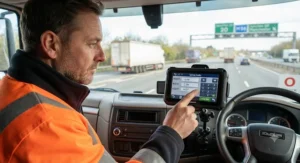
Frequently Asked Questions
❓ What is the best sat nav for HGV lorry drivers?
❓ Do lorry drivers legally need an HGV-specific sat nav?
❓ How much does a good HGV sat nav cost?
❓ Can I just use Google Maps in a lorry instead?
❓ How often should I update my HGV sat nav maps?
Conclusion
The right sat nav for lorry drivers isn’t about chasing the biggest screen or the longest features list — it’s about matching a genuinely HGV-aware routing engine to how you actually drive. If you want dependable everyday routing without overspending, the Garmin dēzl LGV610 remains the sensible default. If your work regularly touches hazardous goods or European tunnel restrictions, the TomTom GO Expert Plus earns its higher price tag. And if screen size and fleet standardisation matter most, the Snooper Predator S8100 and its shared commercial platform make a compelling case, while the Navmoir 9 Inch HGV Sat Nav proves large-screen HGV routing doesn’t have to break the bank.
What every device on this list has in common is the one thing a car sat nav simply cannot offer: genuine awareness of your vehicle’s dimensions, and the low bridge alerts and HGV routing restrictions built around them. Given that Britain still records a bridge strike roughly every five hours, that awareness isn’t a nice-to-have. It’s the whole point.
Recommended for You
- 7 Best HUD Speed Display For Car Options in 2026 (Ranked)
- Sat Nav Mount for Dashboard: 7 Best Picks Tested in 2026 (Legal; Secure)
- 7 Best Sat Nav Under £150 in 2026: Top Affordable UK Picks
Disclaimer: This article contains affiliate links. As an Amazon Associate, I earn from qualifying purchases. If you purchase products through these links, we may earn a small commission at no additional cost to you.
✨ Found this helpful? Share it with your friends! 💬🤗
