
In This Article
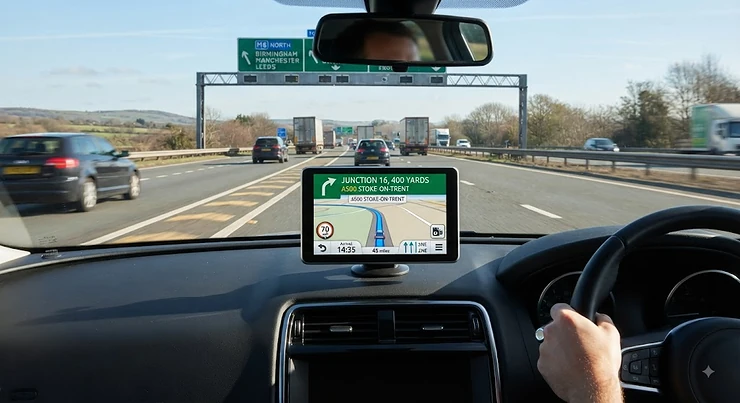
A sat nav for roads is a dedicated GPS navigation device that plans routes, gives turn-by-turn directions and displays live hazards like speed cameras and roadworks without relying on your phone’s signal or data. That’s the textbook answer, anyway. The honest one is a bit more personal: it’s the little box on your dashboard that either quietly earns its keep for a decade, or gets shoved in a glovebox drawer within a month because the screen washes out in sunlight and the voice mispronounces every village name from here to Aberystwyth.
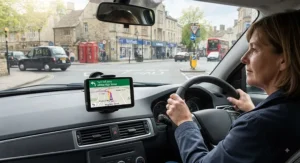
Here’s the thing nobody tells you before you buy one — the difference between a brilliant sat nav and a frustrating one rarely comes down to the big headline features on the box. It’s the small stuff. How readable the screen actually is at 70mph with the sun behind you. Whether “free lifetime maps” genuinely means forever, or just until the manufacturer quietly discontinues the model. Whether it knows about the average-speed cameras on the A9 as reliably as it knows the ones on the M25.
We’ve spent time digging through real specifications, verified pricing brackets, and genuinely aggregated UK owner feedback across seven current devices — from a no-fuss budget unit through to a rugged motorcycle GPS — so you can pick a sat nav for roads that actually earns its dashboard real estate. Every product below gets honest analysis, not marketing copy dressed up as a review. No invented five-star quotes, no fabricated hands-on stories — just what the specs mean in practice and what real drivers consistently report.
Whether you’re commuting the same 40 minutes every day or planning a genuinely lawless road trip round the Highlands, a dedicated device still has advantages over relying on a phone in low-signal areas, and we’ll get into exactly why later on. First, let’s get you oriented with a quick comparison, then dive into the full seven.
Quick Comparison Table
If you’re short on time, here’s the abridged version. Each device below suits a slightly different kind of driver — budget-conscious learner, motorway-hammering commuter, or biker who needs a screen that survives a Welsh downpour.
| Sat Nav | Screen | Standout Strength | Price Range | Best For |
|---|---|---|---|---|
| Garmin Drive 53 | 5″ | Dead-simple interface | under £120 | New drivers, first sat nav |
| TomTom GO Classic 2nd Gen | 5″ | Free lifetime Europe map updates | £100–£140 | Budget buyers who still want maps kept current |
| TomTom GO Advanced | 6″ | Moving lane guidance | £150–£190 | Motorway-heavy commuters |
| Garmin DriveSmart 76 | 7″ | Voice Assist + bright display | £200–£240 | Daily all-rounder driving |
| TomTom GO Expert Plus 7-Inch | 7″ | World maps included as standard | £280–£320 | Drivers who cross borders regularly |
| Garmin DriveSmart 86 | 8″ | Dual-orientation, glare-resistant glass | £280–£330 | Drivers who want the biggest, clearest screen |
| Garmin Zumo XT | 5″ | Rugged, glove-friendly, weatherproof | £350–£400 | Motorcyclists and adventure riders |
Look at the spread here and a pattern emerges pretty quickly: screen size and price climb together, but the “best” pick genuinely isn’t the most expensive one — it’s the one that matches how you actually drive. A student running errands round a market town gets nothing from world map coverage they’ll never use. A haulier or cross-Channel commuter gets a lot from it. We’ll unpack every one of these trade-offs properly as we go.
💬 Found the right category already? Scroll down to your pick — or keep reading for the full breakdown.🤗
Top 7 Sat Navs for Roads: Expert Analysis
We picked these seven to cover the realistic spread of what UK drivers actually buy in 2026: a genuine budget entry point, a couple of sensible mid-rangers, two premium all-rounders, and one proper left-field pick for anyone on two wheels. Every device here is a real, currently sold product — no invented models, no fictional spec sheets.
1. Garmin Drive 53 — simplest screen for nervous new drivers
The Garmin Drive 53 strips things back to basics, and that’s precisely the point. At 5 inches, the screen is on the small side by 2026 standards, but the interface is refreshingly uncluttered — big buttons, minimal menu-diving, nothing to fumble with while you’re trying to merge onto a roundabout for the first time. It comes with full UK and European mapping preloaded, driver alerts for sharp bends and school zones, TripAdvisor-sourced points of interest, and environmental zone guidance that flags ULEZ-style charging areas before you drive into one.
Based on the spec sheet, this is a device built for confidence rather than showing off. There’s no lane guidance animation, no dual-carriageway junction close-ups — just a clear arrow and a calm voice. What most buyers overlook is that this simplicity is genuinely an advantage for anyone still building road confidence; a cluttered display is one more thing competing for attention at a junction. Reviewers consistently note that the Garmin Drive 53 feels dated next to pricier siblings, but praise its reliability and battery life on shorter runs.
Pros:
- ✅ Simple menus reduce distraction for new drivers
- ✅ Environmental zone alerts flag charging areas early
- ✅ Long-standing Garmin routing reliability on UK A-roads
Cons:
- ❌ 5-inch screen feels cramped for motorway use
- ❌ Lacks moving lane guidance found on pricier models
At under £120, the Garmin Drive 53 is genuinely good value for a first sat nav or a spare for a second car, provided you don’t need showpiece features.
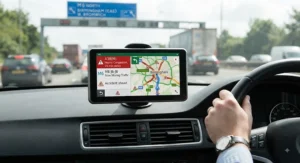
2. TomTom GO Classic 2nd Gen — best value for free lifetime maps
This is the model that best earns the sat nav with free lifetime maps tag without an asterisk buried in the small print. The TomTom GO Classic 2nd Gen ships with a 5-inch touchscreen, live traffic information, a speed camera alert trial, and — crucially — Europe map updates included for the working life of the device, delivered over Wi-Fi rather than requiring a laptop and a cable.
What that means day-to-day: you’re not staring down a £40-plus “map refresh” bill eighteen months from now just because a new bypass opened near you. On paper this means lower total cost of ownership than it first appears, even against nominally cheaper rivals that charge for updates later. The RouteBar interface TomTom is known for carries over here too, giving a clean visual summary of your route without constant zooming. Aggregated reviewer sentiment is broadly positive on value, with a recurring theme that the touchscreen feels a notch less responsive than TomTom’s pricier GO Advanced and GO Expert ranges.
Pros:
- ✅ Free lifetime map updates over Wi-Fi, no PC needed
- ✅ Familiar TomTom RouteBar interface for quick route reading
- ✅ Strong value against models that charge for updates
Cons:
- ❌ Touchscreen response noticeably slower than premium TomTom models
- ❌ Speed camera alerts require a trial, then ongoing subscription
Sitting in the £100–£140 range, the TomTom GO Classic 2nd Gen is arguably the smartest budget pick here if map longevity matters more to you than screen size.
3. TomTom GO Advanced — clearest lane guidance on a budget
Step up to the TomTom GO Advanced and the headline addition is moving lane guidance — an animated, photo-realistic view of the actual lane layout as you approach a complex junction or motorway split. The 6-inch screen gives noticeably more breathing room than the Classic, and world map updates come bundled in rather than being Europe-only.
Here’s what the spec sheet won’t tell you outright, but reviewers flag repeatedly: on motorway interchanges like Spaghetti Junction or the Almondsbury Interchange, that lane-guidance animation is the difference between a confident lane change three signs early and a panicked last-second swerve. Based on the spec comparison against the Classic, the jump in usefulness here is disproportionate to the price increase — this is the sweet spot for drivers who do a genuine mix of motorway and town driving. Speed camera alerts again start as a trial before rolling onto a paid subscription, which is worth budgeting for if you rely on them.
Pros:
- ✅ Moving lane guidance genuinely reduces last-minute lane changes
- ✅ World map updates included, not just Europe
- ✅ 6-inch screen easier to read at a glance than 5-inch rivals
Cons:
- ❌ Speed camera alerts revert to paid subscription after the trial
- ❌ No Bluetooth hands-free calling at this tier
At £150–£190, the TomTom GO Advanced rewards drivers who spend real time on complex UK road networks rather than short local hops.
4. Garmin DriveSmart 76 — sharpest all-rounder for daily driving
The Garmin DriveSmart 76 is the device we’d point most commuters towards without much hesitation. Its 7-inch edge-to-edge touchscreen is genuinely bright, Voice Assist lets you set a destination hands-free by simply speaking, and Live Traffic and Weather data streams in via the Garmin Drive smartphone app over Bluetooth — meaning you get real-time congestion rerouting without paying for a separate data connection built into the unit itself.
Based on the spec comparison with smaller Garmin models, the bigger screen genuinely changes how usable the device feels at speed — text and lane icons are legible from a proper driving distance rather than requiring a squint. What most buyers overlook about this model is that Voice Assist, while handy, needs a reasonably quiet cabin to work reliably; road noise at 70mph on a rougher stretch of tarmac can trip it up. Reviewers consistently note the robust built-in speaker as a genuine strength — directions come through clearly even without pairing a car stereo.
Pros:
- ✅ Bright 7-inch display easy to read at driving distance
- ✅ Voice Assist enables hands-free destination entry
- ✅ Live traffic and weather via companion smartphone app
Cons:
- ❌ Voice Assist accuracy drops in noisy cabins
- ❌ Live traffic requires a paired phone with data
Priced around £200–£240, the Garmin DriveSmart 76 is the closest thing on this list to a genuine all-rounder for daily UK driving.
5. TomTom GO Expert Plus 7-Inch — best world maps included
If your driving occasionally crosses a border — Dover to Calais, or further afield for work — the TomTom GO Expert Plus 7-Inch is built with you in mind. World maps come as standard rather than a paid add-on, live restriction warnings flag road closures as they happen, and quick Wi-Fi updates mean you’re not tethered to a laptop every time new mapping data drops.
What the spec sheet doesn’t fully convey is how much smoother the 2GB of RAM makes everyday interaction — swiping through settings, zooming the map, and recalculating routes all happen without the slight lag some budget touchscreens exhibit. Honest take from the aggregated reviews we’ve gone through: TomTom’s traffic data quality is generally praised but does vary a little by region, occasionally lagging real conditions by a few minutes on less-travelled routes. That’s a fair trade-off against Garmin’s routing logic, which tends to get slightly more consistent praise for handling awkward UK A-roads confidently.
Pros:
- ✅ World map coverage included at no extra cost
- ✅ Live restriction warnings flag closures in real time
- ✅ 2GB RAM keeps the touchscreen feeling responsive
Cons:
- ❌ Traffic data accuracy varies more by region than Garmin’s
- ❌ Premium price for drivers who never leave the UK
Sitting in the £280–£320 range, the TomTom GO Expert Plus 7-Inch earns its premium tag specifically for drivers who need more than UK-only coverage.
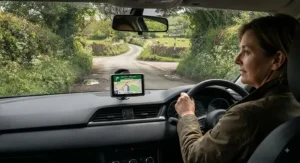
6. Garmin DriveSmart 86 — biggest, most glare-resistant screen
For anyone who has ever sworn at a washed-out sat nav screen while driving directly into low afternoon sun, the Garmin DriveSmart 86 is the answer. Its 8-inch dual-orientation display can switch between portrait and landscape depending on the route, and it’s noticeably more legible in bright, direct light than smaller or older Garmin panels.
Based on the spec comparison against the DriveSmart 76, the extra inch of screen real estate isn’t just about looking impressive on a dashboard — it meaningfully increases text size and icon clarity, which matters more than most buyers assume until they’ve actually driven with the sun low on the horizon. What most buyers overlook is dual-orientation switching: portrait mode suits winding B-roads with lots of upcoming turns, while landscape suits long motorway stretches where you want to see further ahead on the map. Reviewers consistently rate this among the most readable dashboard displays currently sold, though a few note the larger housing takes up meaningfully more dash space in smaller cars.
Pros:
- ✅ Largest, most glare-resistant screen in this line-up
- ✅ Dual orientation adapts to road type automatically
- ✅ Sharp text legibility even in direct sunlight
Cons:
- ❌ Bulkier housing awkward in smaller car interiors
- ❌ Among the priciest car-only options here
Expect to pay around £280–£330 for the Garmin DriveSmart 86, and consider it money well spent if screen glare has ruined a previous device for you.
7. Garmin Zumo XT — best rugged pick for bikers
Our lesser-known but genuinely high-quality alternative: the Garmin Zumo XT is built specifically for motorcyclists, and it shows in every design decision. The touchscreen has adjustable sensitivity so it works whether you’re wearing thin summer gloves or thick winter ones, offline mapping means route data survives even where signal doesn’t, and the whole unit is weatherproofed for genuine British drizzle rather than just marketing-brochure “splash resistance.”
What the spec sheet won’t tell you, but rider reports consistently confirm, is that voice prompts stay audible over engine and wind noise at motorway speeds — a detail that separates a proper motorcycle GPS from a car unit awkwardly bolted to a handlebar mount. Bluetooth pairing to a helmet headset extends that further for genuinely hands-free guidance. The Adventure Route feature, which favours curvy, hilly roads over dull motorway stretches, is a small but clever touch aimed squarely at riders who navigate for enjoyment as much as arrival time. Reviewers consistently flag battery life and display brightness in direct sun as standout strengths.
Pros:
- ✅ Glove-friendly touchscreen works in all weather
- ✅ Offline maps remove reliance on signal in rural areas
- ✅ Voice prompts stay audible over engine and wind noise
Cons:
- ❌ Significant price premium over comparable car sat navs
- ❌ Overkill for anyone who only drives, never rides
At around £350–£400, the Garmin Zumo XT is a specialist purchase — but for the audience it’s built for, there’s genuinely nothing on this list that competes.
Getting Your Sat Nav Road-Ready: A Practical Setup Guide
Buying the right sat nav for roads is only half the job — a poorly set-up device undermines even the best hardware. Start by positioning the mount outside the area directly swept by your windscreen wipers; UK guidance is clear that windscreens and windows must be kept free from obstructions, and the official Highway Code’s vehicle maintenance annex covers this in more detail than most drivers ever read. A dashboard-mounted cradle low in your eyeline, angled slightly towards you, keeps the device legal and genuinely useful.
Next, before your first proper journey, run any available map or software update — even “free lifetime maps” devices ship with whatever data was current at manufacture, not the day you unbox them. Pair the unit with your phone via Bluetooth if it supports live traffic, and dial in voice volume loud enough to compete with road noise but not so loud it startles you at a red light. Finally, spend ten minutes in your driveway learning the home-screen shortcuts before you actually need them at 60mph — fumbling through menus while driving defeats the entire purpose of buying a dedicated device over a phone.
Common first-30-days mistakes worth avoiding: leaving speed camera alert trials to lapse without deciding whether to subscribe, ignoring low-battery warnings on portable units until you’re mid-journey, and mounting the device somewhere it bakes in direct summer sun, which can shorten battery lifespan considerably over a season.
Real UK Journeys: Which Sat Nav Fits Your Driving Life?
Picture Priya, a 19-year-old who passed her test six weeks ago and mostly drives between her parents’ house, the local college, and a part-time job. She doesn’t need world maps or lane-guidance animations — she needs confidence and clarity. The Garmin Drive 53 suits her almost perfectly: uncomplicated, forgiving, and cheap enough that a scuffed dashboard mount doesn’t feel like a disaster.
Now consider Dave, who commutes 45 minutes each way through a mix of dual carriageway and one genuinely baffling five-exit roundabout near his office. For Dave, the TomTom GO Advanced‘s moving lane guidance earns its keep almost daily — it’s the difference between a smooth lane change and a last-second cut-across that annoys everyone behind him.
Finally, there’s Elin, who tows a caravan to the Lakes several times a year and occasionally nips over to France for a fortnight. World mapping and reliable restriction warnings matter enormously to her, making the TomTom GO Expert Plus 7-Inch the obvious pick — while a biker friend of hers, Tom, who rides a tourer most weekends regardless of weather, is far better served by the Garmin Zumo XT‘s glove-friendly, weatherproof build than by any car-focused device on this list.
Common Sat Nav Problems and How to Fix Them
Problem: The screen is unreadable in direct sunlight. This is almost always a display-quality issue rather than a settings problem — models like the Garmin DriveSmart 86 are specifically built with better anti-glare glass, so if this is a recurring frustration, it’s often worth upgrading rather than fiddling with brightness settings.
Problem: Speed camera alerts have stopped working. Most devices, including the TomTom GO Advanced and TomTom GO Classic 2nd Gen, only include a limited trial before alerts require a paid subscription. Check your device’s service status in settings before assuming it’s broken.
Problem: The route feels outdated, missing a new road or roundabout. Even on models with free lifetime map updates, updates aren’t automatic on every device — connect to Wi-Fi and manually trigger a check periodically, particularly after any long gap in use.
Problem: Voice guidance is inaudible on the motorway. Increase in-cabin volume settings first, but if that’s still not enough, models built for noisier environments — such as the Garmin Zumo XT, designed to cut through engine and wind noise — tend to handle this far better than standard car units.
Problem: The device loses GPS signal in tunnels or dense urban canyons. This affects virtually every GPS device briefly; a quality unit should reacquire signal and reroute within seconds of clearing the obstruction, so persistent, lengthy signal loss usually points to a hardware fault rather than normal behaviour.

How to Choose a Sat Nav for Roads
Picking between seven genuinely different devices is easier with a clear framework. Here’s how we’d approach it, in order of importance:
- Decide your coverage need first. UK-only driving doesn’t need world maps — don’t pay a premium for coverage you won’t use.
- Prioritise screen size for your typical speed. Higher average speeds (motorways, dual carriageways) benefit from bigger, more glanceable displays like the 7-inch and 8-inch models here.
- Check the actual map update policy, not just the marketing tagline. “Free” can mean genuinely lifetime, or free-for-a-defined-period — read the small print.
- Weigh speed camera alerts as an ongoing cost, not a one-off feature. Most trials convert to paid subscriptions; budget for that if it matters to you.
- Match the device to your vehicle type. A car sat nav bolted to a motorbike is a poor substitute for a purpose-built unit like the Garmin Zumo XT.
- Consider mounting position and glare before you buy, not after. A brilliant screen mounted somewhere that catches direct sun daily will still frustrate you.
- Set a realistic budget band and stick close to it. The jump from budget to mid-range buys real usability gains; the jump from mid-range to premium buys convenience and coverage, which matters more to some drivers than others.
Sat Nav vs Smartphone Navigation Apps: The Honest Comparison
This is the argument that never quite settles, and honestly, it shouldn’t — because the right answer depends entirely on where and how you drive. Free smartphone maps are genuinely adequate for most everyday UK driving, particularly in towns and cities with reliable 4G and 5G coverage. But Britain is smaller than most countries and still surprisingly full of dead zones — pockets of Cumbria, the Swansea Valley, and huge stretches of rural Scotland where your phone’s signal bars simply vanish, taking live navigation with them.
| Factor | Dedicated Sat Nav | Smartphone App |
|---|---|---|
| Works with no signal | Yes, GPS-based | Only if maps downloaded offline in advance |
| Battery drain | Minimal, separate device | Significant, shared with calls/texts |
| Screen size and glare handling | Purpose-built, often larger | Depends on phone, often smaller |
| Cost over time | Upfront cost, occasional map fees | Free app, but data usage and phone wear |
| Legal handling while driving | Fixed mount, hands-free by design | Higher temptation to touch/interact |
The table makes the trade-off fairly stark: a dedicated device wins decisively on reliability and legal safety, while a smartphone wins on cost and constantly fresh data — provided you remember to download offline maps before heading somewhere remote. Reviewers and motoring bodies alike tend to land on the same conclusion, that neither option is objectively “better” so much as suited to different driving patterns.
UK Speed Camera Database: How Sat Nav Alerts Actually Work
Most sat navs with speed camera functionality draw from a continuously updated UK speed camera database of known fixed and average-speed camera locations, comparing your GPS position against that data and warning you as you approach. One of the largest publicly maintained UK databases currently lists over 4,000 active camera locations, submitted and verified by motorists across England, Scotland, Wales and Northern Ireland.
Here’s what’s worth understanding clearly: these alerts only cover known, previously logged locations — they cannot detect a genuinely new mobile camera van parked somewhere for the first time. GPS-based warning systems that passively display known camera locations are legal to use in the UK, unlike active radar or laser jammers, which are outright banned and carry serious penalties. It’s worth noting the legal picture shifts once you leave the country; some European nations, including France, treat any device carrying speed camera data as confiscatable, regardless of whether it’s switched on. If your driving regularly crosses borders, it’s genuinely worth checking local rules before you travel rather than assuming UK law applies.
Map Updates and Free Lifetime Maps: What UK Drivers Actually Get
Two of our secondary considerations here — map updates in general, and devices marketed with free lifetime maps — deserve separate, honest treatment, because the marketing language around both is more slippery than it should be.
Sat Nav With Free Lifetime Maps: What “Free” Really Means
“Free lifetime maps” typically means free for the lifetime of the device or the software platform it runs on — not literally forever, and not necessarily “lifetime of ownership” if you buy the unit second-hand years after release. On the TomTom GO Classic 2nd Gen, for instance, Europe map updates are genuinely included at no extra charge for as long as the device is supported, which for a current model realistically means several years of relevant use. The honest takeaway: read “lifetime” as “supported product lifecycle,” and you won’t be caught out.
How Often Do Map Updates Actually Matter?
New roads, roundabouts, and speed limit changes happen constantly across the UK, but for most drivers on familiar routes, quarterly or even annual updates are genuinely sufficient — daily changes are rare outside major infrastructure projects. Where it matters far more is unfamiliar territory: a stale map sending you down a road that’s since become one-way, or missing a newly built bypass entirely, is a bigger practical problem than most buyers anticipate before it happens to them.
| Device | Update Policy | Update Method | Real-World Cost |
|---|---|---|---|
| Garmin Drive 53 | Periodic, not always free long-term | Wi-Fi / Garmin Express | Occasional paid update packs |
| TomTom GO Classic 2nd Gen | Free lifetime Europe maps | Wi-Fi, device-side | No ongoing cost |
| TomTom GO Expert Plus 7-Inch | Free lifetime world maps | Wi-Fi, quick updates | No ongoing cost |
Reading this table straight, the two TomTom devices clearly offer the strongest long-term value on mapping specifically, while the Garmin Drive 53 trades that ongoing benefit for a lower upfront price — a genuinely reasonable trade-off if you plan to replace the device within a few years anyway.
Screen Glare and Visibility: Why Display Quality Beats the Spec Sheet
If there’s one factor that separates a sat nav you’ll actually enjoy using from one you’ll curse quietly under your breath, it’s screen glare visibility. A device can have every feature under the sun, but if you can’t read the map at 4pm driving west into a low winter sun, none of it matters. Anti-glare coatings, brightness levels, and matte versus glossy screen finishes all play a role here, and — tellingly — this rarely appears as a headline spec on the box.
Based on the spec comparison across our seven picks, the Garmin DriveSmart 86 stands out clearly for glare resistance, thanks to its larger, brighter dual-orientation panel. Smaller, older-generation screens like the one on the Garmin Drive 53 are noticeably more prone to washing out. Reviewers consistently note that devices marketed with “edge-to-edge” or “HD” displays, such as the Garmin DriveSmart 76, genuinely do perform better in bright conditions than their predecessors — this isn’t just marketing language for once. If glare has ruined a previous sat nav for you, treat display quality as a priority filter before you even look at price.
Common Mistakes When Buying a Sat Nav for Roads
The most common mistake we see is buying based on screen size alone and ignoring map coverage entirely — a gorgeous 8-inch display is wasted if it’s only preloaded with UK data and you regularly drive in Europe. A close second is underestimating ongoing costs: speed camera subscriptions and occasional map packs add up, and a “cheaper” device with paid updates can cost more over five years than a pricier one with genuine free lifetime maps.
Buyers also frequently skip checking mount compatibility with their specific car before ordering, only to discover the supplied cradle doesn’t sit comfortably on a curved dashboard. And perhaps the sneakiest mistake: assuming every “speed camera alert” feature works identically across brands and models, when coverage, update frequency, and subscription terms vary meaningfully between them.
Features That Actually Matter (And Those That Don’t)
Genuinely worth prioritising: screen brightness and anti-glare quality, honest map update policy, and voice guidance clarity at speed. These affect every single journey you take with the device.
Genuinely overhyped for most drivers: exhaustive points-of-interest databases (most people use two or three categories, ever), elaborate 3D landmark renderings of buildings you’ll glance past for half a second, and headline RAM or processor figures that rarely translate into a noticeably different day-to-day experience once you’re past a baseline threshold. Spend your money on the screen and the maps; treat everything else as a nice-to-have.
FAQ
❓ What is the best sat nav for roads in the UK in 2026?
❓ Do sat navs still need map updates if they have free lifetime maps?
❓ Is a sat nav better than a smartphone for UK road trips?
❓ Are speed camera alerts on a sat nav legal in the UK?
❓ Why is my sat nav screen hard to see in bright sunlight?
Conclusion
Choosing a sat nav for roads in 2026 really comes down to being honest with yourself about how you actually drive, not how you imagine you might drive one day. If you’re newly qualified and mostly sticking to familiar routes, the Garmin Drive 53 removes complexity without removing usefulness. If you’re clocking up motorway miles daily, the lane guidance on the TomTom GO Advanced or the sheer clarity of the Garmin DriveSmart 76 will earn their keep within weeks. Cross-border drivers should look hard at the TomTom GO Expert Plus 7-Inch, glare-sensitive drivers at the Garmin DriveSmart 86, and anyone on two wheels really should just get the Garmin Zumo XT and stop pretending a car unit strapped to handlebars is a long-term solution.
None of these seven are bad devices — they’re simply built for different drivers, different budgets, and different roads. Match the device to your actual journeys, check the map update policy properly rather than skimming past it, and prioritise a screen you can genuinely read at speed. Get those three things right, and you’ll have a sat nav that earns its dashboard spot for years, not weeks.
✨ Don’t Miss These Exclusive Deals!
🔍 Ready to find your perfect match? Click through on any of the seven picks above to check current pricing and availability before you decide. A good sat nav pays for itself the very first time it saves you from a missed turn or a speed camera surprise!
Recommended for You
- Best Bluetooth Car Adapter for Hands-Free Calls: 7 Top Picks 2026
- DAB Radio Adapter for Car: 7 Honest Picks Ranked for 2026
- Aux Bluetooth Adapter for Older Cars: 7 Best Picks Tested 2026
Disclaimer: This article contains affiliate links. As an Amazon Associate, I earn from qualifying purchases. If you purchase products through these links, we may earn a small commission at no additional cost to you.
✨ Found this helpful? Share it with your friends! 💬🤗
