
In This Article
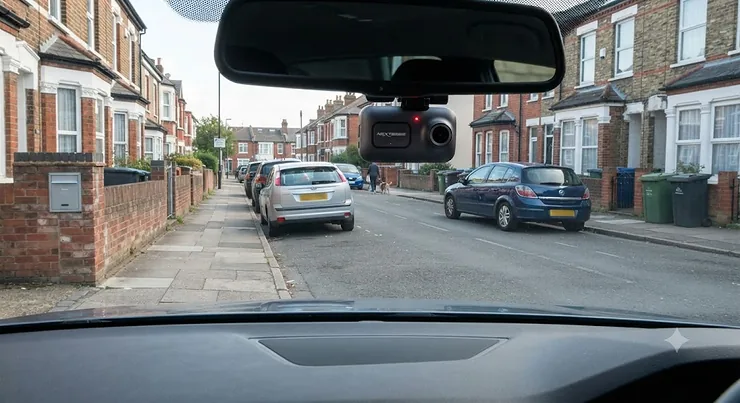
A dash cam motion detection parked feature is a camera mode that keeps watching your car after you’ve walked away, waking up to record only when it senses movement or an impact nearby. Think of it as a tiny, tireless security guard who never asks for a tea break, never gets distracted by their phone, and never falls asleep on the job — even at 3am in a Tesco car park in February. That’s the promise, anyway.
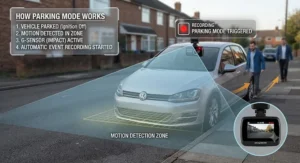
Here’s the bit nobody tells you before you buy: not every “parking mode” behaves the same way, and the difference between a genuinely useful setup and an expensive ornament often comes down to boring-sounding specs like low-voltage cutoff thresholds and buffer times. We’ve dug through real product specifications, aggregated review sentiment, and UK-specific installation rules to help you actually choose the right one — not just the one with the flashiest box.
Whether you’re worried about hit-and-runs on your street, shopping-trolley dings in a supermarket car park, or your neighbour’s cat treating your bonnet as a personal throne, the right dash cam motion detection parked setup turns “I bet that was the white van” into hard video evidence. This guide covers seven real, currently available models across budget, mid-range and premium price bands, plus the wiring, legal, and battery-health knowledge that actually determines whether your setup works when you need it.
Quick Comparison Table
| Dash Cam | Resolution | Parking Mode Type | Best For |
|---|---|---|---|
| Nextbase 222XR | 1080p front + rear | Impact-only (battery) | Absolute beginners on a budget |
| VIOFO A119 Mini 2 | 2K front | Buffered + time-lapse | Discreet single-channel setup |
| 70mai A810S | 4K front + 1080p rear | AI Motion Detection 2.0 | Fewer false alerts, optional 4G |
| VIOFO A229 Plus | 2K + 2K | Buffered, radar-optional | Best value dual-camera protection |
| Nextbase 622GW | 4K + rear module | Smart Parking Mode | UK brand trust, Which?-tested |
| VIOFO A229 Pro | 4K + 2K | Buffered, low-bitrate, time-lapse | Flagship image quality |
| Thinkware U3000 Pro | 4K + 2K | Radar parking (up to 40 days) | Long-term unattended parking |
Looking at the spread above, there’s no single “best” answer — the Nextbase 222XR suits someone who just wants basic peace of mind without touching a fuse box, while the Thinkware U3000 Pro is built for drivers who leave a car parked at an airport or on a driveway for weeks at a time. What actually separates these cameras in day-to-day use isn’t the megapixel count on the box; it’s how each one decides when to wake up, and how carefully it protects your car battery while it does.
💬 Already got a favourite from the table? Scroll down to see exactly why it earned its spot — or keep reading to find your perfect match.
Top 7 Dash Cams With Parking Mode: Expert Analysis
1. Nextbase 222XR — best budget starter with UK brand backing
The standout here is simplicity: this is a plug-and-play front-and-rear bundle that doesn’t demand any electrical know-how to get basic protection running on day one. Recording in 1080p Full HD at 30fps through a 140-degree lens, the Nextbase 222XR captures enough detail to read number plates on nearby vehicles in daylight, and its Intelligent Parking Mode kicks in automatically once the car’s been stationary for five minutes, switching the G-sensor to high sensitivity. Based on the spec comparison with pricier rivals, the trade-off is obvious: without an optional hardwire kit, parking protection runs off the internal battery for roughly 60 seconds per event rather than continuously, so it’s built for “did someone clip my bumper” moments rather than 24-hour surveillance. Reviewers consistently note that the 2.5-inch IPS screen and magnetic Click&Go mount make day-to-day use refreshingly fuss-free, though a handful mention that non-official microSD cards can cause file corruption over time. Nextbase’s own product literature is upfront that full parking protection needs a separate hardwire kit or OBD cable — worth budgeting for from the outset rather than as an afterthought.
Pros:
- ✅ Genuinely beginner-friendly setup, no wiring required out of the box
- ✅ UK brand with strong high-street and Which?-tested reputation
- ✅ Front and rear bundle included at a genuinely accessible price point
Cons:
- ❌ Only around 60 seconds of parking footage without a hardwire kit
- ❌ 1080p resolution lags behind 2K/4K rivals in low light
Price sits in the under-£150 range for the bundle, and for a first-time buyer who mainly wants dashcam footage while driving with occasional parking-bump protection, that’s solid value for money.
2. VIOFO A119 Mini 2 — best discreet single-lens setup
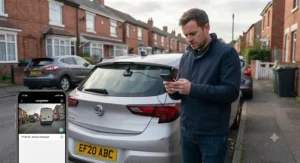
What stands out immediately is the size — this thing practically disappears behind your rear-view mirror, which matters more than people expect for both aesthetics and UK MOT windscreen rules. Powered by a Sony STARVIS 2 IMX675 sensor and recording in 2K at up to 60fps, the VIOFO A119 Mini 2 pairs surprisingly sharp night footage with a supercapacitor instead of a battery, meaning it copes far better with extreme summer heat than lithium-battery dash cams that can swell or fail in a hot car. On paper this means longer-term reliability in a parked, sun-baked vehicle is genuinely better than with battery-based competitors. It supports three parking modes when hardwired via VIOFO’s HK4 kit — buffered, time-lapse, and low-bitrate — giving buyers flexibility depending on where they park. Aggregated user feedback on retailer listings praises the sharpness of the image and straightforward app pairing over 5GHz Wi-Fi, though some owners note the lack of a rear channel means you’re only covering the front arc, so a reversing shunt or rear-end tap won’t be captured. As a mini, single-channel unit it’s very much a “does one job extremely well” camera rather than an all-rounder.
Pros:
- ✅ Supercapacitor design tolerates heat far better than battery models
- ✅ Sharp 2K STARVIS 2 night vision for a compact single-lens unit
- ✅ Three selectable parking modes via optional hardwire kit
Cons:
- ❌ No rear channel — blind to anything behind the vehicle
- ❌ Hardwire kit and memory card are separate purchases
Typically found in the £100-£150 range before accessories, it’s a strong pick for drivers who mainly care about a clean, low-profile front-facing setup.
3. 70mai A810S — best for reducing false parking alerts
The headline feature is right there in the name: AI Motion Detection 2.0, which the manufacturer claims filters out the difference between a leaf skittering past and an actual person approaching your car. Recording 4K front and 1080p rear through dual STARVIS 2 sensors, the 70mai A810S also throws in optional 4G connectivity for remote alerts — useful if you want a push notification the moment something happens, rather than discovering the damage a week later. Based on aggregated tester experience, the AI-based filtering genuinely does cut down on the “500 clips of a car park flag flapping in the wind” problem that plagues basic motion-detection dash cams, which matters enormously in practice: nobody wants to scroll through 40 pointless files hunting for the one that matters. What the spec sheet doesn’t emphasise is that the 4G tier requires an ongoing data subscription for live alerts, so the truly “always-on remote notification” experience isn’t free forever. Reviewers who tested it over several weeks reported dependable exposure handling at sunset, a notoriously tricky lighting condition for cheaper sensors. For drivers parking on busy residential streets where motion is constant, this AI filtering is arguably more valuable than raw resolution.
Pros:
- ✅ AI-based filtering meaningfully reduces false motion alerts
- ✅ 4K front recording with strong exposure handling at dusk
- ✅ Optional 4G remote notifications for real-time peace of mind
Cons:
- ❌ Full remote-alert functionality needs an ongoing data subscription
- ❌ Mid-range pricing puts it above simpler motion-only rivals
Expect a price in the £150-£220 range depending on bundle inclusions, positioning it as a genuine mid-tier sweet spot for anyone tired of sifting through junk footage.
4. VIOFO A229 Plus 2CH — best value dual-camera protection
Here’s what most buyers overlook about this model: it was the first front-and-rear dash cam to pair two full Sony STARVIS 2 IMX675 sensors, meaning both the front and rear channels get genuine 2K HDR rather than a token downgraded rear unit. The VIOFO A229 Plus offers three 24-hour parking mode options including buffered auto-event detection, which saves roughly 15 seconds before an incident alongside the aftermath — genuinely useful context if a car reverses into you and drives off, since you’ll see the vehicle approaching rather than just its rear bumper leaving. Reviewers consistently highlight the jump in night-time clarity that dual STARVIS 2 sensors bring compared to the previous A129 generation, with license-plate legibility holding up well after dark on both channels. What the spec sheet won’t tell you is that full parking mode absolutely requires VIOFO’s HK4 hardwire kit with its built-in low-voltage protection — running this camera purely off the car’s internal capacitor gets you almost nothing in parking mode, since like most dual-sensor 2K cameras it has no meaningful standby battery of its own. For buyers who want symmetrical front-and-rear quality without paying flagship prices, this is arguably the strongest value proposition in the current lineup.
Pros:
- ✅ Matching 2K HDR quality on both front and rear channels
- ✅ Buffered parking mode captures pre-event context, not just aftermath
- ✅ Dual-band 5GHz Wi-Fi and quad-mode GPS for accurate logging
Cons:
- ❌ Requires the separately sold HK4 hardwire kit for real parking protection
- ❌ No SD card included, adding to total setup cost
Sitting in the £180-£240 price bracket, it consistently punches above its price class for buyers prioritising dual-camera parking coverage over sheer front resolution.
5. Nextbase 622GW — best trusted UK brand for smart parking mode
What immediately sets this apart is the combination of true 4K/30fps recording with image stabilisation and a UK brand that’s picked up multiple Which? Best Buy nods over the years — reassuring if you’d rather buy from a company with a British helpline than decode a Chinese-language manual. The Nextbase 622GW uses Intelligent Parking Mode that automatically activates after five minutes of stationary time or on ignition-off, and when professionally hardwired, offers a proper Smart Parking Mode with permanent live power rather than the switched power used for everyday driving. Based on the spec comparison, its standout extra is What3Words integration and Emergency SOS, features aimed squarely at drivers who want more than passive footage — they want the camera to actively help if something goes wrong while they’re behind the wheel, not just while parked. Aggregated customer feedback on Amazon UK repeatedly praises the ease of swapping between suction and adhesive mounts and the responsiveness of UK-based customer service, though a portion of reviews flag that Wi-Fi transfer speeds can lag behind newer 5GHz-equipped rivals. For UK drivers who value a domestic support line and a track record with British consumer testers over squeezing out the last few percent of night-vision performance, this remains a sensible premium pick.
Pros:
- ✅ Strong UK brand reputation with Which? Best Buy history
- ✅ True 4K recording with image stabilisation and What3Words SOS
- ✅ Permanent-power hardwire option unlocks full Smart Parking Mode
Cons:
- ❌ Wi-Fi transfer feels slower than 5GHz-equipped 2026 rivals
- ❌ Premium pricing compared to similarly specced Chinese-brand cameras
Typically priced in the £280-£340 range, it’s the choice for buyers who put brand trust and UK support ahead of squeezing out marginal spec advantages.
6. VIOFO A229 Pro 2CH — best flagship video quality
The standout feature is blunt: this is widely regarded, including by independent US outlet Wirecutter, as delivering flagship-level 4K clarity at roughly half the price of comparable BlackVue or Thinkware systems. Recording 4K front (IMX678 sensor) and 2K rear (IMX675 sensor) with HDR on both channels, the VIOFO A229 Pro supports three parking modes — buffered, time-lapse, and low-bitrate — and can be expanded into a 3-channel setup with an interior camera for rideshare or family-car use. On paper this means night-time bit rates up to 60Mbps in 2-channel mode, notably higher than the BlackVue DR970X’s 25Mbps ceiling, which translates into meaningfully crisper detail when reviewing footage of a scrape in a dim car park. Reviewers who compared it directly against premium rivals consistently rated its overall video quality above both Thinkware and BlackVue equivalents, while noting it lacks native cloud connectivity — a deliberate trade-off that keeps power draw lower during parking mode. What most buyers overlook is that, like its siblings, full parking protection is entirely dependent on the separately purchased HK4 hardwire kit or an external battery pack; there’s no built-in battery to fall back on. For anyone chasing the sharpest possible footage without the ongoing cost of a cloud subscription, this is currently one of the strongest all-round choices on the market.
Pros:
- ✅ Class-leading 4K/2K image quality validated by independent reviewers
- ✅ Expandable to 3-channel for interior monitoring
- ✅ No cloud subscription required, keeping running costs low
Cons:
- ❌ Hardwire kit and memory card both sold separately
- ❌ No live cloud streaming, unlike Thinkware or BlackVue rivals
Expect a price around £280-£350 for the 2-channel kit, positioning it as the connoisseur’s pick among premium dual-camera systems.
7. Thinkware U3000 Pro 2CH — best radar parking mode for long absences
The single biggest reason to choose this one is right there in its spec sheet: dual radar sensors that monitor the area around a parked vehicle while sipping remarkably little power, allowing genuinely long unattended parking runtimes when paired with an external battery pack. The Thinkware U3000 Pro records 4K front and 2K rear via Sony STARVIS 2 sensors and offers a genuinely wide menu of parking options — Energy Saving Mode, Time Lapse, Motion & Impact Detection, Radar Parking Mode, and Smart Parking Mode for hot-weather thermal protection. Based on aggregated manufacturer and reviewer testing, when connected to Thinkware’s iVolt Xtra battery pack, radar parking mode can theoretically extend to around 40 days — an enormous leap over standard motion-detection setups that typically exhaust a car battery within a day or two if the hardwire kit’s cutoff isn’t properly configured. What the marketing doesn’t dwell on is that radar mode deliberately sacrifices cloud connectivity to conserve energy, so if you want live remote viewing you’ll need to switch to the (higher-draw) Motion & Impact Detection mode instead, which Thinkware confusingly also brands “Motion Detection.” Reviewers note the video quality trails slightly behind VIOFO’s A229 Pro despite the higher price, but the parking-specific engineering here is genuinely class-leading for long-term unattended vehicles.
Pros:
- ✅ Radar parking mode can run for weeks with an external battery pack
- ✅ Smart Parking Mode adds heat protection for hot-weather parking
- ✅ Widest range of selectable parking modes of any camera here
Cons:
- ❌ Premium price, especially once the iVolt battery pack is added
- ❌ Video quality slightly behind VIOFO’s flagship at a similar cost
Sitting at the top of the range, typically £380-£450 before accessories, it’s squarely aimed at drivers who routinely leave a car parked for days or weeks and want the longest possible unattended coverage.
Practical Usage Guide: Setting Up Dash Cam Hardwire Parking Mode Properly
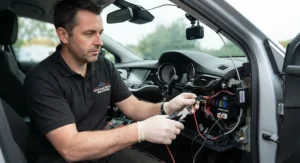
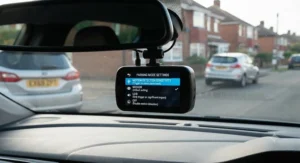
Getting dash cam hardwire parking mode right in the first 30 days matters more than any spec on the box, because a badly configured hardwire kit is the single most common reason drivers wake up to a dead car battery. Start by identifying two fuses in your fuse box: one that stays live permanently (constant power) and one that only carries power when the ignition is on (switched power). Most hardwire kits, including VIOFO’s HK4 and Nextbase’s Series 2 kit, use a simple fuse-tap system so you don’t need to cut any factory wiring — a genuine relief for anyone nervous about voiding a warranty. Once wired in, the crucial step almost everyone skips is setting the low-voltage cutoff correctly: aim for 12.2V-12.4V rather than the factory-default 11.6V-11.8V, since a standard lead-acid battery is already close to empty by the time it reaches 11.8V, and repeatedly draining it that low shortens its working life significantly. In the first month, test parking mode overnight on a driveway before trusting it on a multi-day trip, and check that motion sensitivity isn’t triggering on every passing pigeon — most cameras let you draw a detection zone to exclude busy pavements or swaying trees. A common early mistake is assuming the hardwire kit’s included cutoff setting is safe by default; it usually isn’t, and adjusting it takes two minutes in the camera’s menu. Finally, format your memory card monthly rather than waiting for it to fail mid-recording, since loop-recording cameras write to the card almost continuously and cheap cards wear out faster than most owners expect.
Real-World Scenarios: Dash Cam Parking Surveillance for Different Situations
Picture Sarah, a nurse who works night shifts and leaves her car in a hospital car park for twelve-hour stretches. For her, dash cam parking surveillance built around radar detection and a dedicated battery pack, like the setup the Thinkware U3000 Pro enables, makes far more sense than a battery-only camera that’ll be flat long before her shift ends. Then there’s Marcus, a delivery driver who’s constantly hopping in and out of his van on residential streets — for him, AI-based motion filtering like the 70mai A810S offers matters enormously, because a camera that fires off an alert every time a wheelie bin gets moved would bury the one clip that actually matters. And consider Priya, a university student with an older hatchback and a tight budget, parking on a quiet suburban street overnight; a straightforward, no-hardwire-required setup such as the Nextbase 222XR gives her basic impact protection without asking her to learn about fuse boxes or voltage cutoffs at all. The common thread across all three is that “best dash cam” isn’t a single answer — it’s whichever camera’s parking-mode behaviour matches how long the car sits still, how much genuine motion happens nearby, and how comfortable the owner is with a bit of DIY wiring.
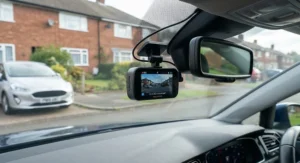
How to Choose a Dash Cam With Motion Detection Parked
- Match the parking-mode type to your environment. Buffered or radar modes suit quiet driveways and long absences; time-lapse suits busy car parks where constant traffic would otherwise trigger endless clips.
- Check whether a hardwire kit is included or separate. Most genuinely capable parking-mode cameras, including every VIOFO model in this guide, need a separately purchased hardwire kit — factor that into your real budget.
- Prioritise low-voltage cutoff over marketing claims. A camera boasting “24/7 parking mode” is only as safe as its cutoff threshold; confirm it’s adjustable before buying.
- Consider AI or zone-based filtering if you park somewhere busy. Basic motion sensors on a high-footfall street will flood your card with meaningless clips.
- Weigh resolution against storage and battery cost. 4K footage looks fantastic but chews through memory cards and power far faster than 2K, which matters more in parking mode than while driving.
- Decide if you need a dedicated battery pack. For parking longer than 48 hours, relying solely on the car’s starter battery is genuinely risky, even with a good cutoff kit.
- Factor in UK-specific installation rules. Windscreen placement, GDPR obligations if you carry passengers, and MOT compliance all shape where and how you fit the camera.
Motion Activated Camera vs Always On Dash Cam: Which Actually Protects Your Car Better?
The instinctive assumption is that an always on dash cam recording continuously must offer better protection than one that only wakes on motion — but that’s not quite how it plays out in practice. Continuous recording captures everything, guaranteed, with zero risk of missing a subtle bump that wouldn’t trigger a G-sensor or motion sensor. The trade-off is stark: continuous recording burns through storage far faster, requiring either frequent card swaps or expensive high-capacity cards, and draws meaningfully more power from the car battery, making a dedicated battery pack almost mandatory for anything beyond a day’s parking. A motion activated camera, by contrast, sips power in standby and only springs to full recording when its sensor trips, which is why radar and buffered parking modes exist at all — they’re built specifically to extend unattended runtime. The catch is reliability: a motion detector aimed slightly wrong, or one with sensitivity set too low, can genuinely miss the exact moment a car reverses gently into your bumper if the movement is too subtle or brief to cross the trigger threshold. Reviewers who tested multiple motion-detection systems side by side found accuracy varies significantly between brands, with AI-assisted systems like 70mai’s noticeably better at distinguishing real threats from background movement than older PIR-style sensors. For most private drivers parking on residential streets, a well-tuned motion or buffered system offers the better balance of runtime and reliability; for high-risk locations or business fleets, always-on recording backed by a dedicated battery remains the safer choice.
Voltage Cutoff Protection: The Feature That Actually Prevents Battery Drain
If there’s one spec worth understanding properly before buying any parking-mode dash cam, it’s voltage cutoff protection, because this is genuinely the mechanism that prevents dashcam battery drain prevention from being a purely theoretical benefit. Here’s how it works: your car’s fuse box has both permanently live and ignition-switched circuits, and a hardwire kit taps the permanent one so your camera keeps running after you’ve locked up and walked away. Left unchecked, that draw will flatten a healthy battery within roughly 24-48 hours, and a weaker or older battery considerably faster. The cutoff circuit monitors voltage in real time and switches the camera off entirely once the battery drops to a preset threshold, stopping short of the point where you’d be stranded with a car that won’t start. The trap most new owners fall into is trusting the factory-default cutoff setting, typically 11.6V-11.8V, which sits far closer to a fully discharged battery than most drivers realise — a standard 12V lead-acid battery reads roughly 12.6V-12.8V when fully charged, so 11.8V is already deep-cycle territory that shortens battery lifespan over repeated use. Raising the cutoff to 12.2V-12.4V sacrifices a little parking-mode runtime in exchange for meaningfully longer battery health, and pairing that setting with a timer limit (say, 6-12 hours) adds a second layer of protection independent of voltage readings alone. For anyone parking for more than a couple of days at a stretch, no cutoff setting fully substitutes for a dedicated LiFePO4 battery pack, which draws entirely from its own reserve rather than the car’s starter battery.
Common Mistakes When Buying a Parking Mode Dash Cam
The single most frequent misstep is assuming “24-hour parking mode” printed on a box means the camera includes everything needed to actually run for 24 hours — in reality, as this guide has repeatedly noted, that almost always requires a separately purchased hardwire kit and often an external battery pack too. A close second is ignoring memory card requirements: parking-mode cameras write to storage almost continuously, and a cheap, non-endurance microSD card will corrupt or fail far sooner than a proper high-endurance card rated for continuous loop recording. Buyers also frequently overestimate motion-sensor accuracy, expecting a basic PIR-style sensor to reliably distinguish between a genuine threat and a shopping trolley rolling past three bays over — reviewers consistently find that only AI-assisted systems handle this convincingly. Another overlooked issue is leaving the hardwire kit’s cutoff voltage at its factory default rather than adjusting it, quietly shortening the car battery’s working life over months of use. Finally, plenty of shoppers chase 4K resolution as the deciding factor without considering that higher resolution means faster storage consumption and greater power draw in parking mode specifically — sometimes a 2K camera with a smarter parking mode genuinely serves a parked car better than a 4K one that exhausts its battery in half the time.
Long-Term Cost & Maintenance
The upfront price tag is only part of the real cost of ownership here. Budget for a hardwire kit (£15-£40 depending on brand), a proper high-endurance microSD card rated for continuous recording (£20-£50 for 128-256GB), and, if you’re parking for extended periods, a dedicated battery pack, which can add anywhere from £150 to £300 on top of the camera itself. Memory cards used in constant loop-recording conditions typically need replacing every 1-2 years as the repeated write cycles wear out the flash storage, and it’s worth budgeting for that rather than being surprised when footage starts corrupting. Battery health is the other long-term consideration: a poorly configured hardwire kit that repeatedly deep-cycles a car’s starter battery can shave a year or more off its working life, turning a £40 accessory into a £100+ replacement battery bill down the line. Weighed against those costs, the value case for spending more upfront on a camera with genuinely efficient radar or AI-assisted parking modes, like the Thinkware U3000 Pro or 70mai A810S, becomes clearer — the running costs in cards, batteries, and car maintenance often matter more over three years of ownership than the initial purchase price difference between models.
Dash Cam Parking Surveillance and UK Law: What You Need to Know
Fitting any dash cam in the UK is entirely legal, but where you mount it genuinely matters for MOT compliance. Under the rules the gov.uk MOT inspection manual sets out, testers check that nothing placed on the windscreen seriously obscures the driver’s view of the road, and official guidance on windscreen obstruction zones divides the screen into Zone A (directly ahead of the steering wheel) and Zone B (the rest of the wiper-swept area), with obstructions in Zone B limited to 40mm. In practice, that means mounting your camera high, behind the rear-view mirror, keeps you comfortably compliant. On the privacy side, footage capturing identifiable faces or number plates counts as personal data under UK GDPR, and while personal, non-commercial dash cam parking surveillance carries fairly light obligations, anyone using footage commercially — driving instructors, private hire drivers, delivery fleets — has stricter duties. The Information Commissioner’s Office (ICO) explains in its guidance for dashcams and small businesses that businesses recording identifiable people generally need a lawful basis, must tell people they’re being filmed, and should delete routine footage after roughly a week unless there’s a genuine reason to keep it longer, such as an ongoing insurance claim. For most private drivers, the practical takeaway is simple: mount sensibly, don’t post identifiable clips of strangers online without blurring plates and faces, and keep footage only as long as you actually need it.
<h4>✨ Ready to Stop Guessing and Start Recording? 🚗📹</h4>
Take the guesswork out of parking-mode protection — compare current listings for the models above and pick the one that actually matches how and where you park.
Frequently Asked Questions
❓ Does dash cam motion detection drain my car battery faster than driving mode?
❓ Can I add parking mode to a dash cam that didn't come with a hardwire kit?
❓ Is a dash cam with parking mode legal to use on UK driveways and streets?
❓ How long can a hardwired dash cam realistically run in parking mode?
❓ What voltage cutoff setting should I use to protect my car battery?
Conclusion
Choosing the right dash cam motion detection parked setup really comes down to being honest about how and where your car actually sits still. A driveway in a quiet cul-de-sac has completely different needs from a shared car park in a busy postcode, and a camera that’s brilliant for one scenario can be genuinely frustrating in the other — either missing subtle incidents or drowning you in false alerts. Across the seven cameras compared here, the throughline is that the camera itself is only half the equation; the hardwire kit, the voltage cutoff setting, and the memory card you pair it with matter just as much as the sensor inside the housing. Budget buyers get real, if limited, protection from something like the Nextbase 222XR, while drivers who routinely leave a car parked for days benefit enormously from the radar-based longevity of the Thinkware U3000 Pro. Whichever you land on, treating the hardwire installation and cutoff voltage as seriously as the camera spec sheet itself is what actually determines whether you get years of reliable parking surveillance or a flat battery on a Monday morning.
✨ Found Your Match? Compare Current Prices Now 🔋
Every model in this guide is available to check on Amazon UK — click through to see current availability and make the choice that fits your parking situation.
Recommended for You
- Dash Cam With Parking Mode: 7 Best Picks for 2026
- 7 Best Dash Cam With Speed Camera Alerts Picks (UK 2026)
- Dash Cam With GPS: 7 Best Options Tested for UK Drivers 2026
Disclaimer: This article contains affiliate links. As an Amazon Associate, I earn from qualifying purchases. If you purchase products through these links, we may earn a small commission at no additional cost to you.
✨ Found this helpful? Share it with your friends! 💬🤗
