
In This Article
There’s a particular kind of dread that comes with walking back to your car and spotting a fresh dent that wasn’t there this morning. No note. No witness. Just you, a scuffed bumper, and a sinking feeling that whoever did it is now three postcodes away and utterly unbothered. It’s a scenario that plays out across UK car parks with grim regularity, and it’s precisely why a dash cam with parking mode has quietly become one of the most requested pieces of car tech going into 2026.
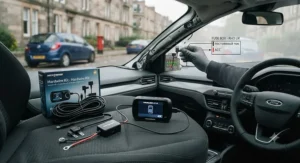
A standard dash cam only works while the engine’s running, which sounds fine until you realise your car spends the overwhelming majority of its life parked, not driven. Parking mode changes that. It keeps a watchful eye on your vehicle after the ignition’s off, catching hit-and-runs, vandalism and the odd shopping trolley collision that would otherwise vanish into the ether. Reviewers and insurers alike have noted a rising share of vehicle damage claims now originate while cars are stationary rather than moving — which rather changes the calculation on whether parking protection is a “nice to have” or a genuine necessity.
This guide cuts through the marketing fluff. We’ve researched seven real dash cams with genuine parking mode capability, spanning budget mirror-style units through to radar-equipped premium systems, and paired every spec with honest, practical commentary on what it actually means for your car, your driveway and your peace of mind. Whether you’re comparing a budget parking mode dash cam or hunting for the most capable 24 hour parking mode dash cam money can buy, you’ll find grounded, UK-specific guidance below — not a rewritten spec sheet.
What Is a Dash Cam With Parking Mode?
A dash cam with parking mode is a camera that keeps monitoring your vehicle after the engine is switched off, using motion detection, impact sensing, or low-frame-rate time-lapse recording to capture anyone who bumps, scratches or breaks into your car while it’s unattended. Unlike a standard journey recorder, it draws power from a hardwire kit or backup battery so it can watch your car around the clock rather than going dark the moment you take the key out.
If you want the fuller technical picture of how these onboard recorders evolved from simple journey-loggers into full parking security systems, the dashcam entry on Wikipedia is a genuinely useful primer covering the underlying hardware, from G-sensors to trusted timestamping.
The practical upshot for UK drivers: a dash cam that records when parked effectively turns your car into its own witness, twenty-four hours a day, without you needing to lift a finger.
Quick Comparison Table
Before we go deep into all seven cameras, here’s the fast version for anyone short on time.
| Dash Cam | Parking Mode Type | Front Resolution | Best For |
|---|---|---|---|
| Nextbase 622GW | Intelligent motion-triggered | 4K @ 30fps | All-rounder with emergency SOS |
| Thinkware U3000 | Radar + energy-saving | 4K @ 30fps | Ultimate parking protection |
| BlackVue DR970X Plus | Motion/impact + cloud LTE | 4K @ 30fps | Remote alerts and fleet-style monitoring |
| Viofo A229 Pro | Buffered motion/impact | 4K @ 60fps | Sharpest footage of moving traffic |
| 70mai A810S | Motion/impact via hardwire | 4K @ 30fps | Budget-conscious feature seekers |
| Road Angel Halo Drive 2 | 24/7 True 3-Tier Parking Mode | 1440p QHD | British-brand reliability |
| Co-Pilot CPDVR3 | Basic motion parking mode | 1080p Full HD | First-time buyers on a tight budget |
Looking at the spread above, there’s a clear pattern: the more sophisticated the parking mode (radar sensing, energy-saving current draw, cloud alerts), the higher up the price ladder you climb. That said, the Road Angel Halo Drive 2 proves you don’t need premium pricing to get genuine 24/7 coverage, and the Co-Pilot CPDVR3 shows that even entry-level buyers aren’t entirely locked out of parking protection. What the table can’t show you is how each of these parking modes behaves in practice, which is exactly what the product breakdowns below are for.
💬 Bookmark this table — you’ll want to scroll back to it once you’ve read the detail below!😊
Top 7 Dash Cams With Parking Mode: Expert Analysis
We’ve picked these seven to cover every realistic buyer: the tech obsessive who wants radar-grade parking sensing, the family driver who just wants reliable footage without a manual the size of a phone book, and the budget shopper who needs basic protection without remortgaging the house. All seven are genuine, currently available products — no invented models, no fictional specs.
1. Nextbase 622GW — best all-rounder with genuine emergency features
The 622GW has been Nextbase’s flagship for a few years now, and it’s held its position for good reason — the standout here is that it pairs 4K footage with an actual emergency response system, not just a parking mode bolted on as an afterthought. Under the hood sits an Ambarella H22 quad-core processor paired with an Omnivision image sensor, delivering 4K at 30fps through a six-layer f/1.3 lens with a 140-degree field of view. In practice, that lens combination means number plates stay legible even in flat, grey UK daylight, which is exactly when cheaper sensors tend to wash out detail.
Based on the spec comparison, what sets this camera apart from most rivals in its bracket is Intelligent Parking Mode paired with a genuine Emergency SOS system: if the G-sensor detects a serious impact and you don’t respond to a check-in call within roughly two and a half minutes, the camera can alert emergency services with your location. Reviewers consistently note the What3Words integration is a small but genuinely clever touch for pinning down exact roadside locations. On the parking side, when running off the internal battery alone (no hardwire kit), most testers report around fifteen minutes of triggered recording time after an impact — perfectly reasonable for a supermarket car park scrape, less so for an eight-hour overnight watch, which is where the optional hardwire kit earns its keep.
This is the camera for buyers who want one purchase to cover driving, parking and worst-case emergencies without juggling three separate gadgets. It particularly suits new dash cam owners who don’t want a steep learning curve, since the touchscreen menu system is refreshingly logical.
Aggregated customer reviews consistently praise the night vision and image stabilisation, though several long-term owners flag that the companion app’s Wi-Fi handshake can be temperamental, particularly on iPhone — a known quirk rather than a dealbreaker.
Pros:
- ✅ 4K footage with genuinely sharp plate capture in daylight
- ✅ Emergency SOS with What3Words location sharing
- ✅ Alexa voice control keeps hands on the wheel
Cons:
- ❌ Full 24/7 parking protection needs a separate hardwire kit
- ❌ Wi-Fi app pairing can be inconsistent on some phones
At around £220-£260 depending on retailer and bundle, the 622GW sits at the upper end of front-only cameras — but given the emergency features you’re getting alongside genuine 4K clarity, it represents solid value for anyone who wants one camera to do almost everything well.
2. Thinkware U3000 — best for radar-based parking protection
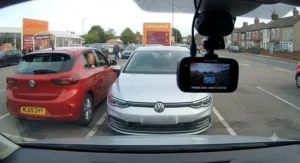
If parking mode is your absolute priority, the U3000 is the camera the rest of the industry gets compared against, and the standout advantage is genuinely unique: it’s the only mainstream dash cam brand offering radar-assisted parking detection. Instead of relying purely on a G-sensor or basic motion detection, the U3000 uses a built-in radar module to sense an approaching person within an adjustable one-to-five-metre radius, triggering a recording before contact even happens rather than reacting after the fact.
Specs-wise, the front camera uses an 8.24-megapixel Sony STARVIS 2 sensor covering a genuinely wide 158-degree field of view at 4K/30fps, while the rear channel records 2K through a 5-megapixel STARVIS sensor. What most buyers overlook about this model is how much of its advantage sits in power efficiency rather than raw resolution: its Energy Saving Parking Mode reportedly draws as little as 7mA of current, and even with radar enabled that only rises to around 10-14mA — low enough that many owners run it for extended periods without a supplementary battery pack, provided the car’s own battery is in decent health. Thinkware also ships the U3000 with an OBD-II power cable as standard, giving plug-and-play parking mode without a full hardwiring job, though a proper hardwire kit remains available for a tidier install.
This is the dash cam for anyone parking regularly in tight, high-footfall areas — city centre streets, multi-storey car parks, university campuses — where the radar’s early-warning behaviour genuinely earns its premium price tag.
Reviewers who’ve run the U3000 through structured comparisons against BlackVue’s flagship consistently rate its night-time footage and thermal management (thanks to a dedicated ventilation grille) above the competition, though the rear camera’s coin-slot rotation mechanism draws mixed feedback for fiddliness.
Pros:
- ✅ Unique radar-based parking detection ahead of physical contact
- ✅ Very low current draw extends parking mode duration
- ✅ Wide 158-degree front field of view with Sony STARVIS 2 sensor
Cons:
- ❌ Premium pricing puts it out of reach for casual buyers
- ❌ Rear camera rotation mechanism is fiddlier than rivals
Expect to pay in the region of £400-£450 for the U3000, positioning it firmly as a specialist buy for drivers who treat parking security as the primary reason for owning a dash cam at all, rather than an afterthought.
3. BlackVue DR970X Plus — best for remote cloud-connected alerts
BlackVue has built its reputation on connectivity, and the DR970X Plus is where that philosophy reaches its most refined form yet — the standout feature here is optional LTE cloud connectivity that turns your parked car into something closer to a monitored security system than a passive recorder. Add the CM100 LTE module and you get real-time push alerts to your phone the moment an impact or motion event is detected, plus the ability to check a live view of your car remotely.
On the imaging side, the front camera uses the same 8-megapixel Sony STARVIS 2 IMX678 sensor as the Thinkware U3000, covering a 146-degree field of view with an upgraded f/1.7 aperture lens that lets in noticeably more light than its predecessor — here’s what to weigh: a wider aperture means better low-light footage, but it also means a physically larger front unit, so it’s less discreet behind smaller rear-view mirrors. The rear camera covers a full HD 131-degree view. Parking mode options span the usual motion, impact, buffered and time-lapse recording, and a hardwiring kit is included in the box rather than sold separately, which is a small but appreciated inclusion at this price point.
This camera is built for drivers who want reassurance without physically walking outside to check — commuters who park at train stations all day, or anyone leaving a car in an unfamiliar area on holiday and wanting a phone notification if something happens.
User reports consistently highlight the polish of BlackVue’s companion app and cloud dashboard as a genuine differentiator, though several owners note that ongoing LTE data costs are a recurring expense many buyers don’t budget for upfront.
Pros:
- ✅ Optional LTE module enables real-time remote alerts
- ✅ Wider f/1.7 aperture improves low-light parking footage
- ✅ Hardwire kit included in the box as standard
Cons:
- ❌ Larger front unit is less discreet than some rivals
- ❌ LTE connectivity requires an ongoing data subscription
Pricing typically runs around £420-£470 for the two-channel bundle, before any optional LTE module — a premium ask, but one that buys genuinely differentiated remote monitoring rather than just another set of megapixels.
4. Viofo A229 Pro — best for capturing fast-moving traffic in sharp detail
The A229 Pro’s calling card isn’t really about parking mode at all, initially — it’s about frame rate, and that matters more for parking evidence than you might assume. The standout feature is 4K recording at a genuine 60 frames per second on the front channel, double the frame rate of most rivals at this price, which dramatically reduces motion blur on anything moving quickly past your parked car, from a scooter weaving through a car park to a vehicle reversing into you at speed.
What the spec sheet won’t tell you, but reviewers note, is that this frame-rate advantage comes with a trade-off: connect the rear camera module and the processor can’t sustain 60fps across both channels simultaneously, dropping the front to 30fps to keep pace — still class-leading, just not quite the headline figure. The rear channel then records at a respectable 2K, ahead of the 1080p rear cameras common among competitors. Parking mode here uses buffered motion and impact detection, recording a short window before and after a triggering event so you’re not left guessing what caused the alert.
This is the sensible pick for anyone whose parking concerns centre on busy, high-traffic environments — city streets and multi-storey car parks where footage of a moving vehicle, not just a stationary scrape, is the likely scenario you’re insuring against.
Reviewers in independent group tests have consistently rated the A229 Pro’s footage as some of the sharpest available at its price point, particularly for reading number plates on vehicles in motion, though the lack of built-in cloud features means you’re relying entirely on local SD card storage.
Pros:
- ✅ 4K/60fps front footage minimises motion blur
- ✅ 2K rear camera beats the usual 1080p standard
- ✅ Buffered parking mode captures context before and after events
Cons:
- ❌ Drops to 30fps front when the rear camera is connected
- ❌ No built-in cloud connectivity for remote alerts
Typical UK pricing sits around £220-£260, making the A229 Pro a genuinely strong mid-range pick for drivers who prioritise footage sharpness over the fancier connected features found on BlackVue and Thinkware’s flagships.
5. 70mai A810S — best value for feature-per-pound
Not every buyer needs radar sensing or LTE alerts — sometimes you just want solid, dependable coverage without paying premium prices, and that’s exactly where the 70mai A810S earns its standout tag: genuine 4K front resolution, GPS, Wi-Fi and an AI-enhanced low-light mode at a price point that used to only buy you a 1080p camera a couple of years back.
The rear camera records at 1080p, a sensible pairing that keeps the total cost down without leaving you blind behind the vehicle. Auto Express rated the A810S four stars in a recent group test, specifically praising how its AI processing helps preserve detail in dim conditions rather than just brightening the image and losing clarity — Based on the spec comparison, that’s a genuinely useful distinction for UK drivers, given how much of the year involves grey skies and early sunsets. Parking mode is available via a hardwire kit (sold separately, as is typical at this price), triggering recording on motion or impact detection.
This camera is built for the pragmatic majority: drivers who want everything that actually matters — legible plates, GPS-stamped footage, reliable parking protection — without paying for features they’ll rarely touch, like radar sensing or cloud subscriptions.
Aggregated reviewer sentiment is consistently positive on value for money, with the AI low-light mode singled out repeatedly as punching above the price point; a recurring criticism is that the companion app’s settings menu isn’t as intuitively laid out as Nextbase’s.
Pros:
- ✅ Genuine 4K front resolution at a budget-friendly price
- ✅ AI-enhanced low-light mode improves night-time clarity
- ✅ Built-in GPS logs speed and location automatically
Cons:
- ❌ Hardwire kit for parking mode sold separately
- ❌ Companion app settings are less intuitive than rivals
Expect to pay somewhere in the £100-£140 range, which makes the A810S arguably the strongest pound-for-pound value pick across this entire list — proof that budget-conscious buyers aren’t stuck with compromised parking protection.
6. Road Angel Halo Drive 2 — best British-brand value pick
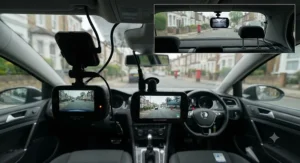
Road Angel is a proudly British dash cam brand, and the Halo Drive 2 is where that identity translates into genuinely practical parking mode engineering — the standout here is what the brand calls 24/7 True 3-Tier Parking Mode, layering impact detection, time-lapse recording and continuous full-frame-rate recording into one system rather than forcing you to choose a single mode.
Recording at 1440p QHD, the Halo Drive 2 sits a step below the outright 4K units on this list, but reviewers consistently note that genuine 1440p footage from a well-tuned sensor often reads number plates further out than a cheaper “4K” camera relying on interpolated upscaling — here’s what to weigh: raw pixel count matters less than sensor quality and lens sharpness, and Road Angel has clearly prioritised the latter. Every Halo model ships with a three-year warranty and Winter Mode as standard, a genuinely thoughtful touch given how UK winters play havoc with dash cam electronics through cold-start battery drain and condensation. The 24/7 True Parking Mode draws directly from the car’s electrical system via hardwire kit, with built-in battery protection to stop it from draining your car overnight.
This is the dash cam for drivers who want UK-based support, a straightforward app experience, and genuinely tiered parking protection without needing to understand radar sensitivity settings or LTE data plans.
Reviewer sentiment around the Halo range consistently praises the smartphone app’s simplicity and the three-year warranty as reassuring for less tech-confident buyers, though the trade-off is a resolution ceiling below the 4K flagships elsewhere on this list.
Pros:
- ✅ Three-tier parking mode combines impact, time-lapse and continuous recording
- ✅ Three-year warranty is longer than most competitors offer
- ✅ Winter Mode addresses UK-specific cold-weather reliability
Cons:
- ❌ 1440p resolution trails the 4K units on this list
- ❌ Full 24/7 protection still requires a hardwire kit purchase
Halo dash cams with parking mode capability typically start from around £150-£200, making the Drive 2 a sensible middle-ground pick for buyers who want a trusted British brand without stretching to premium 4K pricing.
7. Co-Pilot CPDVR3 — best entry-level pick for first-time buyers
Not everyone needs — or wants to pay for — a feature-packed flagship, and the CPDVR3 exists precisely for that buyer. The standout feature here is its disguised design: it mounts as a rear-view mirror replacement, hiding the camera in plain sight rather than announcing itself as an obvious dash cam on the windscreen.
The front camera records in 1080p Full HD at 30fps, paired with a 720p rear-facing lens and a built-in 4.3-inch TFT screen for instant playback without needing to pull the SD card. Reviewers consistently note this is a genuinely capable “first dash cam” rather than a corner-cut toy: it includes a G-sensor for automatic impact detection, standard loop recording, and — crucially for this guide — basic parking mode alongside night vision on the interior-facing camera and a built-in microphone. Where most buyers overlook the trade-off is storage: the CPDVR3 tops out at 32GB microSD support, which is fine for daily loop recording but limits how much buffered parking footage you can retain before it starts overwriting itself.
This is the dash cam for genuinely budget-conscious drivers, second-car owners who don’t want to invest premium money into a vehicle they use occasionally, or anyone testing the water with dash cams for the first time before committing to something pricier.
Aggregated reviewer feedback is broadly positive given the price point, with buyers frequently commenting on how unobtrusive the mirror-style design is; the honest caveat, consistently repeated, is that footage quality clearly trails every other camera on this list, particularly after dark.
Pros:
- ✅ Mirror-style design keeps the camera genuinely discreet
- ✅ Dual front-and-rear recording included at entry-level pricing
- ✅ Built-in 4.3-inch screen for instant playback
Cons:
- ❌ 32GB microSD ceiling limits parking footage retention
- ❌ Night-time footage quality trails the rest of this list
At around £40-£70, the CPDVR3 remains one of the most accessible ways to get genuine parking mode protection into your car — not the sharpest footage here, but a sensible first step for buyers who aren’t ready to spend premium money yet.
How Parking Mode Actually Works: Impact-Triggered Recording, Timed Lapse and Low Bitrate Surveillance
What is impact-triggered recording? Impact-triggered recording activates your dash cam’s parking mode the moment its G-sensor detects a physical knock — a car door, a shopping trolley, a reversing bumper — saving a short buffered clip covering the seconds immediately before and after the event, so you’re never left with footage that starts a beat too late.
This is arguably the single most useful parking mode variant for the classic UK car park scenario, because it needs almost no power between triggers — the camera essentially sleeps until its sensor wakes it. The catch, and it’s one every reviewer flags eventually, is sensitivity tuning. Set the threshold too low and every gust of wind or passing lorry sets it off, filling your SD card with useless clips and draining your car’s battery unnecessarily. Set it too high, and a gentle-but-genuine tap might not register at all. Most cameras on this list, including the 622GW and the A229 Pro, let you adjust this sensitivity manually — it’s worth spending ten minutes dialling it in after installation rather than trusting the factory default.
Timed lapse parking monitor recording works differently again: rather than waiting for a trigger, the camera captures still frames at set intervals — commonly around one per second — and stitches them into a heavily compressed video. What most buyers overlook about time-lapse is that it isn’t really designed to catch the moment of impact in perfect detail; it’s designed for long-duration overview, condensing eight hours of quiet driveway footage into a few minutes you can skim through. It’s the mode you’d lean on for multi-day airport parking or leaving a car outside a relative’s house for a week, where continuous full-frame recording would simply exhaust your storage and battery long before you got back.
Low bitrate parking surveillance sits underneath both of these approaches as the quiet enabler. Recording at full driving-quality bitrate around the clock would chew through a 128GB card in well under a day and would draw enough current to flatten most car batteries overnight — reviewers consistently note this is the actual reason so many “24/7 parking mode” claims come with fine print about hardwire kits and voltage cut-offs. By deliberately dropping resolution, frame rate or compression quality while parked, cameras like the Thinkware U3000 in Energy Saving mode can sustain multi-day monitoring on a fraction of the current a full-quality feed would need, trading a little clarity for genuinely extended coverage.
✨ Not sure which parking mode fits how you park? Compare current listings and check availability before you decide.
How to Choose a Dash Cam With Parking Mode
Picking the right camera comes down to seven practical criteria, each worth weighing against how and where you actually park.
- Decide how your car is powered while parked. Hardwiring is essentially mandatory for genuine 24-hour coverage; cigarette-lighter-only cameras stop recording the instant you remove the key, no matter what parking features they claim to support.
- Match sensor resolution to your parking environment. A well-tuned 1440p sensor, like the one in the Road Angel Halo Drive 2, can outperform a cheap interpolated “4K” camera when it comes to reading number plates at distance — check real sample footage, not just the spec sheet number.
- Check the parking mode type, not just its presence. Motion detection, impact detection, buffered recording, time-lapse and radar sensing all behave differently — pick based on where you actually park, not the longest features list.
- Consider current draw if you’re not hardwiring through a professional. Cameras like the Thinkware U3000, drawing single-digit milliamps in energy-saving mode, can sustain far longer parking protection on a healthy battery than power-hungry alternatives.
- Factor in storage capacity realistically. Dual-channel parking mode chews through microSD cards fast; budget for at least 128GB and a high-endurance card rated for continuous overwrite cycles, not a standard consumer card.
- Weigh connectivity against ongoing costs. BlackVue’s LTE alerts are genuinely useful, but they come with a data subscription — decide whether remote peace of mind is worth a recurring bill before you commit.
- Don’t ignore installation. A hardwire kit costs relatively little, but professional fitting adds a meaningful sum — decide upfront whether you’re comfortable running cables yourself or would rather pay for a tidy, warranty-safe job.
A common mistake worth flagging separately: buyers frequently choose based on resolution alone, assuming a bigger number automatically means better evidence. In practice, a lower-resolution camera with a sharp lens and good low-light processing regularly outperforms a higher-resolution unit with a cheap sensor — something the spec sheet alone will never tell you.
Practical Usage Guide: Setting Up Your Parking Mode Dash Cam
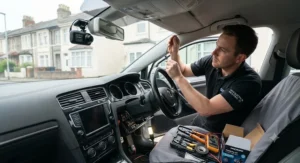
Getting a parking mode dash cam properly set up is less about technical skill and more about patience during the first thirty days. Start with mounting position: behind the rear-view mirror, high and central, is the position virtually every manufacturer designs for, and it’s also the spot least likely to cause driver-view complications later on.
Once fitted, resist the urge to leave every setting on its factory default. Spend your first week deliberately testing G-sensor sensitivity — tap the bumper gently, then firmly, and check what actually triggers a save versus what gets missed. This single adjustment prevents the two most common early frustrations: a card full of wind-triggered clips, or a genuine knock that never got recorded because sensitivity was set too conservatively.
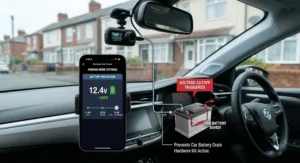
Maintenance-wise, treat your microSD card as a consumable, not a permanent fixture. Continuous overwrite cycling degrades even high-endurance cards over twelve to eighteen months of heavy use; reformat monthly through the camera’s menu rather than your computer, and replace the card entirely once you notice corrupted files creeping in. If you’ve opted for a hardwire kit, check the voltage cut-off threshold before your first genuinely cold UK winter — most sit around 11.8V to 12.2V by default, but older batteries benefit from a slightly more conservative setting to avoid a flat battery on a frosty morning.
The single most common first-month mistake we see reported is forgetting to actually enable parking mode after installation — many cameras ship with it switched off by default, meaning owners believe they’re protected for weeks before discovering the setting was never turned on.
Real-World Scenarios: 24 Hour Parking Mode for Every Driver
The city-centre commuter. Parks on a residential street for ten hours a day, five days a week, in an area with regular reports of wing-mirror clips and door dings. A camera with genuine impact-triggered recording and a solid hardwire kit — the Nextbase 622GW or 70mai A810S both fit well here — offers dependable protection without needing radar sensitivity or cloud alerts, since the main risk is contact damage rather than approach-based theft.
The multi-storey regular. Works in a city centre and uses the same council car park most days, an environment with more foot traffic and a genuinely elevated risk of both scrapes and attempted break-ins. This is where the Thinkware U3000’s radar-assisted detection earns its premium price, sensing an approaching person before contact occurs rather than reacting after the fact — genuinely valuable peace of mind in a high-footfall environment.
The occasional long-term parker. Leaves the car at an airport car park for a week at a time, or parks at a relative’s house for extended stretches without daily access to check on it. Time-lapse recording, paired with a camera offering strong energy efficiency, makes far more sense here than continuous full-frame recording, which would exhaust both storage and battery long before the car’s owner returns. The BlackVue DR970X Plus’s optional LTE alerts add a further layer, letting an anxious owner check in remotely without a physical visit.
Impact-Triggered Recording vs Timed Lapse: Real-World Performance in the Rain
UK weather deserves its own mention here, because it materially changes how parking mode performs day to day. Heavy rain and gusty wind are the two most common causes of false triggers on impact-detection systems — a sensitivity setting that felt perfectly calibrated in a still car park can suddenly generate dozens of clips during a stormy night, needlessly filling your SD card and drawing extra current. Reviewers consistently recommend a seasonal sensitivity check: nudge the threshold up slightly heading into autumn and winter, then back down again once calmer weather returns.
Cold weather brings a second, less obvious issue: battery internal resistance rises in low temperatures, meaning a hardwire kit’s voltage cut-off can trigger earlier than expected on a frosty morning even with a healthy battery. This is exactly why Road Angel bundles a dedicated Winter Mode into its Halo range, and it’s worth checking whether other cameras on your shortlist offer similar cold-weather compensation before committing.
Dash Cam With Parking Mode vs Traditional Car Alarms and Trackers
| Feature | Dash Cam Parking Mode | Traditional Car Alarm | GPS Tracker |
|---|---|---|---|
| Captures visual evidence | Yes | No | No |
| Deters opportunistic damage | Partial (visible camera) | Yes (audible) | No |
| Works after theft | Limited (fixed to car) | No | Yes (location only) |
| Ongoing cost | SD card, optional cloud fee | Minimal | Subscription typical |
| Best For | Proving fault and identifying culprits | Startling off casual thieves | Recovering a stolen vehicle |
The analysis here is fairly clear-cut: these three technologies solve genuinely different problems rather than competing head-to-head. A traditional alarm is reactive noise-based deterrence — useful for scaring off an opportunist, but it produces no evidence afterwards. A GPS tracker is superb for recovering a stolen vehicle but does nothing to identify who damaged your car while it was parked and untouched. A dash cam with parking mode is the only one of the three that gives you visual proof — a face, a number plate, a moment of contact — which is precisely what insurers and police forces want when assessing a claim or pursuing a hit-and-run. Increasingly, UK drivers run a dash cam alongside a tracker rather than choosing one over the other, since they cover genuinely different risks.
💬 See which dash cam pairs best with your car’s existing security setup — check today’s listings.
Long-Term Cost & Maintenance
The purchase price is only the opening chapter of dash cam ownership. Factor in a hardwire kit (typically £20-£30 in parts, plus either a DIY afternoon or £60-£100 for professional fitting), a high-endurance microSD card rated for continuous rewriting (expect to replace this every twelve to eighteen months of heavy use), and, for cloud-connected models like the BlackVue DR970X Plus, an ongoing LTE data subscription if you want remote alerts switched on.
Weighed against those running costs, the potential upside is meaningful: several major UK insurers offer discounts of around 10-15% for drivers with a fitted, functioning dash cam, and a single successfully settled hit-and-run claim — avoiding an excess payment that can run into hundreds of pounds — comfortably outweighs several years of card replacements and hardwire kits combined. The total cost of ownership genuinely favours mid-range cameras with efficient parking mode over premium units with power-hungry always-on recording, since lower current draw directly extends both battery health and card lifespan.
Safety, Regulations & Compliance: UK Dash Cam Law
Fitting a dash cam is entirely legal in the UK, and there’s no licence or registration required for personal use. The one genuine legal constraint sits with placement: the GOV.UK MOT inspection guidance confirms that windscreen-mounted devices must not seriously obstruct the driver’s view of the road, and in practice this means keeping the camera and its mount out of the primary sightline directly ahead of the steering wheel, tucked instead behind the rear-view mirror.
Privacy is the second consideration worth taking seriously, particularly once parking mode is involved, since your camera may now be recording continuously in a public or semi-public space rather than only while you’re actively driving. The ICO’s guidance on surveillance in vehicles notes that dashcams can capture other motorists, pedestrians and passengers, and recommends particular care with audio recording, which is more intrusive than video alone and should generally stay switched off by default for personal use. For everyday private driving, most UK dash cam use falls under a household-use exemption from the stricter GDPR rules that apply to commercial fleets — but the moment footage gets shared publicly with faces or plates visible, or a camera is used for paid driving work, those protections change considerably.
Insurance is the last piece worth confirming directly with your provider: a hardwired installation is often classed as a vehicle modification, and failing to declare it can, in a worst-case scenario, jeopardise a claim entirely — a five-minute phone call at renewal time is a small price for certainty.
Buyer’s Decision Framework: Which Parking Mode Dash Cam Should You Choose?
If you park mostly in quiet residential streets and just want dependable evidence of contact damage, choose an impact-triggered camera like the 70mai A810S or Nextbase 622GW, because your realistic risk is low-speed knocks rather than approach-based incidents.
If you regularly park in busy multi-storey car parks or high-footfall city centres, choose radar-assisted protection like the Thinkware U3000, because early detection before contact genuinely matters when foot traffic around your car is constant.
If you want remote peace of mind without physically checking on your car, choose a cloud-connected option like the BlackVue DR970X Plus, because real-time phone alerts let you react immediately rather than discovering damage days later.
If your budget is the primary constraint, choose the Co-Pilot CPDVR3 or Road Angel Halo Drive 2, because both deliver genuine parking mode functionality without premium pricing, and neither compromises on the fundamentals that actually matter for evidence quality.
Best Parking Mode Dash Cam Review: Final Verdict by Budget
Pulling every thread from this guide together: under £100, the 70mai A810S delivers the strongest genuine feature set, particularly its AI-enhanced low-light mode. In the £150-£260 mid-range bracket, it’s a genuine three-way contest between the Road Angel Halo Drive 2 for British-brand reliability, the Viofo A229 Pro for outright footage sharpness, and the Nextbase 622GW for the most complete out-of-box feature set including emergency response. At the premium end, above roughly £400, the decision hinges on what kind of premium you want: radar-based parking detection from the Thinkware U3000, or cloud-connected remote monitoring from the BlackVue DR970X Plus.
There’s no single objectively “best” answer here — only the best match for how, where and how often you actually park, which is precisely why we’ve broken this guide down by real-world scenario rather than a flat ranked list.
Frequently Asked Questions
❓ Does dash cam parking mode drain my car battery?
❓ Do I need a hardwire kit for parking mode to work?
❓ Is dash cam footage from parking mode admissible for insurance claims?
❓ How much microSD storage do I need for 24 hour parking mode?
❓ Can a dash cam with parking mode record for a full week unattended?
Conclusion
A dash cam with parking mode isn’t really a luxury gadget anymore — it’s closer to a sensible extension of the same instinct that makes you lock your car in the first place. The seven cameras covered here span a genuinely wide range, from the Co-Pilot CPDVR3’s unassuming mirror-style budget protection through to the Thinkware U3000’s radar-assisted premium coverage, and the right choice comes down to honestly assessing where you park and what risk actually concerns you, rather than chasing the longest spec sheet.
What ties every recommendation together is the same underlying principle: genuine parking protection depends far more on a correctly configured hardwire kit, sensible sensitivity tuning and adequate storage than it does on chasing the single highest resolution number available. Get those fundamentals right, and even a budget-friendly camera can deliver exactly the evidence you’d hope never to need but will be enormously grateful for the one time you do.
Recommended for You
- 7 Best Dash Cam With Speed Camera Alerts Picks (UK 2026)
- Dash Cam With GPS: 7 Best Options Tested for UK Drivers 2026
- Best Dash Cam for the Money UK 2026: 7 Picks That Punch Above Their Price
💬 Affiliate Disclosure: This article contains affiliate links. As an Amazon Associate, I earn from qualifying purchases. If you purchase products through these links, we may earn a small commission at no additional cost to you.
✨ Found this helpful? Share it with your friends! 💬🤗
